
markt15171781
Participant
May 5, 2020
Question

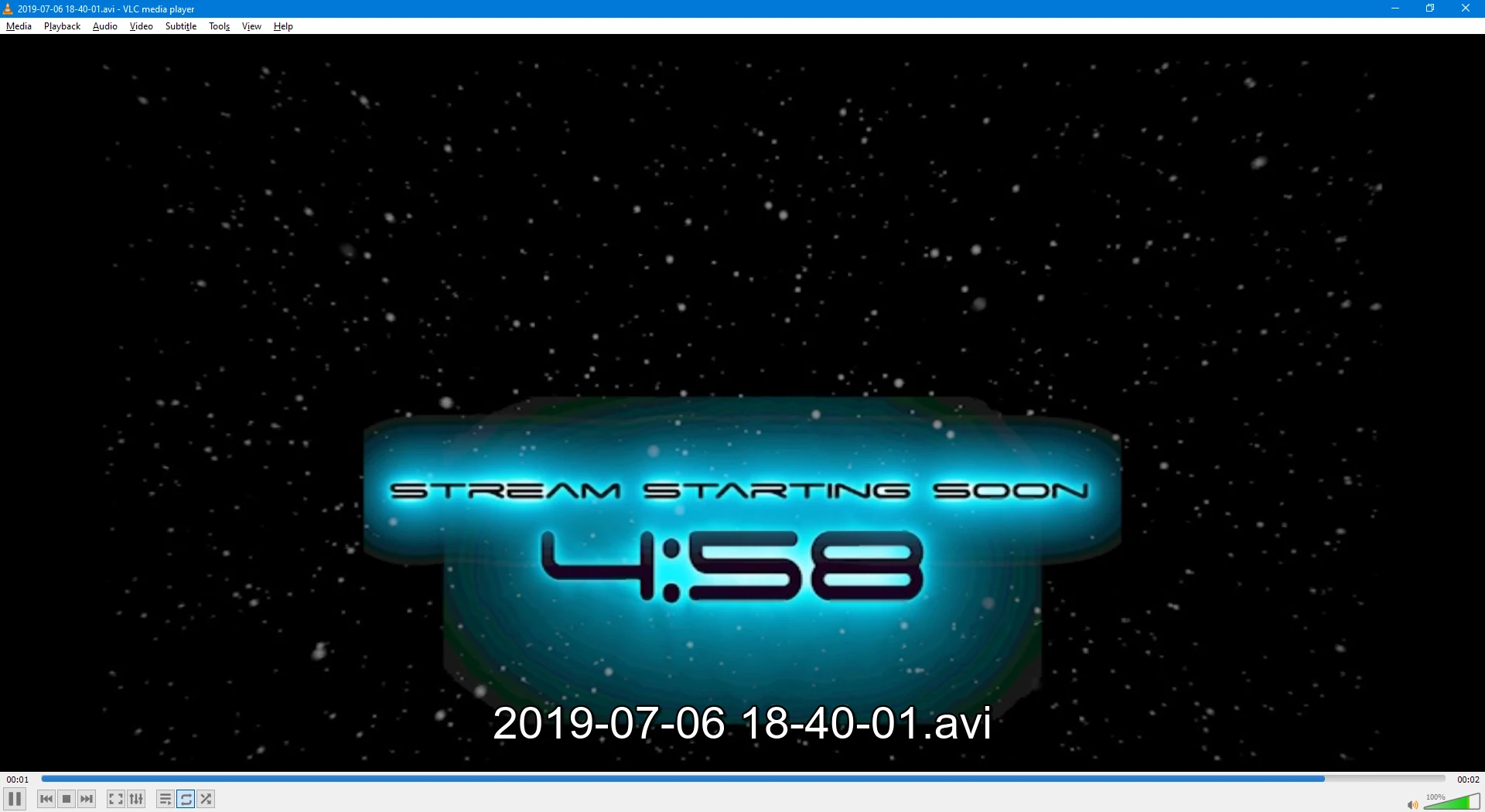
Exporting premier pro with After Effects comps to a media file shows huge blotches.

  • May 5, 2020
  • 1 reply
  • 140 views

When I export from premier pro with after effects compositions included I get this:
 

In premier pro before the export it looks like this:
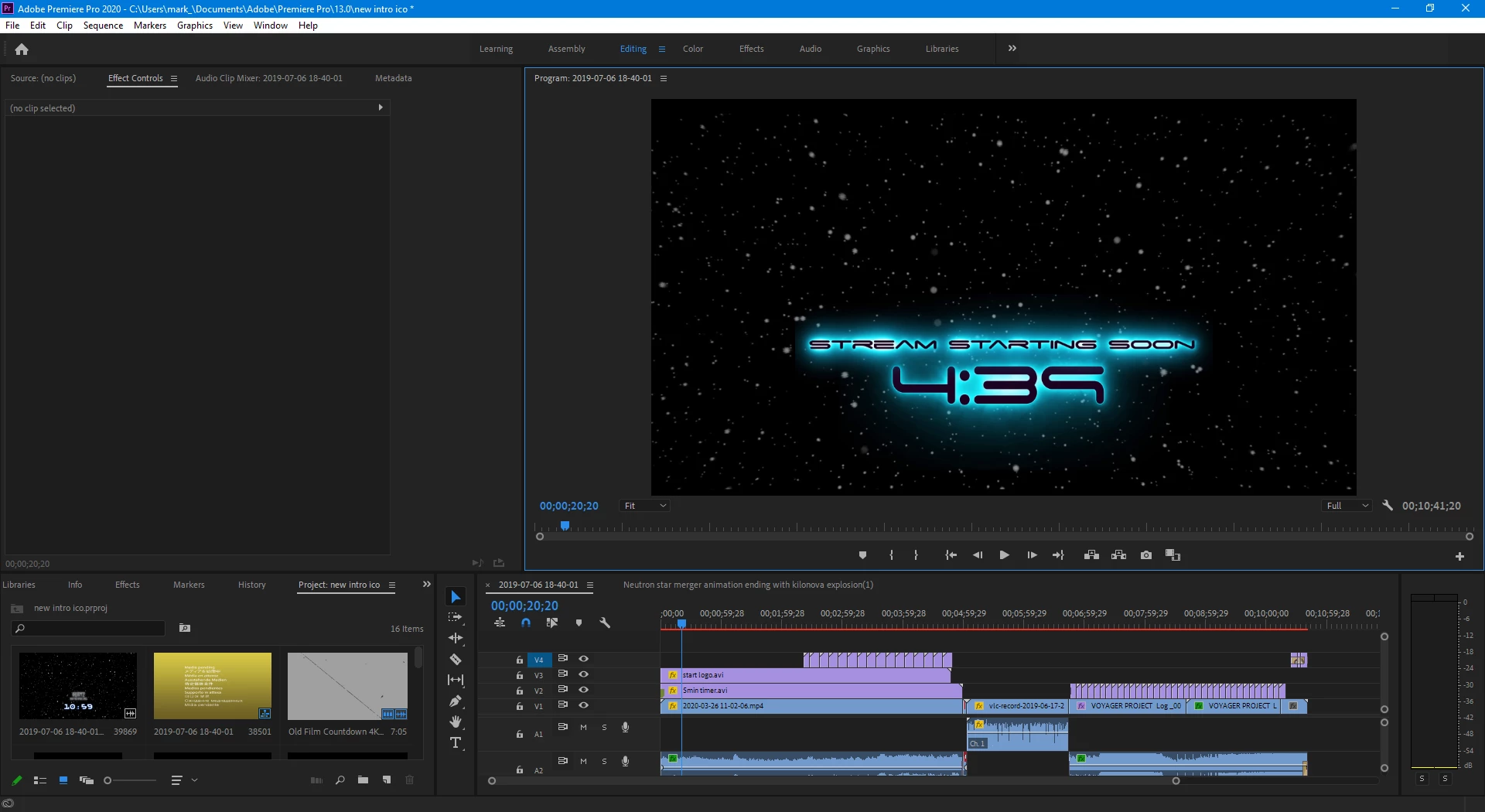
 

I'm relatively new ( a few months) so figure there has to be a setting i'm not using for the compositions to be rendered properly after during export to final media.


I'm using H.264, Target bitrate 50, Max bitrate 50 (doesn't go higher) with render at maxium depth etc. but no settings I can come up with solves the issue.  I've also installed Cuda software and tried with hardware and software only. Any help would be greatly appreciated!


This topic has been closed for replies.

1 reply

Peru Bob
Community Expert
Community Expert
May 5, 2020

Are you referring to the "...avi" title?

If so, it is put there by your player, not Premiere Pro.

If you are using VLC Player, it can be turned off in the settings.

markt15171781
Participant
May 5, 2020

No I'm referring to the graphic where it displays properly after importing from After effects and shows as below the way it should in the project before exporting and playbacking on a media player


In the project:


But playback after export it has these added artifacts which aren't there before.  I'm trying to get it to export the way it is in the project


thanks for the reply 🙂