
Inspiring
April 4, 2017
Answered

Exporting to MOV at 1080.. please help

  • April 4, 2017
  • 2 replies
  • 1310 views

Hi, I can't seem to find a way to export a file in MOV format at 1080 using one of these codec (photo-jpeg, mjpeg, mjpega, mjpegb, h264, prores, qtrle, png, dnxhd). I'm using PC...

Please Help

Thanks in Advance
This topic has been closed for replies.
Correct answer edgarb99014018

Hi Edgarb,

Thanks for confirming. Please let us know the steps you followed to get the settings. It will be helpful for future forum users.

Thanks,

Vidya.


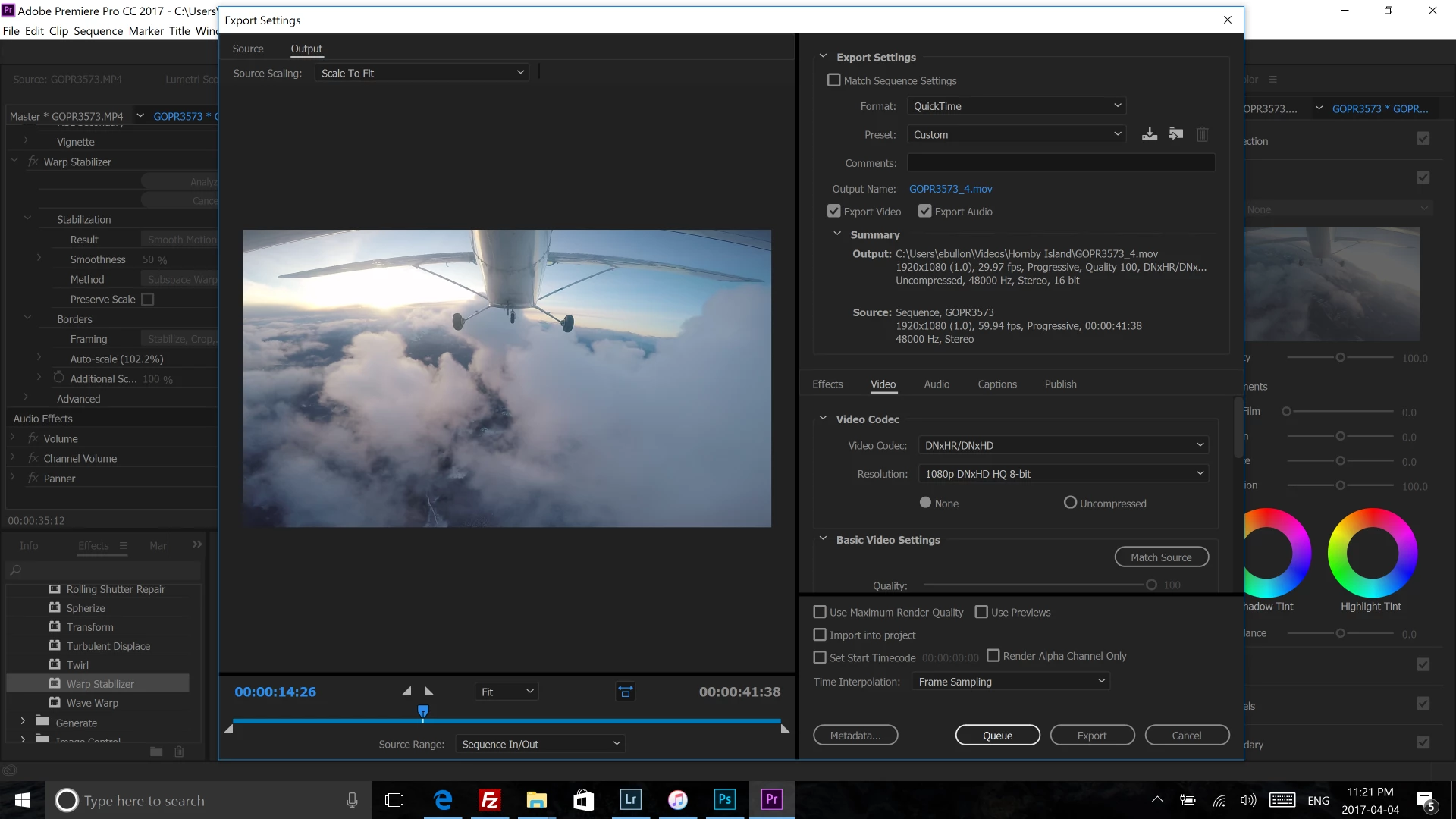
Format: QuickTime

Video Codec: DNxHR/DNxHD

Resolution: 1080p

Here are my setting:

2 replies

Ann Bens
Community Expert
Community Expert
April 4, 2017

MOV is Quicktime, select that under FORMAT in the export settings.

Inspiring
April 4, 2017

Thanks Ann, I tried that but for some reason it doesn't allows me to get 1080 (720 is max)... I also need to use one of the mentioned codec.

Ann Bens
Community Expert
Community Expert
April 4, 2017

Post screenshot of what you have so far of your export settings.

You should be able to set to 1080 and one of the codec.

KJerryK
Legend
April 4, 2017

Tell us which app you are using (Pr Pro, AME, or ?) and someone will move this to the proper forum. Technical questions are not for this forum.

Inspiring
April 4, 2017

Premiere Pro