MahaB82A
November 12, 2022
Question

Exporting Video

  • November 12, 2022
  • 3 replies
  • 767 views

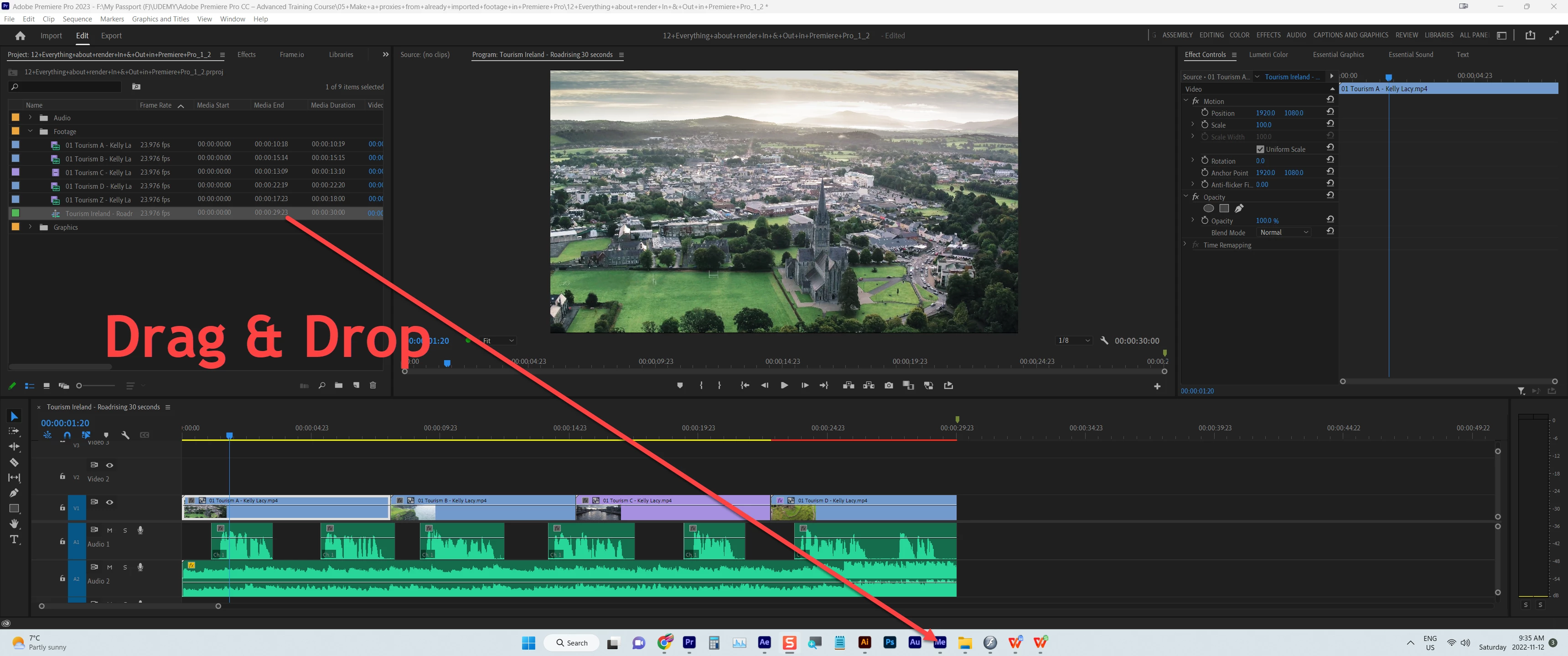
Is it possible to export a video file by drag & drop a sequence to Media Encoder icon that is in the taskbar? because it does not come to me. I watched this in a YouTube.



This topic has been closed for replies.

3 replies

R Neil Haugen
Legend
November 12, 2022

I watched ... and very clearly, he is NOT dropping on the Me icon.


He has Me already open, click/drags the sequence from the bin down over the icon, which naturally brings up Me ... and then keeps dragging up to the Me Queue panel.


He DOES NOT simply drag and drop onto the Me icon.


Neil

Everyone's mileage always varies ...
MahaB82A
MahaB82AAuthor
November 12, 2022

I have two monitors. In one APPr was opened and in other AMe was opened. I draged sequence & droped in Me Queue panel but it didn't work.    

Kevin-Monahan
Community Manager
Community Manager
November 22, 2022

Hi Maha,

I have it working on macOS. Drag the sequence from the Project panel into the Queue panel in Media Encoder. I'll try it on PC later.


Thanks,
Kevin

Kevin Monahan - Sr. Community and Engagement Strategist – Adobe Pro Video and Audio
Warren Heaton
Community Expert
Community Expert
November 12, 2022

Drag and drop the Sequence from the Adobe Premiere Pro Project tab or Bin tab to the Adobe Media Encoder Queue tab.


Also, make sure you're dragging and dropping to the corresponding version of Media Encoder.  So, Premiere Pro 2023 to Media Encoder 2023 should work while Premiere Pro 2023 to Media Encoder 2022 should not.

Ann Bens
Community Expert
Community Expert
November 12, 2022

Short answer: no

Drag and drop is a bad habit.

MahaB82A
MahaB82AAuthor
November 12, 2022

I got the same icon like this.

R Neil Haugen
Legend
November 12, 2022

I've never seen that done before. Huh.


Neil

Everyone's mileage always varies ...