
Exports constantly skip video or audio clips
I've started using premiere and am very surprised how unstable the exports seem to be.
I find it difficult to get a clean export, despite everything playing back as desired in the timeline.
I've run into a few different issues over and over. I can work around 1 and 3, but I have not been able to work around the video clip disappearances in 2.
1. Export Media won't open at all.
I go to File > Export > Media... and nothing happens. I can do it over and over. I can use the hotkey Ctrl+M. Sometimes it'll come up after a few tries. Sometimes dozens of attempts fail and I have to restart Premiere; sometimes one restart doesn't do it.
2. Video clips get skipped in the export.
The audio remains intact, but some video clip in the middle gets skipped. The subsequent video clips get pushed up so that the syncing is off and the video finishes far before the audio does.
3. Audio clips get silenced in the export.
This happens when I want both burn-in captions and a custom file name on an export. If I want to have a custom export file name, I can't set captions to burn-in on the export and vice versa. If have both, some random audio clip gets silenced in the export. I now workaround this by renaming exports after the fact.
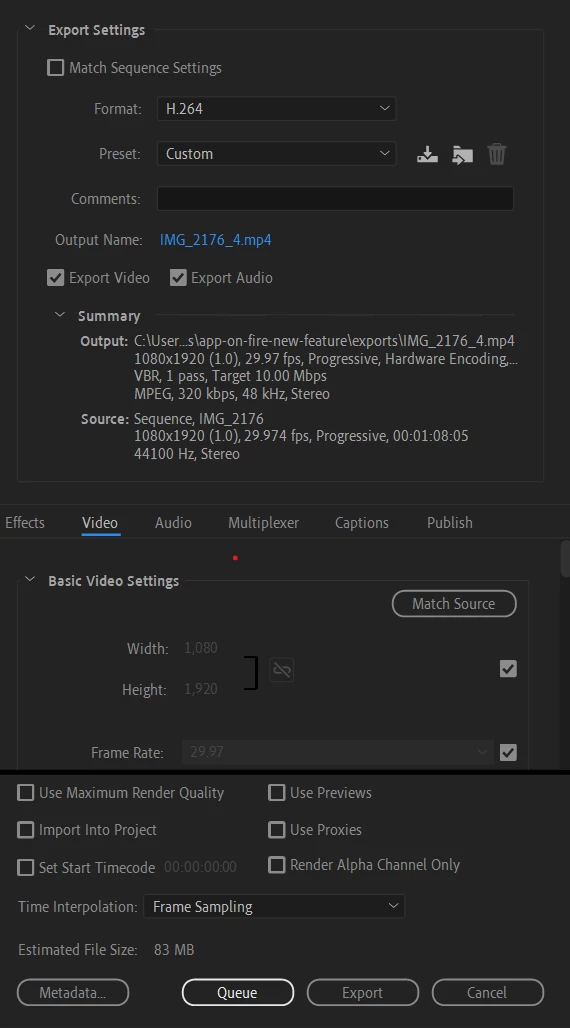
My typical export settings:
 AdChoices