
Inspiring
June 3, 2022
Answered

Extendscript to create Adjustment Layer

  • June 3, 2022
  • 2 replies
  • 708 views

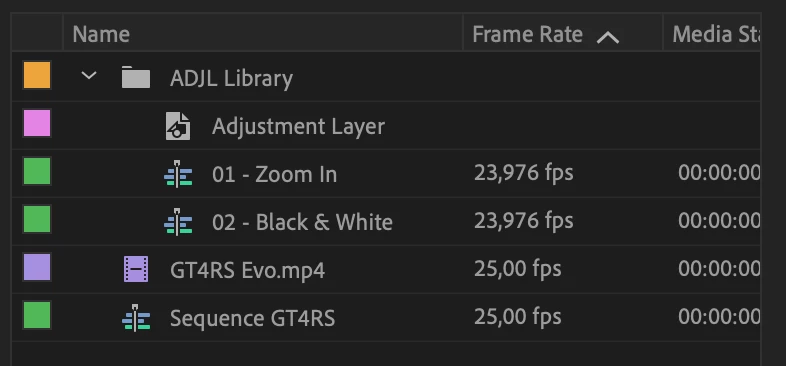
I have a project structure like this, a sequence and a project library.


What I want to achieve here is to create an Adjustment Layer using Extendscript. My idea is:

1. Create a new track in the sequence

2. Clone the effect in the Adjustment Layer library

3. Insert the cloned effect to the newly created track of the sequence.


Can someone help me with this? I am open to other solutions as well. Thanks a lot!
 

This topic has been closed for replies.
Correct answer Bruce Bullis

There's no API for creating adjustment layers. However, you could import a sequence (from another .prproj), which contains an adjustment layer. 

2 replies

Bruce Bullis
Community Manager
Bruce BullisCommunity ManagerCorrect answer
Community Manager
June 6, 2022

There's no API for creating adjustment layers. However, you could import a sequence (from another .prproj), which contains an adjustment layer. 

Community Expert
June 3, 2022

A solution may be after you create the effect is to go to the effect name in the Effects Control panel and right click on the effect name to save a preset which will always live on your system.