


extremely long render times with multicam timeline
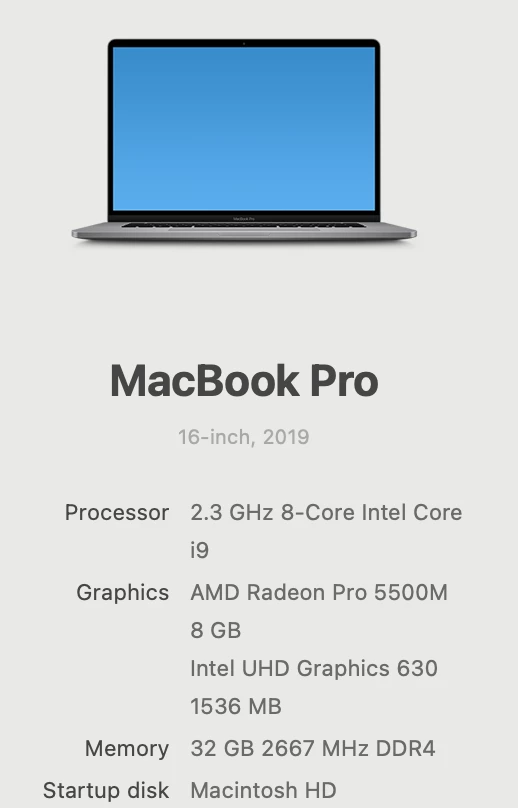
Hi there, I'm new to the forum and to intermediate issues with premiere pro. I'm using premiere pro 2024. I have a multicam project where cam 1 is in 4k, the other cams were shot on newer iphones. It was an interview. I finally figured out that in order to fill the frame with my iphone footage, I had to export each clip at 3840x2160 before making the multicam footage and putting it on my timeline to then edit. Maybe there is another way to do this, but that's what I did. Good so far. Now that I have made my cuts and it's time to export I am confused about what settings to use. I know that this will ultimately live on youtube, so don't think I need to export in 4k. So I chose custom, h.264, 1920x1080 at 24fps. I realize that my 4k footage will be reduced. Did not choose max render quality or max bit depth. I chose the 1 pass with a bit depth of 10 and I pressed export. My render time says 46 hours. It is about an hour of footage give or take. I have a simple animation intro on the front and end of the video. Why is this taking so long to process? I have no other applications open (just Chrome). Below are my specs. Is this normal. I've never done a multicam video before. Does this have something to do with it? Is it the 4k video? I have exported video from this camera before and it hasn't taken this long. Please help. thanks.
 AdChoices