
jasonpuma
Participant
April 22, 2018
Question

Extremely shaky and jittery video export

  • April 22, 2018
  • 2 replies
  • 584 views

Adobe I've been using the same export settings (H.264 and Match Source - High bitrate) for tons of videos for about a year.  I recently started using one project bin and creating different sequences out of the same video files in the project. I started running into an issue where once I export a sequence, the video would be jittery and shaky, especially for files that were sped up and warp stabilized.  I went back to creating new project files for each sequence I made instead of sharing a project bin for several sequences.  Now, even those exports are jittery and shaky.  I can't find where the issue lies in my export settings.  I'd really appreciate it if anyone can help me understand where the issue lies as soon as possible as this is the main program I use for work.
This topic has been closed for replies.

2 replies

Ann Bens
Community Expert
Community Expert
May 10, 2018

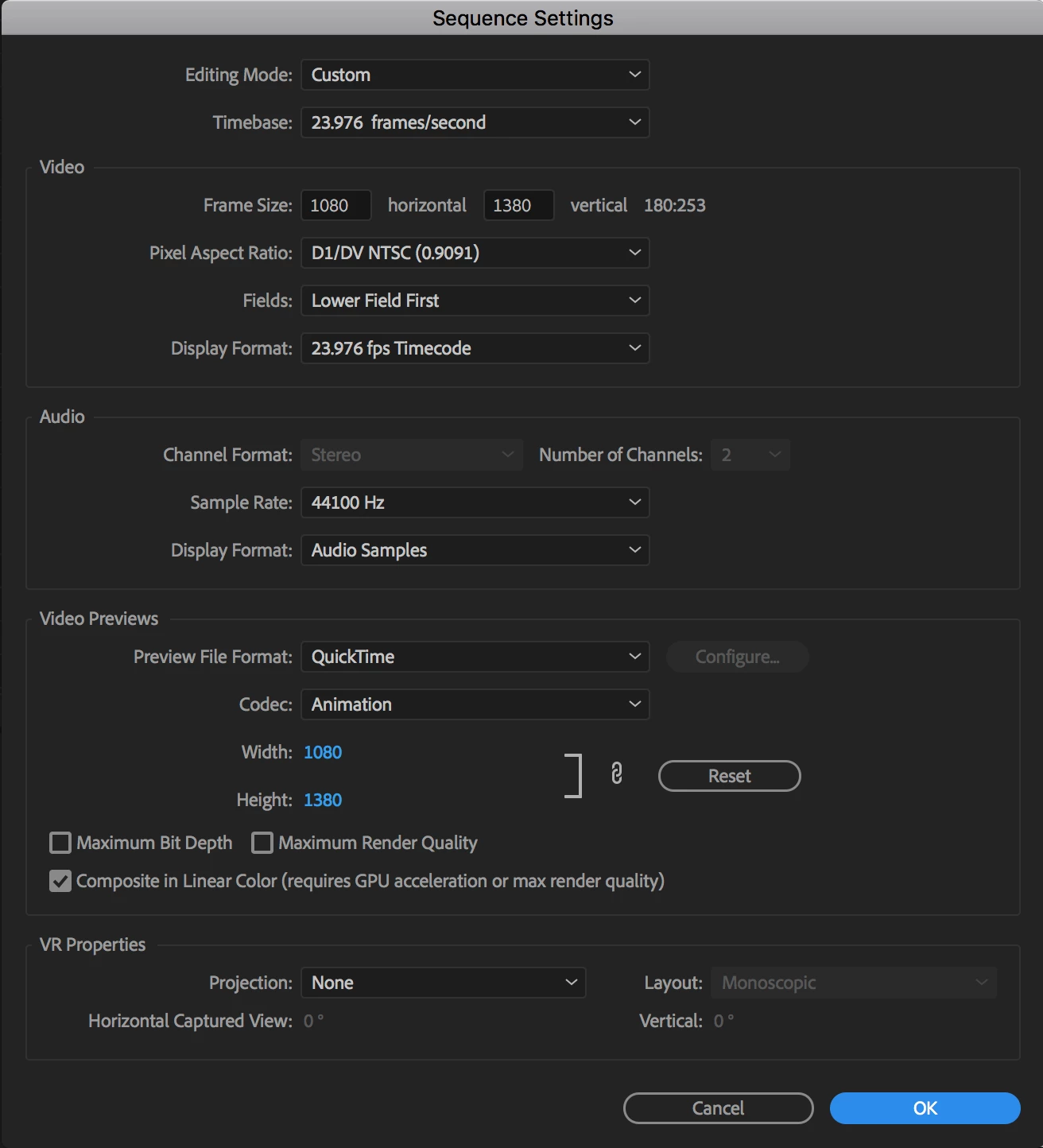
OP setup is all wrong.

Post screenshot sequence settings and export settings.

And screenshot of clip in Mediainfo.

Community Expert
April 22, 2018

Not sure what your source material is but if it is HD interlaced the field order should be Top Field First. I'm also not sure that 23.976 fps can be interlaced, I think it might be progressive only.

Participant
May 10, 2018

We are experiencing the same issues with jittery video. We were fine with no problems- last year, but with the latest upgrade in April, we began having issues with slow motioned video being jittery. We are aware of the interlace artifacts and work around that with frame blending but in this latest upgrade we are experiencing a lesser quality final product.