


FAQ: How to solve Encoding/Export stuck at 0% with Premiere Pro/Adobe Media Encoder 14.0.1?
We are investigating an issue with Premiere Pro/Adobe Media Encoder (v 14.0.1) where the export gets stuck at 0%. This issue seems to be related to markers. Here are the steps that can be followed to address this issue.
Note: This procedure is only applicable if you are using makers in the sequence.
The easy way:
Select all the markers from the timeline that you are trying to export and delete them (https://helpx.adobe.com/in/premiere-pro/using/markers.html#find_move_and_delete_markers). Once the markers are deleted try to export (you may want to create a backup of the project with the markers before deleting them, just in case if you need those markers later).
If you wish to drill down to the specific issue:
- Open the project file.
- Navigate to the Markers panel (Windows > Markers).
- Double-click on the marker thumbnail in the Markers panel to load its properties window or select the marker thumbnail and go to Markers (in the menu bar) > Edit Marker.
- Check if you see any parameter named marker_guid listed in the Flash Cue Point section.
(If you don’t find this parameter listed, check the next marker)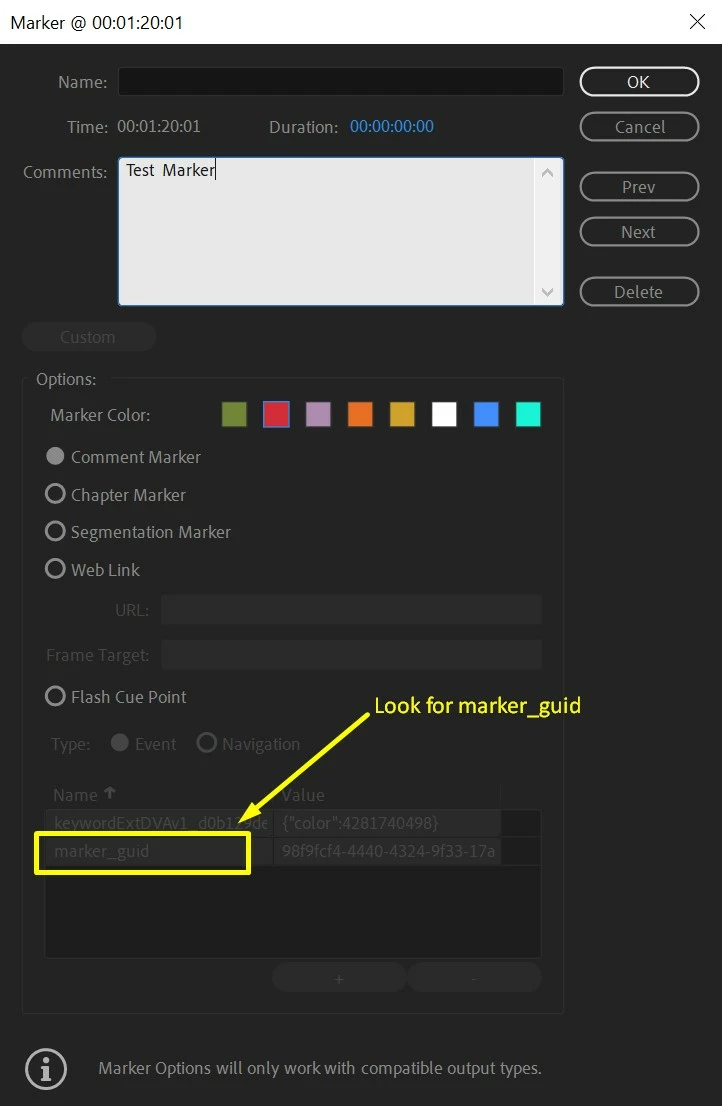
-
Once you find a marker that has marker_guid listed in the Flash Cue Point section, delete that entry.
To do this enable the option for Flash Cue Point.
Select marker_guid and click the - (minus) button.
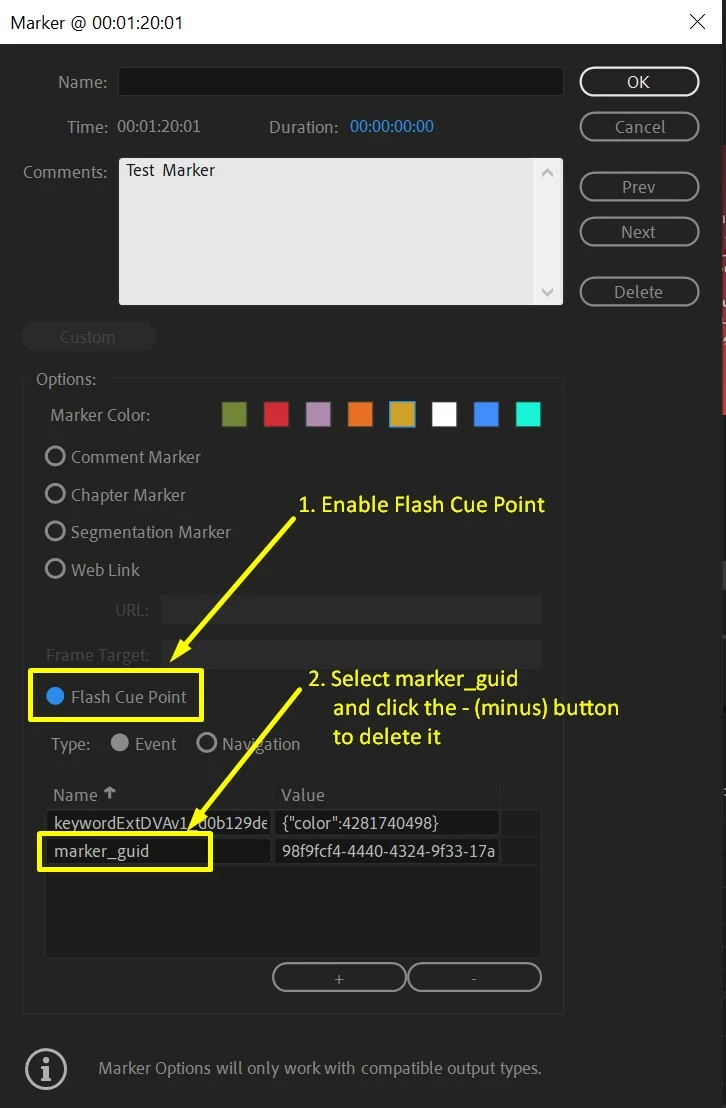
- Click OK and try to export.
Hope this helps in solving the issue. Let us know if you have any questions.
Thanks,
Sumeet
 AdChoices