
Participant
February 23, 2022
Question

File contains Bad frames - Can't download older version

  • February 23, 2022
  • 2 replies
  • 2249 views

Hi, I am encountering the error "Unable to import video [NAME.mov] File contains Bad frames".
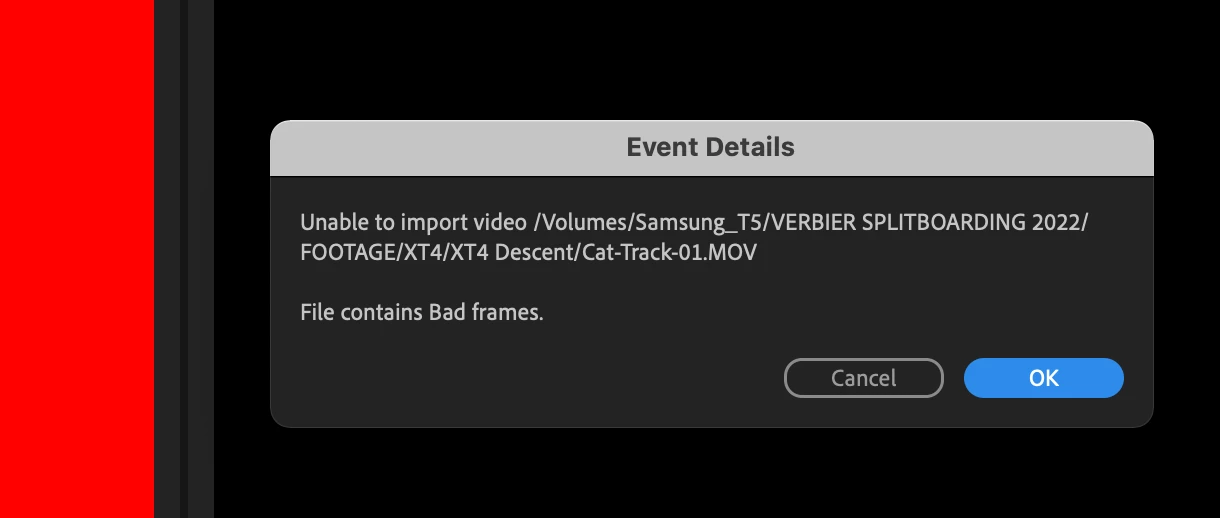


This is happening on all the footage from my Fuji XT4 camera. It plays fine in camera and in the finder on Mac.

I found a similar thread on here which suggested using an older version of Premiere Pro (I am using 22.2.0)  but I can't see an option to download it via the CC helper. Please note - I'm currently in the trial period. If I purchase it, will I THEN have the option to download old versions? And do you have any other advice?

This topic has been closed for replies.

2 replies

Participating Frequently
April 1, 2022

Hi @edb68263236 ,


Sorry for this problem regarding Fuji XT3 media files. We have fixed this in the latest beta builds and this is also on track to be available in normal builds. We will update you soon.

Meanwhile, you can download the latest Premiere Pro Beta build from Creative Cloud --> Beta apps --> Premiere Pro (Beta).
https://helpx.adobe.com/x-productkb/global/creative-cloud-public-beta.html

Please let us know how it goes in the beta build.


Thanks,
Mayjain

Participant
April 1, 2022

Hi Mayjain, thanks for the update. I am still using the older version of Premiere as a workaround but it's good to know this bug is getting fixed.

R Neil Haugen
Legend
February 23, 2022

Yes, my recollection is you have to have a paid version of the CC app to get the previous versions. Then it's only one previous "major" version, so as this is the Pr2022 cycle, you can also get the Pr2021 version.


Neil

Everyone's mileage always varies ...
Participant
February 23, 2022

Thanks Neil, I've gone ahead and purchased it and yes, it allows me to install older versions (at least as far back as 15.0). Installed 15.4.1 and low and behold, my .MOV files from the Fuji XT4 are now working fine. Only bummer is I couldn't open the 2022 version of my project so I've started from scratch, but tbh I hadn't got further than a handful of clips on the timeline. 

Looks like Adobe need to fix this bug...


Peru Bob
Community Expert
Community Expert
February 23, 2022
quote

Only bummer is I couldn't open the 2022 version of my project 


By @edb68263236


Try creating a new project and then import the old project into it.