
Footage overexposed on Import
Hi all,
I'm very very new to Premiere Pro (and video editing in general). I'm trying to work off some personal videos and just create some very basic transitions. I'm trying to learn as I go.
One immediate problem I noticed is that my file is overexposed in PremierePro as soon as I bring it in. It looks very different than the original.
I did change the Sequence Settings to Rec 709. I also tried matching the clip's Color Space to the Sequence Settings - neither of which did the trick.
My file properties are:
Type: MPEG Movie
File Size: 12.51 GB
Image Size: 3840 x 2160
Frame Rate: 24.00
Source Audio Format: 44100 Hz - Compressed - Stereo
Project Audio Format: 44100 Hz - 32 bit floating point - Stereo
Total Duration: 01:17:33:08
Pixel Aspect Ratio: 1.0 Alpha: None
Color Space: Rec. 2100 HLG
Color Space Override: Rec. 709
Input LUT: None
Video Codec Type: HEVC 10 bit 4:2:0
Variable Frame Rate Detected
I did "override" the Color Space to 709 and just between experimenting with diff settings, I'm still having no luck. The file in PremierePro and in the Export just looks so overexposed compared to the original.
Besides some dissolve effects and syncing some audio, I've literally done nothing else. No color grading or anything.
You can see the screenshots attached.
Any advice?
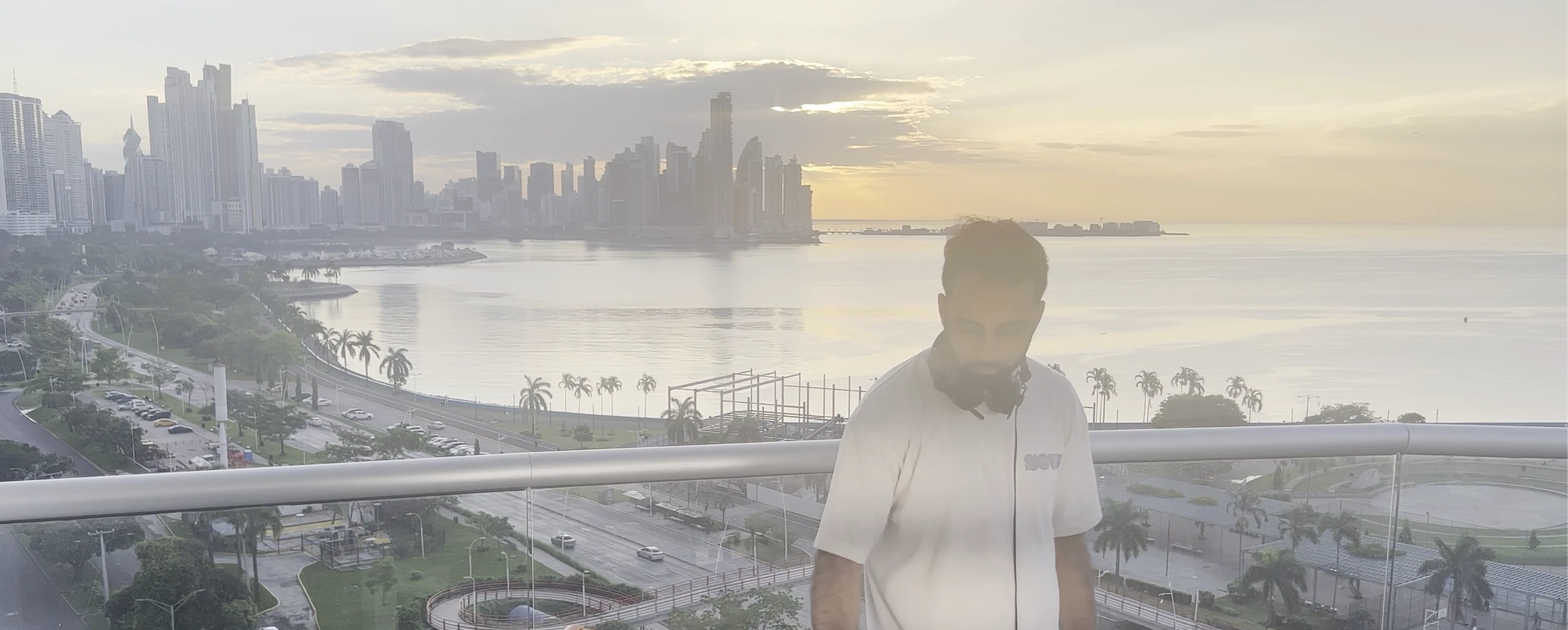 (overexposed)
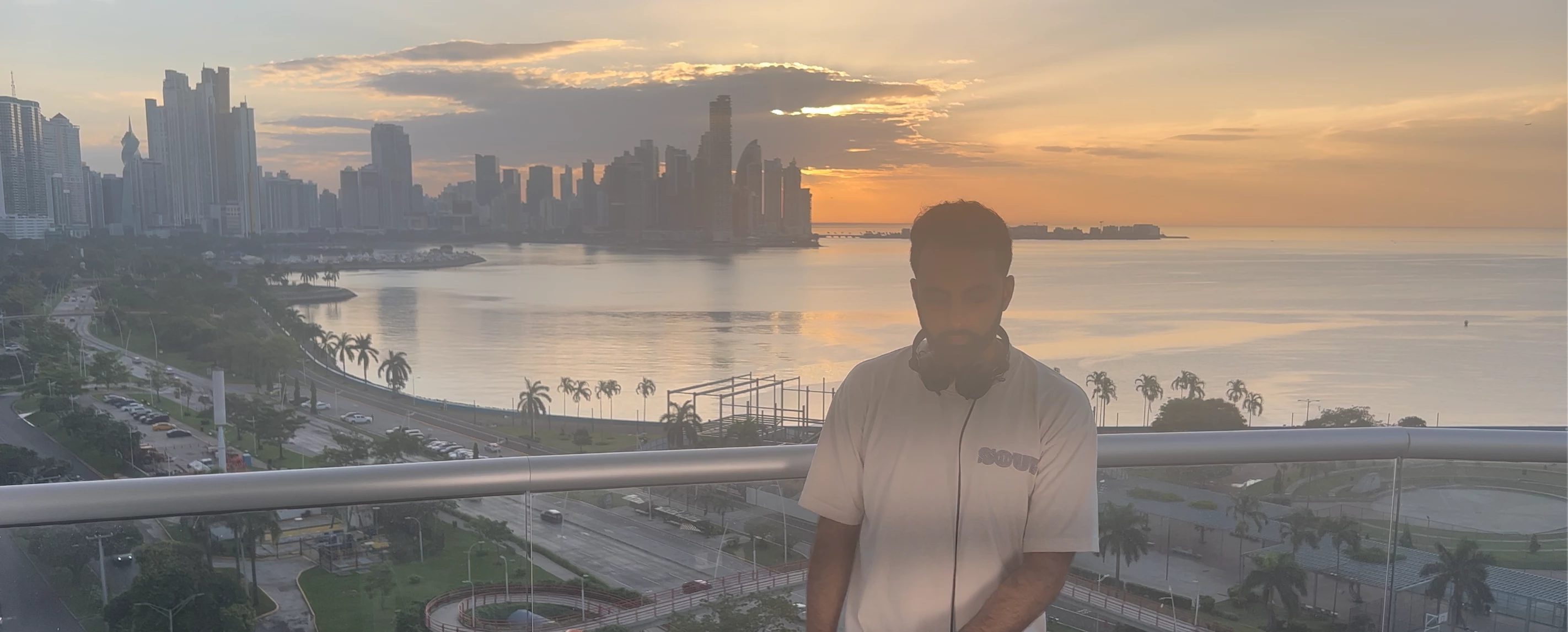 (original)
 AdChoices