Exit
  • Global community
    • Language:
      • Deutsch
      • English
      • Español
      • Français
      • Português
  • 日本語コミュニティ
  • 한국 커뮤니티
0

Frame substitution recursion error

Enthusiast ,
May 15, 2025 May 15, 2025

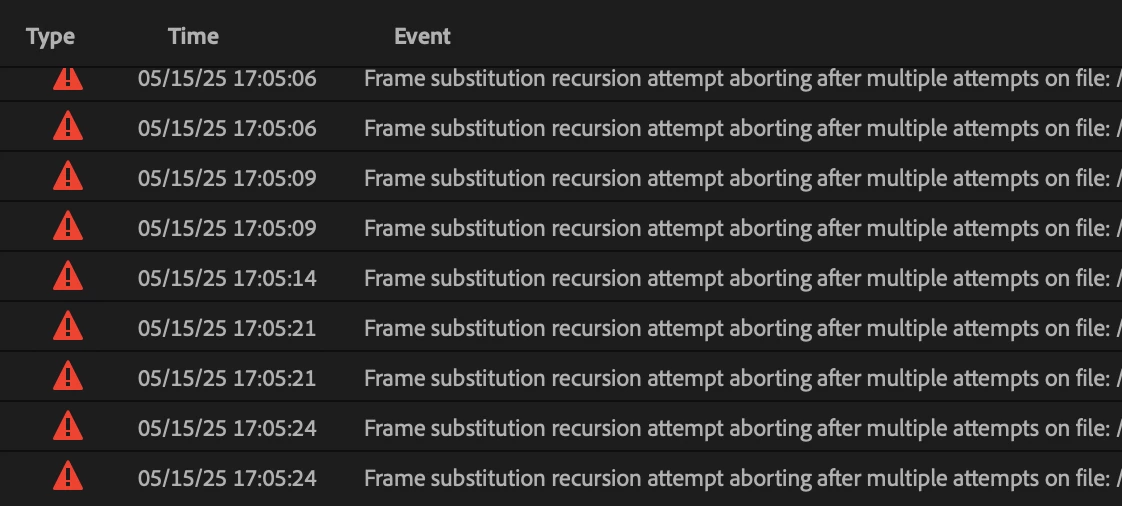
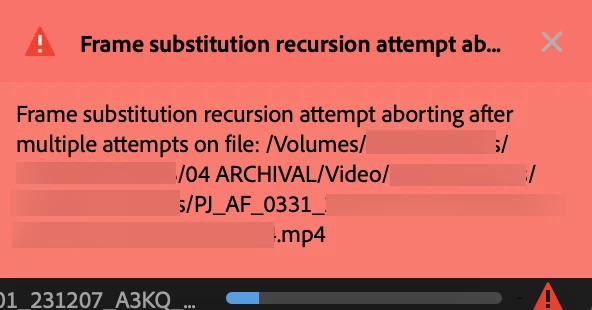
I keep getting a Frame substitution recursion error on one of my Productions:
Screenshot 2025-05-15 at 5.02.47 PM_1.png

Screenshot 2025-05-15 at 5.05.27 PM.png

I had gotten the error on another Production when I linked to video files on LucidLink. However, with this Production, all the files are on an OWC Thunderbay HDD. I read on a post about this topic that switching to software encoding can fix it; but I'm on a silicon Mac, where it's locked hardware encoding. 


Does anyone know how to fix this error? Thanks again.

TOPICS
Error or problem
278
Translate
Report
Community guidelines
Be kind and respectful, give credit to the original source of content, and search for duplicates before posting. Learn more
community guidelines
Community Expert ,
May 16, 2025 May 16, 2025

did you try to clean media cache and renders from sequence?

what if you move some of the files locally and try to narrow down the culprit?

Translate
Report
Community guidelines
Be kind and respectful, give credit to the original source of content, and search for duplicates before posting. Learn more
community guidelines
Enthusiast ,
May 16, 2025 May 16, 2025
LATEST

I tried both, no dice. Anyone have any ideas?

Translate
Report
Community guidelines
Be kind and respectful, give credit to the original source of content, and search for duplicates before posting. Learn more
community guidelines