cauemarganelli
Participant
July 16, 2019
Question

Gaussian Blur not rendering on Premiere Pro

  • July 16, 2019
  • 4 replies
  • 6952 views

Hi there, there is something wrong happening with some of my clips on a project I'm working on.

So basically some of the clips I'm using are portrait while my sequence is landscape, so I decided to create a effect using the same clip on the background taking the whole scene, added gaussian blur and a black layer so it will make a contrast with the original which is smaller cus it's portrait.

Weird thing is that after I hit enter to render, the background will be completely black. Weird thing is that only in certain times it will happen. On the same clip it will be black and then suddenly reappears. It's the same clip, no values were changed but in one point it's black and in another point it's fine. If I raise the gaussian blur 1 up or 1 down it will appear again. Then if I render again it might be black again in certain point (I noticed it's always black in the beginning and then it appears right before the clips change).

I noticed that if I change the opacity of the black layer (even if 0.01%) it will show up again, but again If I render the thing the problem comes back. So weird. Any solutions? Looks like any changes will fix it but then when rendering it comes back.

Is that some bug or is it just my screen? I've never seen this before. Does anyone have the same issue?

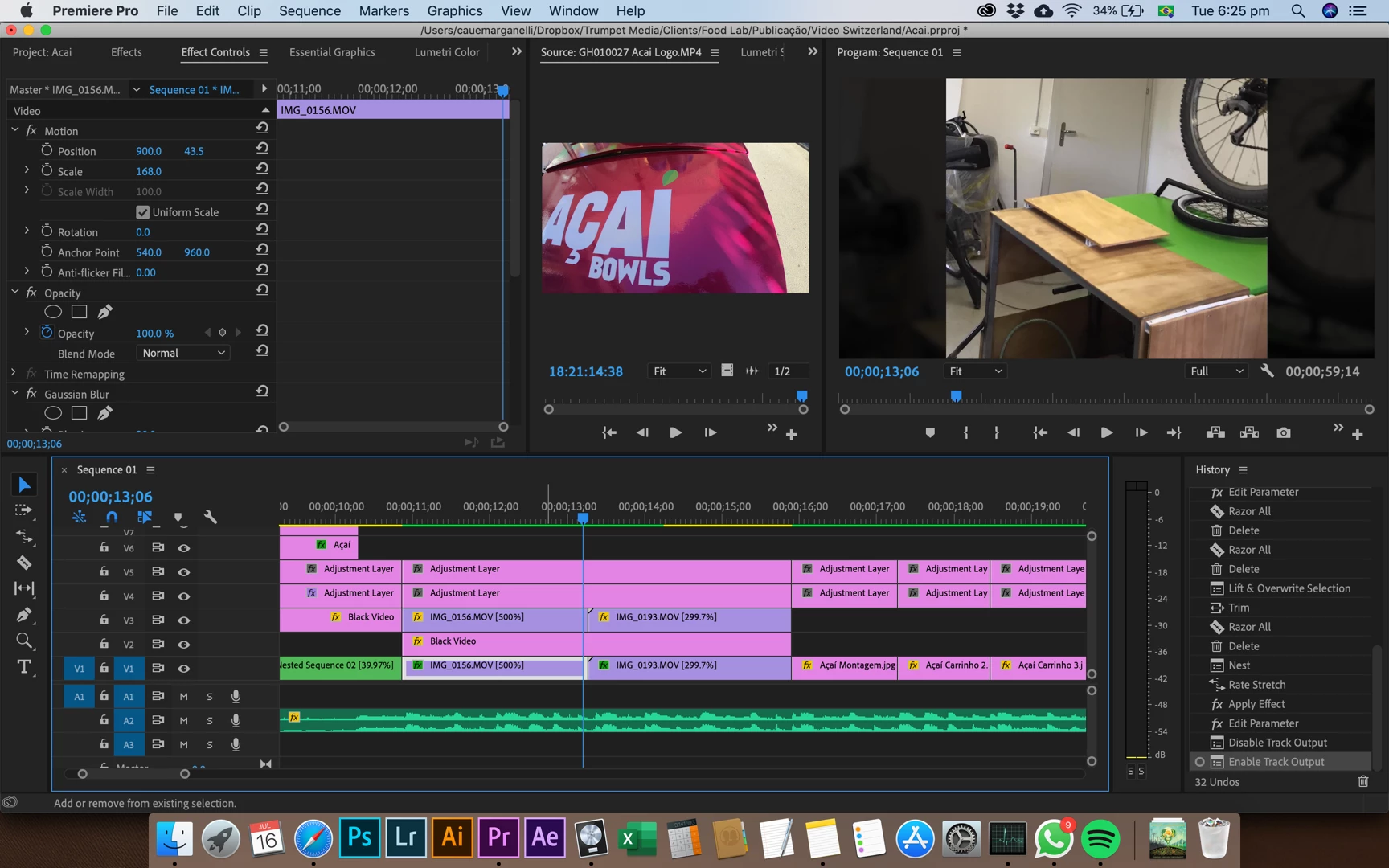
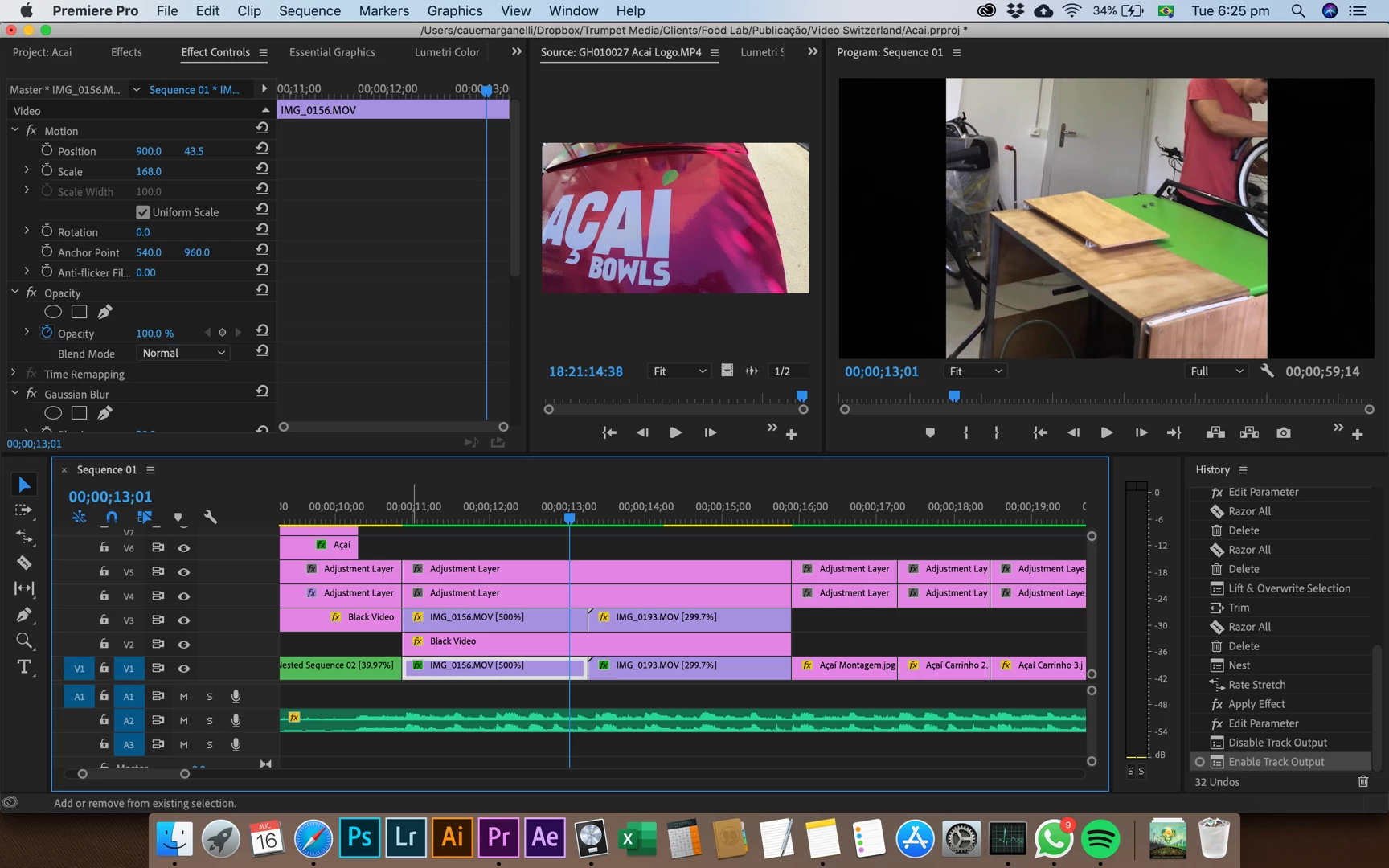
Here are some screen shots from the same clip in different frames. See that on the first one it's black and then it suddenly is 'good' again.
> clip doesn't appear

> clip appears again

Edit: I changed my Renderer on project settings to Engine Software only and it seemed to fix the problem. When doing this I also noticed that actually the opacity of my blacks were way too high. What was happening is that GPU were making my blacks "not so black" so I had to push the opacity way too high to arrive where I wanted.

Now I had to change all my opacity of the black layers to a more "normal" value. I was using 98.8% of opacity and could still see the background. Why was my GPU doing this? Is there any way to fix it? I want to use my GPU but want it to behave normally.

Please if anyone know the answer let me know. My computer is also a bit slow so I'm afraid it can be a hardware issue with my graphics card.

This topic has been closed for replies.

4 replies

RubensSampaio
Participant
March 24, 2021

Estou tendo o mesmo problema, essas bordas pretas aparecem quando tento criar uma mascara para desfocar algo expecifico.

gerikp
Community Expert
Community Expert
July 18, 2019

What do you have going on with the two adjustment layers on top? I would also take a look at that in case some effect you have going on up there is causing havoc with what you are trying to do on tracks V1 an V2.

Inspiring
July 16, 2019
I'm afraid it can be a hardware issue with my graphics card.

You can rule that out by disabling GPU and using CPU (software) rendering in the Project Settings>Video Rendering and Playback panel.

Participating Frequently
July 16, 2019

Should not need the black layer at all, just lower opacity of bottom clip (blurred clip) if you want that darker. Keep it simple.

Thanks

Jeff

Inspiring
July 16, 2019

Post the specs of your Mac, like this example below:

MtD

cauemarganelli
Participant
July 16, 2019

Here... Using CPU does the fix but I want to use my GPU. I tried updating the driver through the AMD website but it's weird there is not R9 M370X, only R9 M375X.

cauemarganelli
Participant
July 16, 2019

Ah, but that's progress!  You've learned the issue comes some place in the GPU pipeline.  If you still have your existing driver installer, you could try reinstalling it.  It may have become corrupted.  I've had that fix some of my (Nvidia) GPU issues before.

I don't suppose you'd be willing to roll back to High Sierra?  Maybe if you have a spare disk you could install it and boot from that to see if it's an OS and driver or app conflict.

Have you tried reinstalling Premiere?


Yes I already tried reinstalling everything... In fact I'm having issues for a little while with the performance of my Mac in general so yesterday I completely erased and formatted the computer and reinstalled OS and all programs. I was going to go for the High Sierra again but decided to give it a go... It may solve the problem. I have never installed the AMD, it came with the computer so I don't have the driver. If I can't find a solution I'll roll back to High Sierra or Sierra. Looks like every time I update the OS it gets worse... damn apple... Thanks anyway to everyone who tried to help.