

Generative Extend in Premiere Pro
Premiere Pro v25.2 introduces Generative Extend
(Previously in Beta)
Adobe's Premiere Pro is getting a major upgrade with the introduction of Generative Extend, a new feature powered by the Adobe Firefly Video Model. This exciting addition promises to revolutionize the way editors work with video clips, providing a solution to one of the most common challenges in video editing.
What is Generative Extend?
Generative Extend is a tool that allows editors to seamlessly add frames to make clips longer. This means you can now easily extend the duration of a shot without the need for additional footage or complex workarounds.
How does it work?
Using Generative Extend is intuitive and works as expected.
- Find the clip in your sequence that you want to extend.
- Select the Create Extension tool from the toolbar .
- Select and drag the edge of a video or audio clip to extend it.
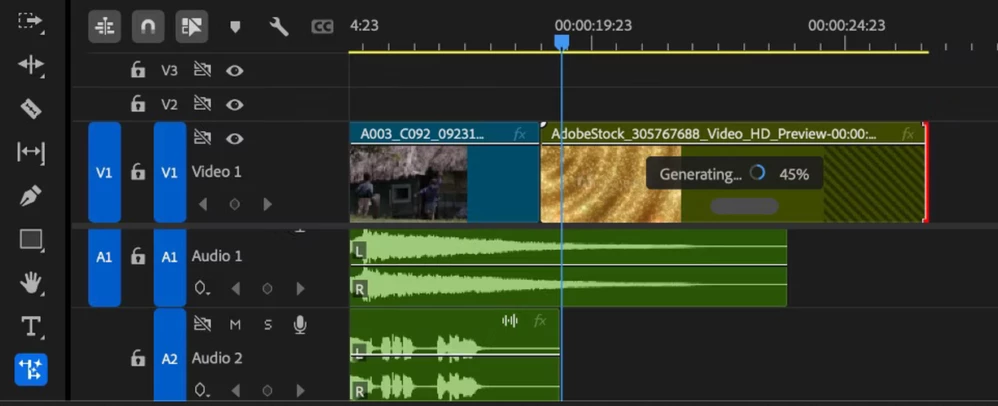
- Once processing is complete, AI-generated labels will appear on the clip, highlighting the generated frames.
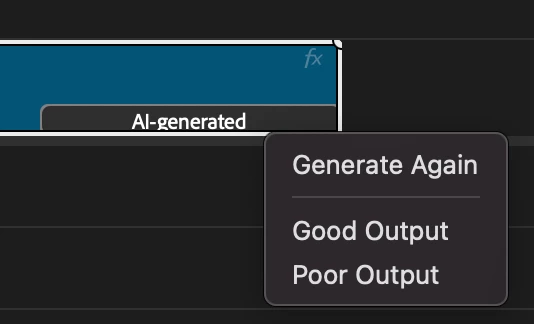
- If you are not satisfied with the initial expansion, right-click on the AI-generated label and select Regenerate for a new variation . You can also use the same dialog to provide feedback on the generated output. The tool uses advanced AI to analyze the clip and generate new frames that match the original content, ensuring consistency in motion, lighting, and overall look.
Things to remember
Generative Extend currently has some limitations that must be taken into account to ensure optimal results.
- Frame size : The following resolutions are supported
- 1920x1080 or 1080x1920
- 720x1280 or 1280x720
- 3840x2160 or 2160x3840
- 4096x2160 or 2160x4096 -
You can increase the length. Video can be increased up to 2 seconds, audio up to 10 seconds.
- Frame Rate : The creation extension requires clips with a frame rate of 12 to 30 fps.
- Bit Depth: Currently 8-bit SDR clips are supported.
-
Location of Generated Media: You can set the location of generated assets in the File > Project Settings > Scratch Disks section.
Authenticity of content
Premiere Pro now supports content credentials. Clips with generated frames can be labeled in Export Settings > General tab > Export Content Credentials.
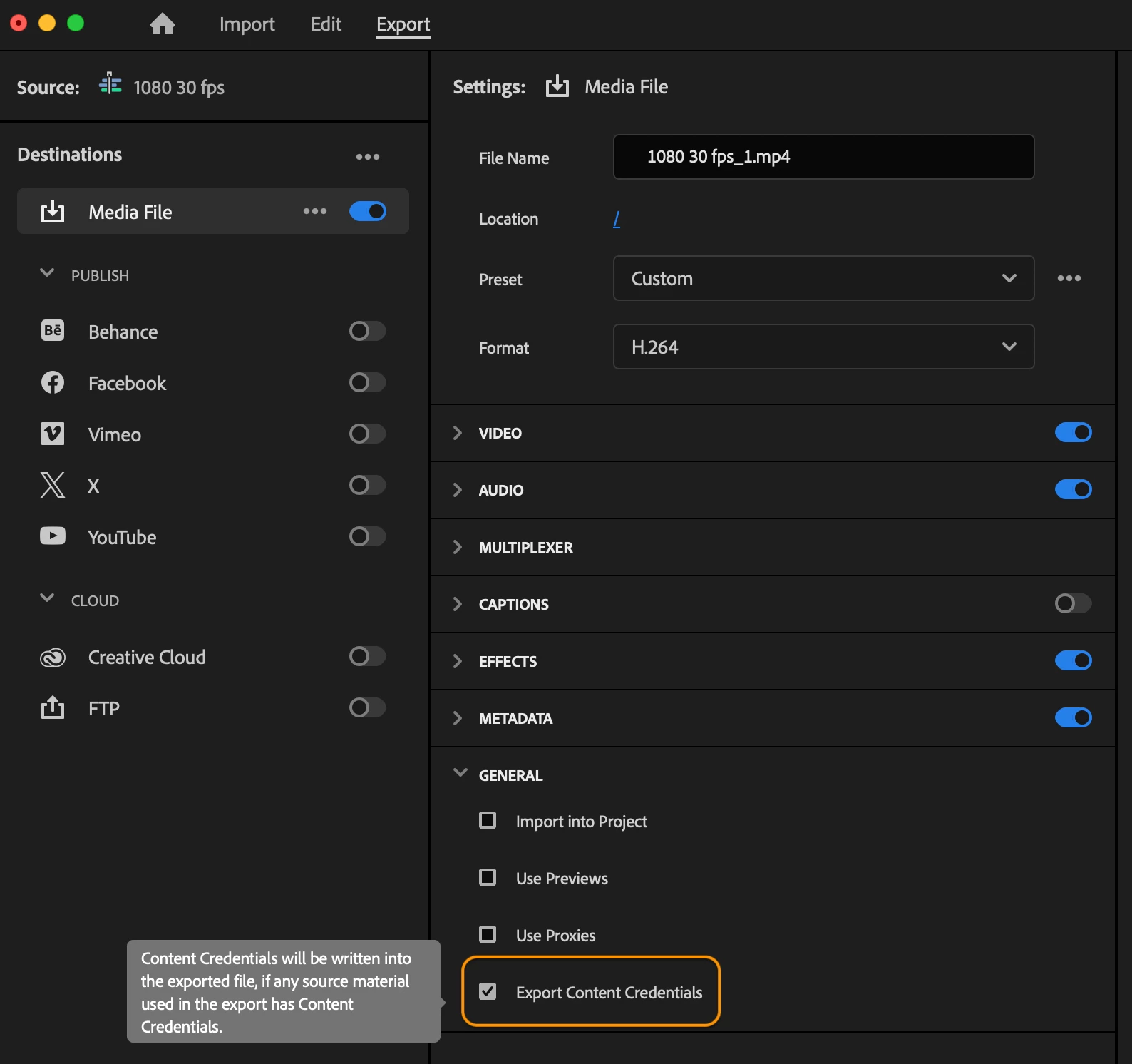
The Content Authenticity tool can verify images generated by your app. To learn more about content credentials and content authenticity, see the following links .
Why It's a Game Changer
Generative Extend is a major advancement in video editing technology. Adobe uses AI to give editors unprecedented control and flexibility. Generative Extend solves several common editing problems.
- Timing : You can now hold shots for extra beats to match audio cues or improve pacing.
- Transitions : Add a few frames to add handles to handle transitions between shots.
- Fine-tune editing : Fine-tune your edits without the constraints of the original footage.
Real world applications
Imagine you’re editing a documentary and need to extend the B-Roll to include a voiceover. Or maybe you’re working on a music video and want to keep a few more frames of a particular shot to match the beat. Generative Extend not only makes it possible, it makes it easy.
Try it now!
To test out the new Generative Extend, install the latest version of Premiere Pro from the Creative Cloud Desktop app. Before you use Generative Extend for the first time, read the user guide for the feature . The creative community is buzzing with excitement, and this tool (and others to come) will open up new possibilities for editors at all levels.
Adobe also offers access to Beta versions to try new features before general availability. Refer to this link to learn more about the Creative Cloud Beta program. You can learn more about the available Beta features & share feedback at our Beta Community page. Here's how to install the Premiere Pro beta:
How Generative Extend Works
How to Create Additional Frames Using Generative Extend in Premiere Pro - Adobe Care
What are the new AI-generated extensions in Premiere Pro? - Premiere Gal


 AdChoices