
Participant
April 14, 2023
Question

Glitched and out of sync after exporting video!!!

  • April 14, 2023
  • 1 reply
  • 1526 views

My videos are glitching when they've finished exporting for some reason... I've done every possible export setting for this video and I've never encountered an issue like it in the past until recently. Once the video glitches, it proceeds to play the video with it's audio out of sync and I don't understand why, so I will provide an example photo immediately when it happened here;
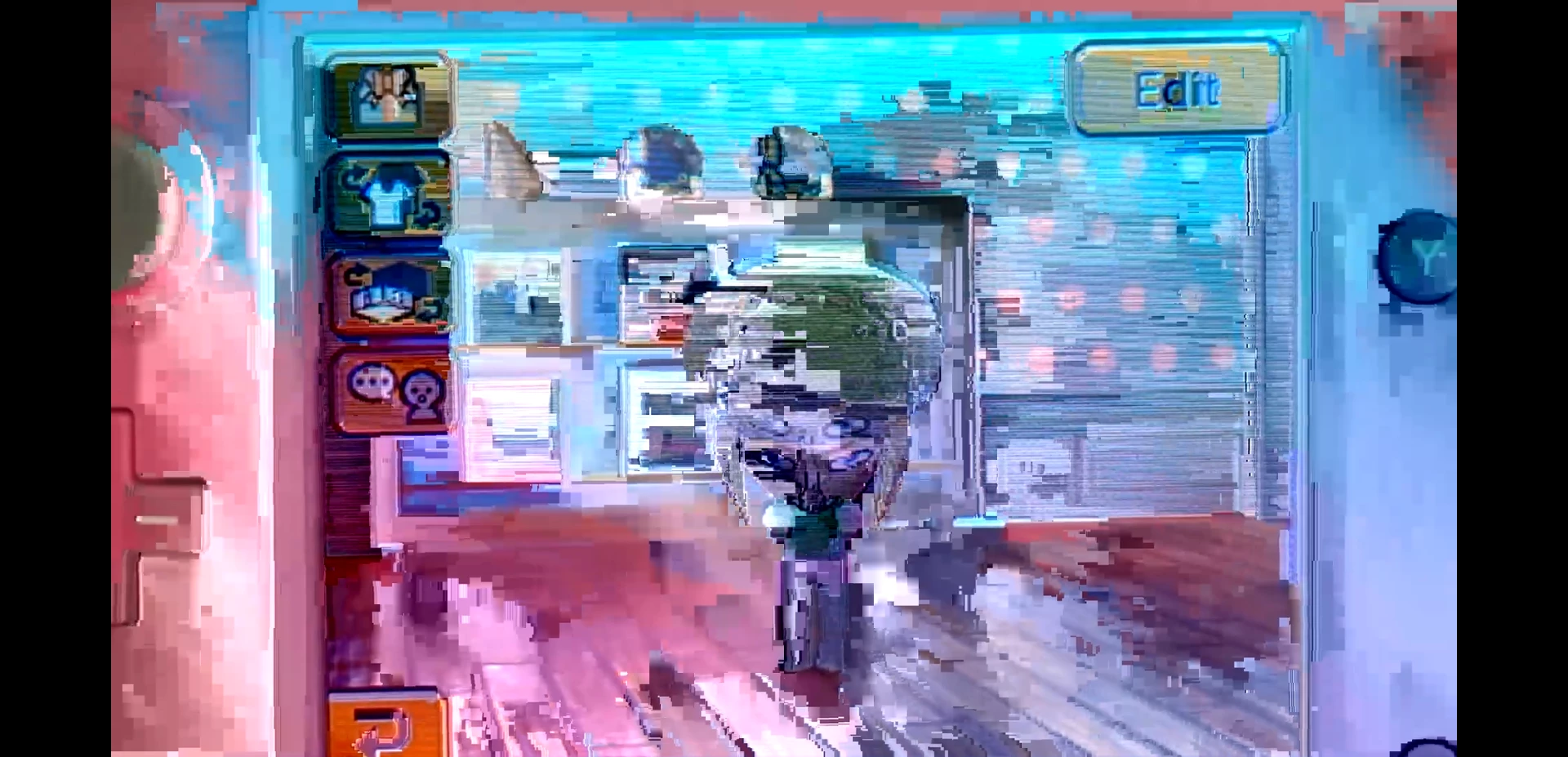
 

I post my videos to YouTube and always go with these export settings normally;

FORMAT - H.264 > FRAME RATE - 29.97 (or 30 fps, 60 fps depending on video's original frame rate.) I also include 'render at max depth' and 'use maximum render settings', plus hardware encoding and VBR, 1 pass. I've cleared any media cashe/cashe files generally, and disabled XMP ID files to import just in case too. I've done several different settings, and even tried assuming the frame rate but that didn't work out either (I sounded like a chipmunk as it affected the duration of the video).


Do you guys think that this might have something to do with my computer components, as that can affect overall performance? I don't know if there is any different presets I can use to export my video, any ideas or advice to help export this video without any of these issues?


Please, help me! Thank you in advance.

 
This topic has been closed for replies.

1 reply

Kevin-Monahan
Community Manager
Community Manager
April 14, 2023

Raara,

Wow, that looks horrible. It may be hardware related, I'd say. What are your full system specs? Are you running an NVIDIA GPU? If so, which drivers? Is it the game ready driver or studio driver? Have you tried Software Encoding? Where did the original source media come from? Let us know more details so we can help. Sorry for the frustration on this one.


Thanks,
Kevin

Kevin Monahan - Sr. Community and Engagement Strategist – Adobe Pro Video and Audio
Participant
April 20, 2023

Hi Kevin,

Thanks for responding, and apologies for the late response! My full system specs: AMD Ryzen 5 1600 Processor, 16.0GB of RAM (DDR4) and an RTX 2060 graphics card. It is a studio driver (the latest one), and I have made sure to update my drivers, and the problem unfortunately still continues. The original source media came from my mobile phone (videos are 29.97 FPS generally when imported on to my computer). I have tried exporting the video using 'Hardware Encoding' in Media Ecoder after going to File > Project Settings > General then changed it to 'Mercury Playback Engine Software Only' in the 'Video Rendering & Playback' section first to see how it would turn out, but it glitched at the very end of the video again (with a seperate pre-existing outro video > FPS 29.97), then later I tried to export the video using 'Software Encoding' which took longer than normal, HOWEVER it somehow miraculously exported successfully, as it had no issues when I went through the entire video using that setting!


I don't think I'll be able to use custom presets in the near future which is very disappointing, but I can live with this setting for now, unless you have any suggestions or advice to possibly use custom presets with Software Encoding included, that would mean the world to me! Thanks in advance.

Kevin-Monahan
Community Manager
Community Manager
April 20, 2023

Raara,

Thanks for the detailed note and specs. Helpful! It sounds like the problem may be the source media. Most mobile phone video has a variable frame rate which Premiere Pro does support but can have a problem with them sometimes. My advice is to transcode the video ahead of the edit in Media Encoder to ProRes LT or similar. If they cannot be transcoded there, you may try the freeware app, Shutter Encoder. With some slight adjustments to your import/ingest workflow, you might free yourself of any problems with mobile phone video in your workflow pipeline. Try it and report back.


Thanks,
Kevin

Kevin Monahan - Sr. Community and Engagement Strategist – Adobe Pro Video and Audio