Yes you can — but you first have to turn off clip markers. I created my own keyboard shortcut (Command+Shift+N) to toggle clip marker visibility on/off.
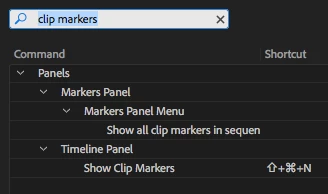
After I turn clip markers off in the timeline, I can press Shift+M or Command+Shift+M to move the playhead forward/backward to the next/previous sequence marker. (When I toggle clip markers back on, then the playhead snaps to every marker in the timeline, whether on a clip or on the sequence.)
Hope this helps.
(By the way, you misstated the situation in your first post. Instead of "Right now it takes me to any keyframe on any track" you mean to say "Right now it takes me to any marker on any track".  )
)

 AdChoices