
GoPro FX Reframe will not let me edit Parameters when using Source Image
Hey ya'll!
So I am currently experiencing this issue with GoPro FX Reframe and I'm at my wit's end with it. I was given some 360 footage to edit. I don't remember what kind of camera it was shot on but the footage given to me has a resolution of 2048x1024 and the file type is MP4. I brought it into Premiere Pro and created a new sequence from it. I applied the GoPro FX Reframe effect to the footage and enabled the Toggle VR Video Display in the Program window. When I select the footage in the timeline (with the effect applied) and then go to the effect controls panel, I set the "Projection" for GoPro Reframe to "Source Image." If I use any other setting, it black spaces within my VR video. If I use Source Image, there are no black spaces and the video looks good. The issue, however, is that if I try changing the values of any of the parameters under the Reframe effect in the "Effect Controls" panel, those changes are not reflected in the video the "Program" monitor. If I change the "Projection" setting to another resolution (other than Source Image) then I am able to make changes to the parameters and I can see that those changes actually affect the video. The only problem is that I am left with those ugly black spaces. Does anyone know what is causing this? Below are some pictures for clarification.
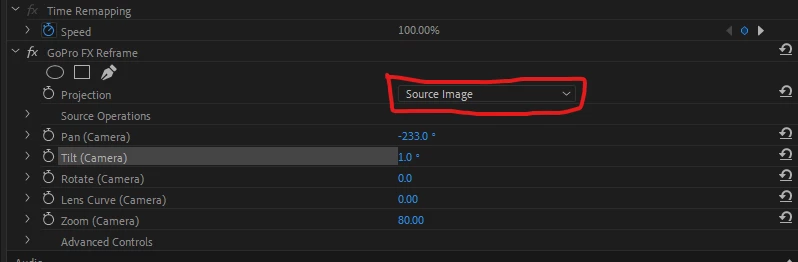
I use the "Source Image" setting so that no black space appears in the 360 footage. But I cannot change any of the parameters. Well, I can, but they don't affect the actual footage.
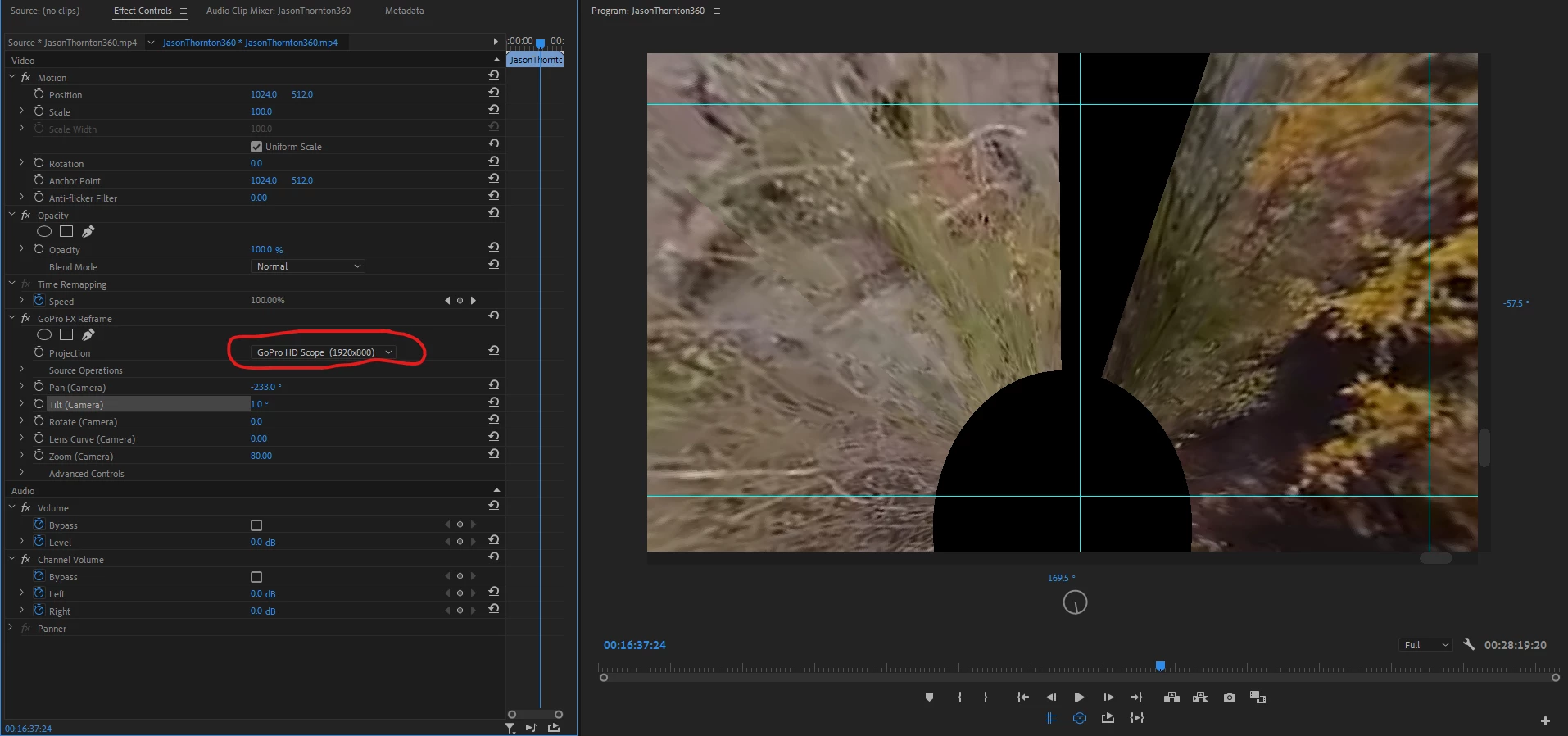
If I use any other setting or resolution (see red circle) I get the black spaces in video, but I can change the parameters.
I'd love help solving this problem and I definitely willing to provide any further clarification.
Thank you.
 AdChoices