
Grading looking different in adjustment layer vs. clip effect
Hello community,
I've come across something and I'm not sure if I'm just now noticing it or if it is a new issue.
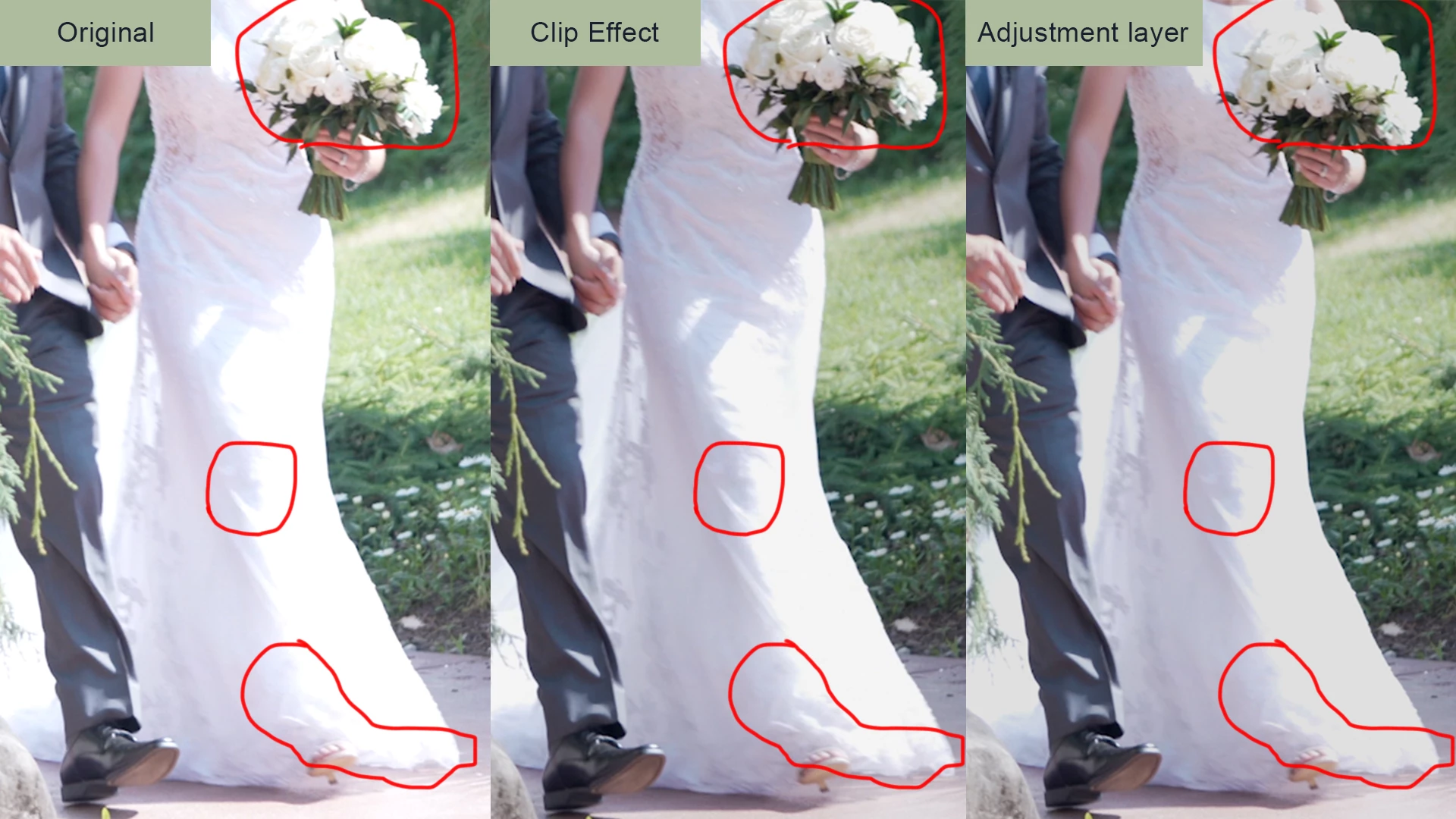
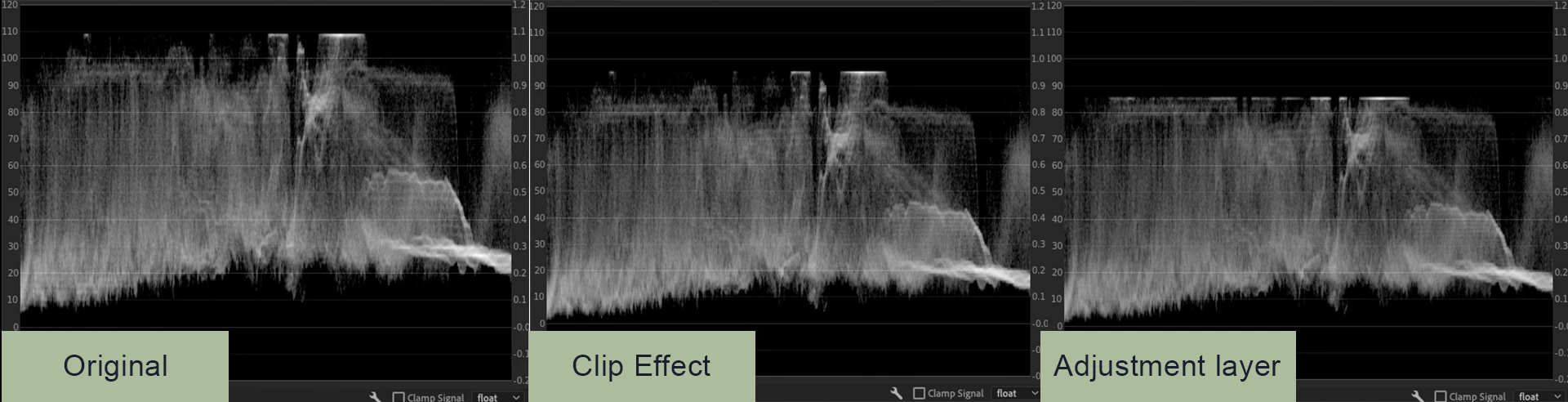
First, I am trying to do some highlight recovery on this A7III footage shot in a standard profile, so there is a lot of blown out highlights that I can actually recover some detail from. I broght down the whites in the "basic correction" panel and brought down the center of the luma curve a little just to smooth over the rolloff a tad overall. It works as intended as a clip effect, but when I tested it as an adjustment layer (copied the exact same lumetry effect to the adjustment layer, didn't touch any parameters), it seems to just dim the whites in a uniform, flat manner and recovers almost nothing from the highlights.
What I'm hoping to do is apply a single highlight recovery effect for the entire film, and only tweak individual shots that need a little more love, instead of copy+paste to hundreds of individual clips even though the effect is more or less universally needed.
After looking at articles and tutorials on adjustment layers, there is no mention of any technical differences between them and clip effects, just that they are a good alternative for when you need to apply a uniform effect. Does anyone know what might be happening here? Obviously, if it doesn't work out, I'll have to copy+paste the effect and do a few QA passes to make sure I didn't miss a little clip or two. That certainly doesn't save time, though. Let me know if more background is needed. Thanks everyone!
Adobe Premiere version: 14.3.1
OS: macOS Catalina 1015.4
MacBook Pro specs:
Model Name: MacBook Pro
Model Identifier: MacBookPro15,3
Processor Name: 6-Core Intel Core i9
Processor Speed: 2.9 GHz
Number of Processors: 1
Total Number of Cores: 6
L2 Cache (per Core): 256 KB
L3 Cache: 12 MB
Hyper-Threading Technology: Enabled
Memory: 32 GB
GPU: Radeon Pro Vega 16 4GB
 AdChoices