
Participant
November 4, 2021
Answered

Green frame flickering in Premiere Pro after exporting video!

  • November 4, 2021
  • 3 replies
  • 1111 views

Hi!


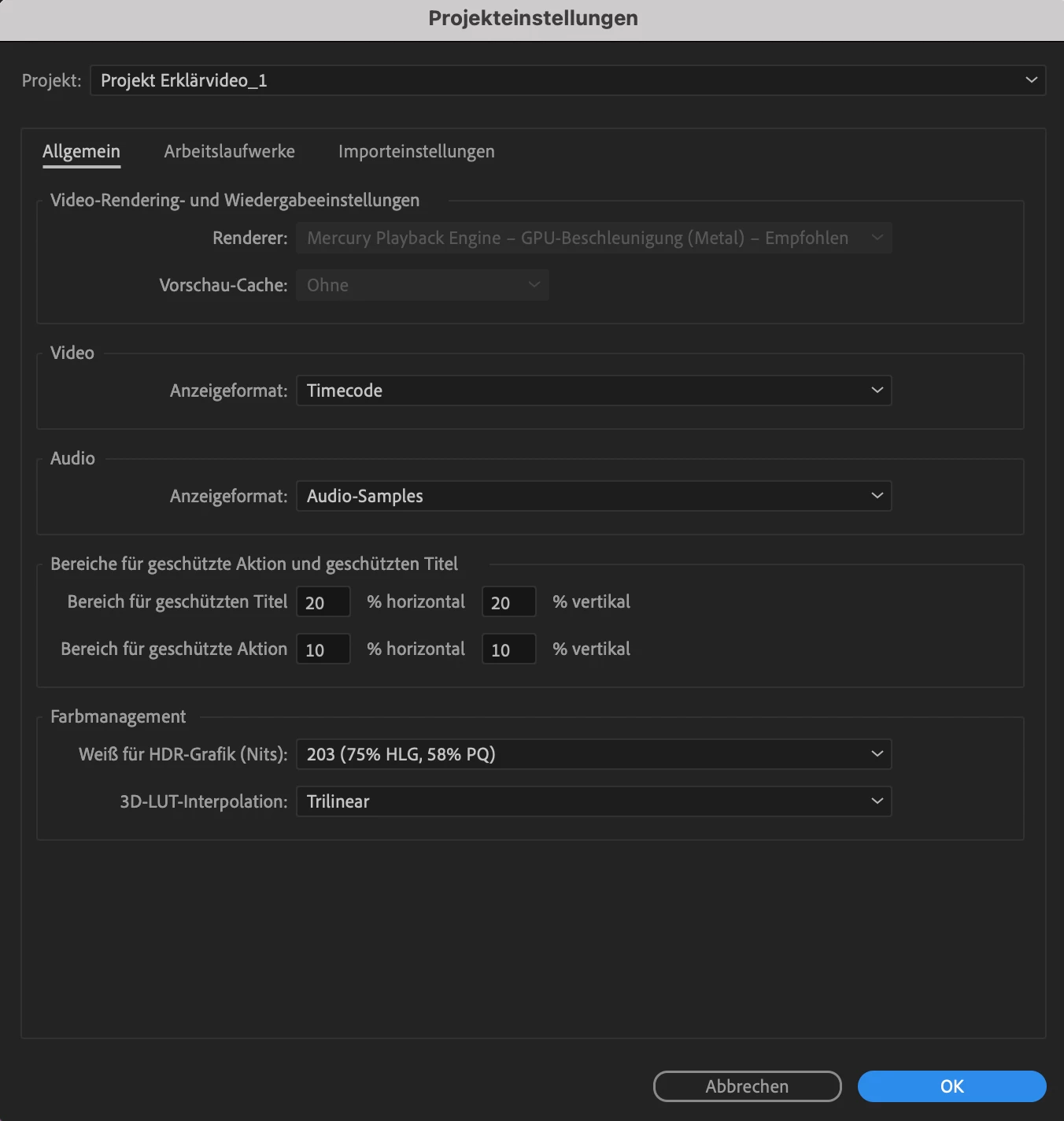
I tried to export my video file from Premiere and unfortuntely there is a green screen (frame) flickering in the exported video (which isn't there in the original video file). I already tried to change the the renderer to software only mode (File>Project Settings>General), but there is not way to change that option because it's greyed out. Any idea? I work with the new IMAC (2021)
This topic has been closed for replies.
Correct answer Caromarken

1. Try to see if the secuence you are working in has... diferent frame rate than the orginal video.
2. Try delete de cache. *preferences-memory
3. and also. if its to long...the video. it may be, the ram it's not enough. this video is usefull. to understand the properties to export and diferences in each setting.
https://www.youtube.com/watch?v=HMoCY4v6XxY&t=1599s

3 replies

Caromarken
CaromarkenCorrect answer
Inspiring
November 4, 2021

1. Try to see if the secuence you are working in has... diferent frame rate than the orginal video.
2. Try delete de cache. *preferences-memory
3. and also. if its to long...the video. it may be, the ram it's not enough. this video is usefull. to understand the properties to export and diferences in each setting.
https://www.youtube.com/watch?v=HMoCY4v6XxY&t=1599s

Participant
November 6, 2021

Thanks a lot! It was the frame rate! It works fine now!

Peru Bob
Community Expert
Community Expert
November 4, 2021

Also,


Please use the free MediaInfo and post a screenshot the properties of your media in tree view:
https://mediaarea.net/en/MediaInfo

Many users are having issues with VFR. If the file is variable frame rate, use Hand brake to convert to constant frame rate:
https://handbrake.fr/downloads.php
Here is a tutorial:
https://www.youtube.com/watch?time_continue=34&v=xlvxgVREX-Y

Peru Bob
Community Expert
Community Expert
November 4, 2021

Try turning off Hardware encoding in the export settings.

Participant
November 4, 2021

Thanks a lot for answering! But I can't find any option to turn off the hardware encoding in the export settings.

Peru Bob
Community Expert
Community Expert
November 4, 2021

 Export Settings > Video tab > Encoding Settings > Performance