Here are the informations :
Image Size: 1920 x 1080
Frame Rate: 23,976
Source Audio Format: 48000 Hz - 24 bit - 8 channels
Project Audio Format: 48000 Hz - 32 bit floating point - 8 channels
Total Duration: 00:08:55:00
Pixel Aspect Ratio: 1,0
MXF File details:
Wrapper type: MXF OP1a (type: SingleItem SinglePackage MultiTrack Stream Internal)
File generated by: Sony, Mem (1.00)
MPEG-2 422 Long-GOP
Here is a link of a small portion of the clip without ultrakey : Microsoft OneDrive - Access files anywhere. Create docs with free Office Online.
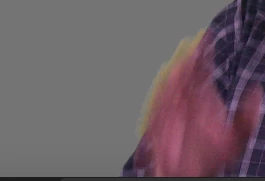
The original clip was apparently shot as 23.976p, but the sample clip provided is 29.97p which begs the question, is the 24p clip being edited in a 30p sequence perhaps? This might explain the extreme motion blur on the hands if the 24p frames are being interpolated (blended somehow) to 30p. Please check Sequence > Sequence Settings for the editing timeline and see if settings match the source, that is critical.
For better results when shooting the footage, move subject farther away from green background, apply a light from above and behind subject to help separate edges of the subject from background, and shoot at a higher frame rate like 60p to reduce motion blur.
Thanks
Jeff

 AdChoices