December 14, 2018
Answered

Green screen and fast movements

  • December 14, 2018
  • 2 replies
  • 4091 views

Hi,

I searched for this information, but didn't find anything.

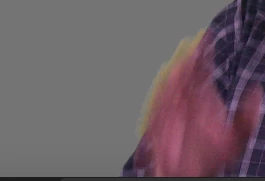
I'm using Ultra Key to remove green screen, but the person talking in front of the camera is making lot of hands movements and sometimes we see a bit of green screen in the movements. Do you have any idea how to remove that?

I don't want to use the smooth option, because it's just cropping too much the person.

Thank you

This topic has been closed for replies.
Correct answer SAFEHARBOR11

Here are the informations :

Image Size: 1920 x 1080
Frame Rate: 23,976
Source Audio Format: 48000 Hz - 24 bit - 8 channels
Project Audio Format: 48000 Hz - 32 bit floating point - 8 channels
Total Duration: 00:08:55:00
Pixel Aspect Ratio: 1,0

MXF File details:
Wrapper type: MXF OP1a (type: SingleItem SinglePackage MultiTrack Stream Internal)
File generated by: Sony, Mem  (1.00)
MPEG-2 422 Long-GOP

Here is a link of a small portion of the clip without ultrakey : Microsoft OneDrive - Access files anywhere. Create docs with free Office Online.


The original clip was apparently shot as 23.976p, but the sample clip provided is 29.97p which begs the question, is the 24p clip being edited in a 30p sequence perhaps? This might explain the extreme motion blur on the hands if the 24p frames are being interpolated (blended somehow) to 30p. Please check Sequence > Sequence Settings for the editing timeline and see if settings match the source, that is critical.

For better results when shooting the footage, move subject farther away from green background, apply a light from above and behind subject to help separate edges of the subject from background, and shoot at a higher frame rate like 60p to reduce motion blur.

Thanks

Jeff

2 replies

Inspiring
December 14, 2018

I have just had a similar problem and couldn't find a simple solution other than tracking an opacity mask, which is time consuming and not always successful.  In the end I just left it as it was.   We then carried out some camera shutter tests and found that in shooting with a shutter speed of 1/250th, the motion blur was eliminated.  I now know what to do next time.

Participating Frequently
December 14, 2018

His finger is actually transparent, can see the shirt through it, so that explains the edge. Like maybe too slow of a shutter speed? Can't fix that if original footage is faulty.

What format is the original clip, like 1080i, 1080p, what are you working with, and what compression like AVCHD or what? Camera model?

Thanks

Jeff

December 14, 2018

Unfortunately, I don't have this information. I didn't shoot the video myself and I'm just here to edit it. I'm an intern for a non-profit organization and they shot the video with the previous team and I don't think they had a great experience by doing that.

Well, look like I will need to keep it there. I guess for movies they are shooting at super-fast shutter speed and it's why you don't see green screen at all.

PS: Do you have any ideas to remove green around hairs?

Ann Bens
Community Expert
Community Expert
December 17, 2018

Here are the informations :

Image Size: 1920 x 1080
Frame Rate: 23,976
Source Audio Format: 48000 Hz - 24 bit - 8 channels
Project Audio Format: 48000 Hz - 32 bit floating point - 8 channels
Total Duration: 00:08:55:00
Pixel Aspect Ratio: 1,0

MXF File details:
Wrapper type: MXF OP1a (type: SingleItem SinglePackage MultiTrack Stream Internal)
File generated by: Sony, Mem  (1.00)
MPEG-2 422 Long-GOP

Here is a link of a small portion of the clip without ultrakey : Microsoft OneDrive - Access files anywhere. Create docs with free Office Online.


Try Range.