
Randune23
Inspiring
November 19, 2022
Answered

Greyed out menu items

  • November 19, 2022
  • 2 replies
  • 8862 views

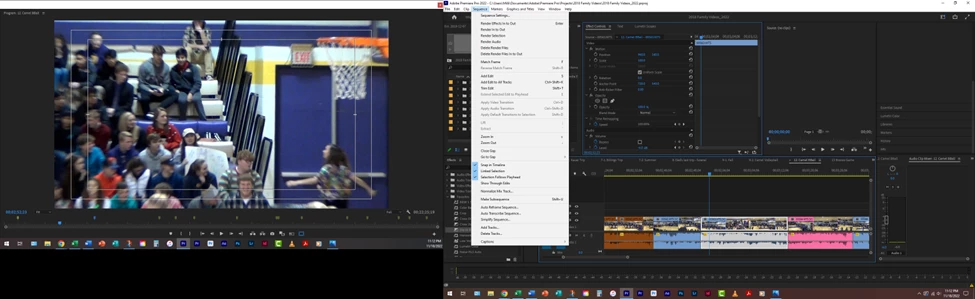
When the keyboard shortcuts were not working for "Add default video transition" in a project I was working on, I went into the menus and that option is all greyed out.  Why are they greyed out? 


This topic has been closed for replies.
Correct answer Ali Jaber

You have to select, at least, 2 consecutive clips for the option to be enabled. Or, you should move the time indicator to an edit point between 2 clips, no need to select any clips in this case (but track targeting should be enabled for the track where clips do exist).

2 replies

Warren Heaton
Community Expert
Community Expert
November 19, 2022

Add Default Video Transition requires that one or more Video Clip Boundary edit points be selected, otherwise, there is nothing to add the default video transition to.


Ali JaberCommunity ExpertCorrect answer
Community Expert
November 19, 2022

You have to select, at least, 2 consecutive clips for the option to be enabled. Or, you should move the time indicator to an edit point between 2 clips, no need to select any clips in this case (but track targeting should be enabled for the track where clips do exist).

Randune23
Randune23Author
Inspiring
November 19, 2022

Thank-you!  I watched someone at Adobe Max have a clip selected and I thought he did the Ctrl + D and it added the transition to the beginning and the end of the clip. 

Randune23
Randune23Author
Inspiring
November 19, 2022

Yes, if the clip is not in touch with any other clip, then ctrl + D will work in this case. Also, if you select a clip that is free from one side (not in touch with other clip), then ctrl + D will add a transition to the free side.


Which is kind of funny if you think about it. To have a transition you would think you would want the transition BETWEEN two clips.  If I don't have two clips then a cross dissolve would be as effective as it would be at the center of the two clips. 

One thing I did figure out is if you are close to the beginning or the end of a clip (and it is not selected) it will add the default transition at the center of the two clips. However, if either of the clips is selected the Ctrl + D does not work. 

I have a project that has 100s of clips that I have edited. On some of the clips (depending on the music and if I am cutting on the beat), I have to click and drag the default transition 100s of times (greatly increasing the time it takes to edit). 

I wish I would be able to select all clips on the timeline and add the default video transition between each of those clips. 

Randy
