
MahaB82A
January 25, 2025
Answered

Hand Tool & Selection Tool

  • January 25, 2025
  • 2 replies
  • 972 views

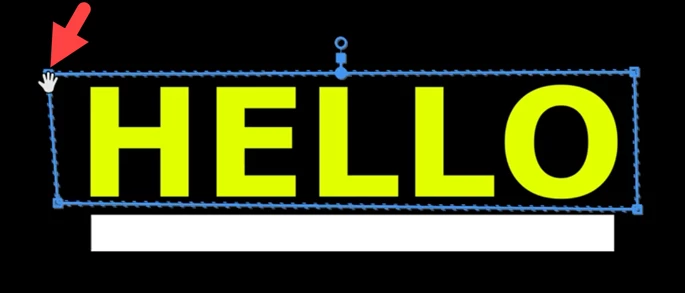
When you activate the polygon mask you will get polygon with blue line. All corners except upper left corner show Selection Tool when mouse cursor hover over it, only upper left corner shows Hand Tool. What is the reason for that? How to convert Hand Tool into Selection Tool on that point? Video also attached.


Correct answer PaulMurphy

The Hand Tool typically becomes active when your cursor is inside the mask. To switch back to the Selection Tool (arrow), move your cursor outside the mask, then position it near the corner or point you want to adjust.

2 replies

PaulMurphyCommunity ExpertCorrect answer
Community Expert
January 26, 2025

The Hand Tool typically becomes active when your cursor is inside the mask. To switch back to the Selection Tool (arrow), move your cursor outside the mask, then position it near the corner or point you want to adjust.

MahaB82A
MahaB82AAuthor
January 31, 2025

Thanks for the help.


Mike Dziennik
Community Expert
Community Expert
January 25, 2025

Can't say I've experienced this. Does it happen after a restart and occurs every time you create a polygon mask?