Participant
December 13, 2021
Answered

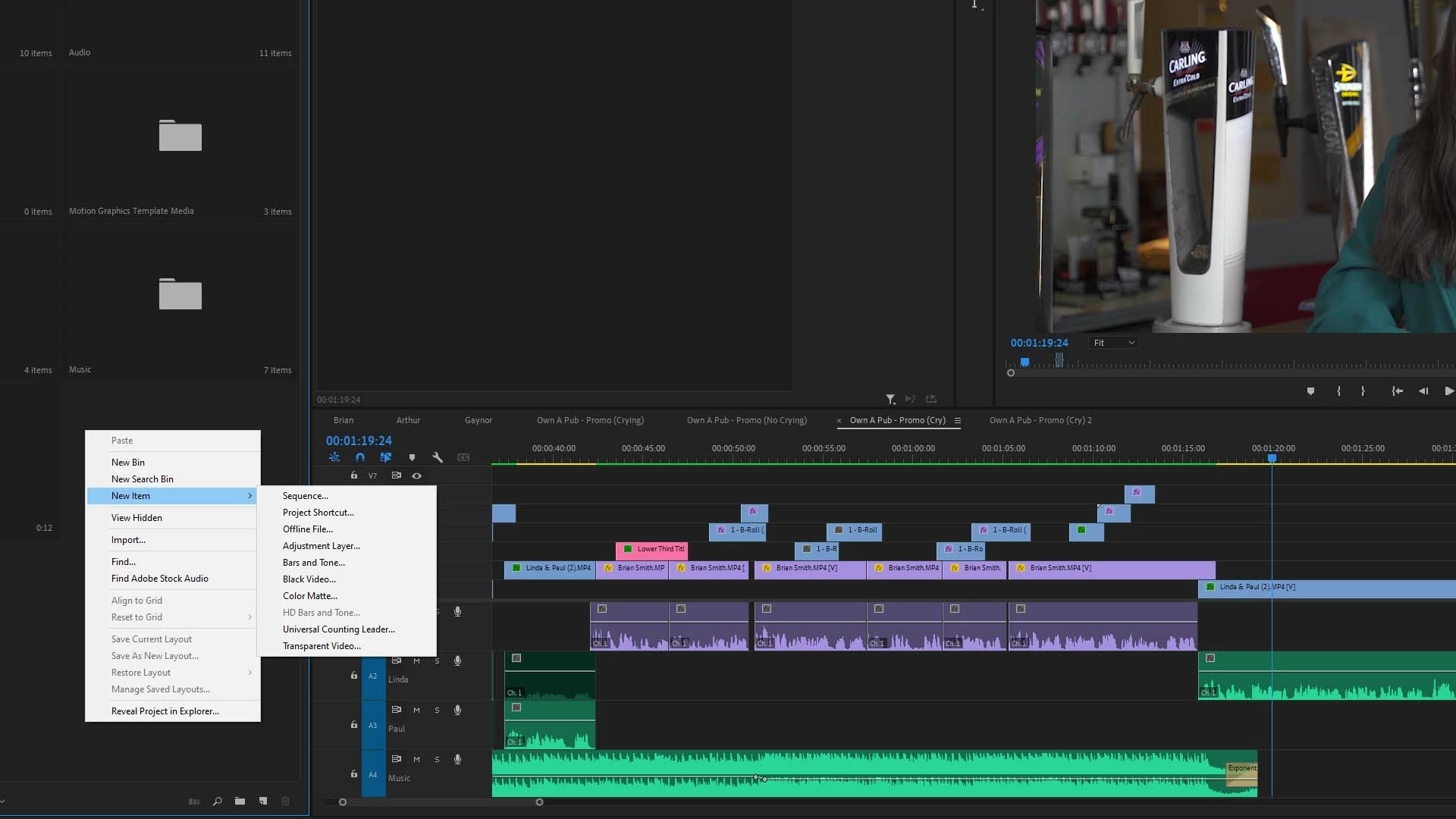
HD Bars & Tone unavailable

  • December 13, 2021
  • 2 replies
  • 2770 views

Please help. For some reason HD Bars and Tone is greyed out. I've tried resetting pref's but to no avail.

 

This topic has been closed for replies.
Correct answer Averdahl

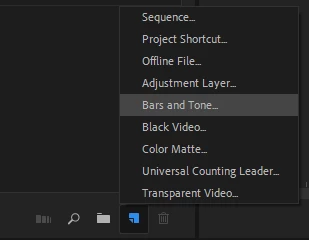
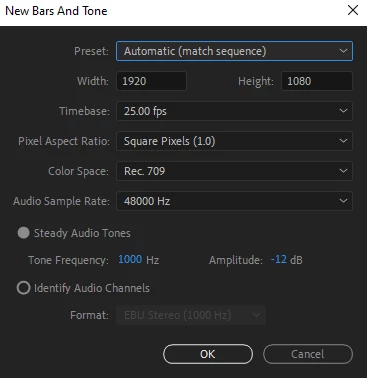
I get the same thing here and i guess that this is due to the new color management in Premiere Pro.


Click on the New Item icon down right in the Project panel and select Bars and Tone. In the dialog that pops up you can create Bars and Tone at the correct colorspace you are working with.


2 replies

Community Manager
December 13, 2021

Hi AdTheGeek,


Adding to what Averdahl said. To select HD Bars and Tone preset, navigate to File > New > Bars and Tone & select the HD preset.

Hope it helps.


Thanks,

Sumeet

Participant
November 21, 2023

I wish that worked, but I still have no audio or bars and tones available. It was working in the previous version I had installed, but all audio is having issues right now and the default way of debugging it is not working.

Averdahl
Community Expert
AverdahlCommunity ExpertCorrect answer
Community Expert
December 13, 2021

I get the same thing here and i guess that this is due to the new color management in Premiere Pro.


Click on the New Item icon down right in the Project panel and select Bars and Tone. In the dialog that pops up you can create Bars and Tone at the correct colorspace you are working with.


AdTheGeekAuthor
Participant
December 14, 2021

Thanks so much for coming back so quickly.

I get what you're saying with regards to the new colour space managment, but this must be a bug right?

Thanks again, you saved my insanity (this time).