
CODShow
Participating Frequently
April 8, 2018
Answered

HELP! How do I create a crawl title after the update?

  • April 8, 2018
  • 4 replies
  • 2703 views

How do I create a crawl title after the update? The simple title option is gone. I will not vent my frustrations with this, but I do need help.

    This topic has been closed for replies.
    Correct answer Stan Jones

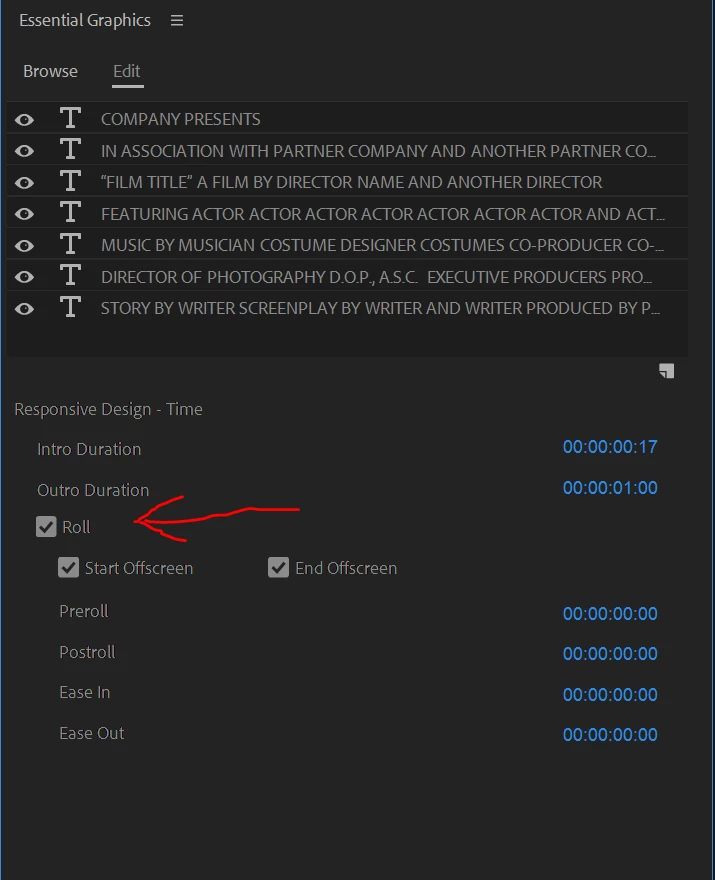
    It's also pretty easy to make rolls in the new EGP. There's a click-command spot in that panel for it.

    Neil


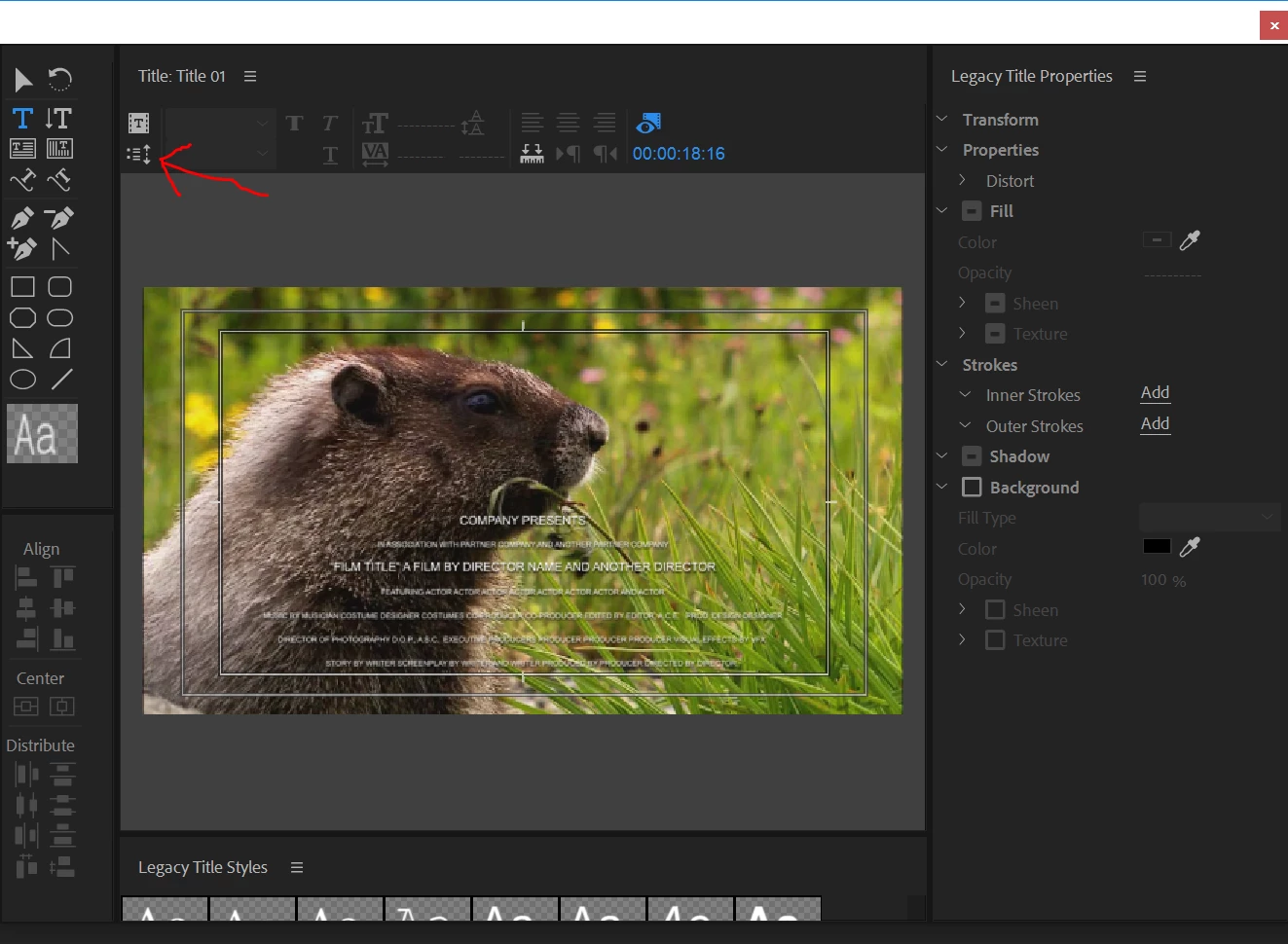
    I had not looked at the Essential Graphics Panel ROLL option, which was new with the Oct 2017 (12.0.0) release. I add screenshots here of the two roll options.

    [Edited to make it clear it was the Roll option that was added with 12.0.0.]

    Legacy title
    Essential Graphics Panel with a graphic selected in the timeline. Once the Roll is checked, the other options appear.
    4 replies

    Participant
    February 20, 2023

    Vent, CODShow, because it didn't make sense to do away with something that worked and did so well. This "help" page creates rolls and not crawls.

    Participant
    February 20, 2023

    These "tips" create a roll graphic, not a crawl. If Legacy Titles (GraphicS) wasn't broken, why fix it?


    Kevin J. Monahan Jr.
    Community Manager
    Community Manager
    February 20, 2023

    Hi Felix,

    quote

    These "tips" create a roll graphic, not a crawl. If Legacy Titles (GraphicS) wasn't broken, why fix it?


    I believe the Legacy Titler code is incompatible with the current version. The announcement to move away from Legacy Titler was a long time ago. Sorry about that. I would create a text string and keyframe the Position parameter. Can you try that?


    Thanks,
    Kevin

    Kevin Monahan - Sr. Community and Engagement Strategist – Adobe Pro Video and Audio
    Harold Silva
    Community Expert
    Community Expert
    April 8, 2018

    you must  use LEGACY TITTLE

    Harold Silva B.
    CODShow
    CODShowAuthor
    Participating Frequently
    April 8, 2018

    OK, And then?

    Legend
    April 8, 2018

    My preferred method is to create the title in Photoshop and keyframe it's animation in PP.

    CODShow
    CODShowAuthor
    Participating Frequently
    April 8, 2018

    How do I preform your suggestion?

    Stan Jones
    Community Expert
    Community Expert
    April 8, 2018

    Creating the titles are not the problem making them continuously move is the issue.


    For Harold's suggestion (the one I think you are looking for), once you create a legacy title, you select the motion option (in the title panel) and select "roll" (the options being "still," "roll," "crawl left," and "crawl right").

    For Jim's suggestion (the method I prefer), he has pointed you to the keyframes instructions - you keyframe motion to move the titles as you wish.