
Participant
May 16, 2023
Question

[help please]How to fit the pop-up panel with 14-inch screen?

  • May 16, 2023
  • 2 replies
  • 488 views

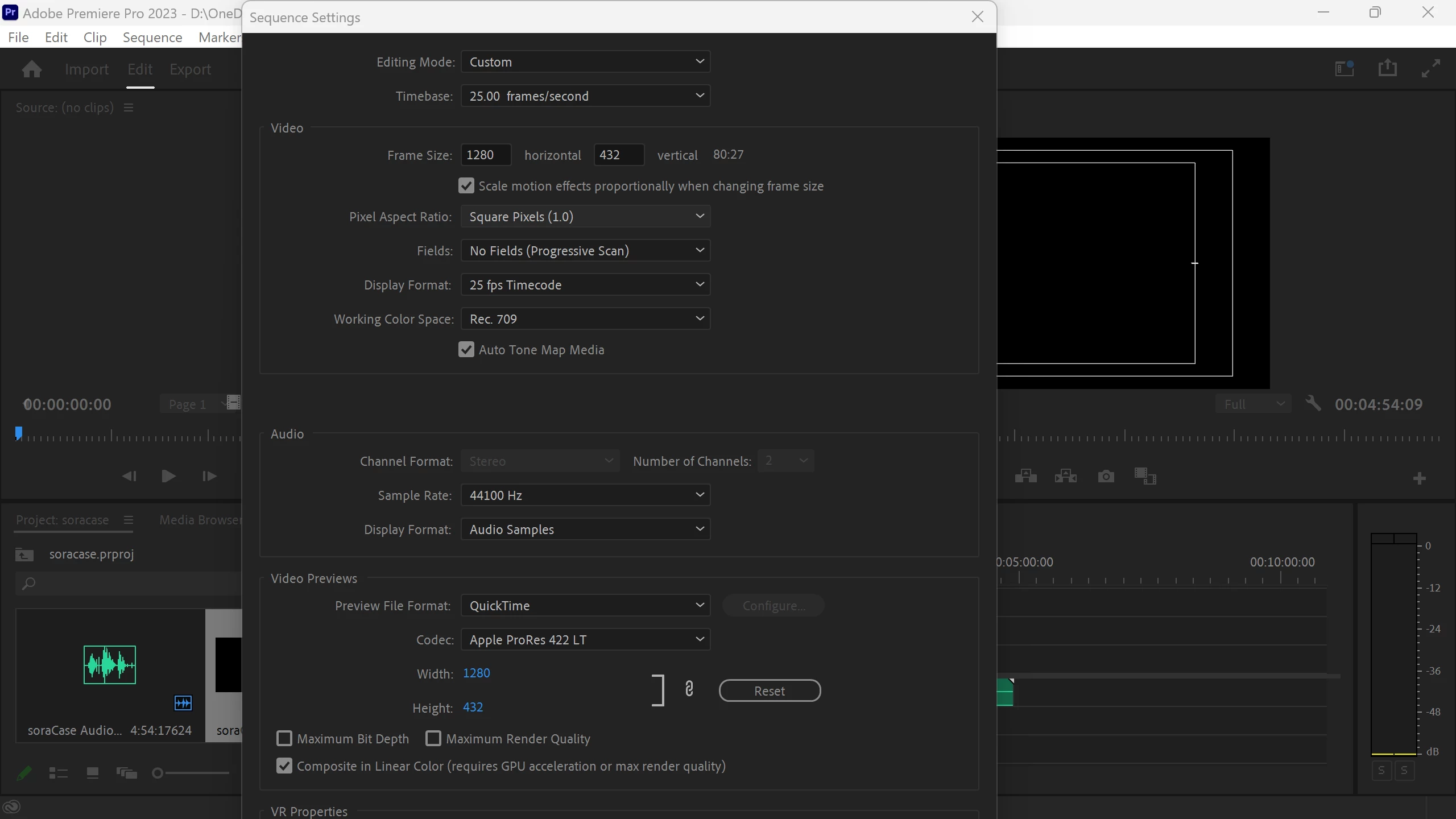
I can't reach the ok button on the panel.

Here's what my screen looks like. My laptop has a 14-inch screen with 2560 x 1440 resolution. The same thing happened when I tried to export the video. I had already tried hiding the Windows toolbar and dragging the panel around. Both of them didn't work. I can't change the size of the panel by simply dragging the edge. 
This topic has been closed for replies.

2 replies

Averdahl
Community Expert
Community Expert
January 3, 2024
quote

My laptop has a 14-inch screen with 2560 x 1440 resolution. 


By @Mei29904562jdi9


Thats the issue. That screen resolution is below the system requirements for Premiere Pro that requires at least 1080 for the height. Anything less will give you cut off dialogs in some cases.


What you can try is to use the TAB key to jump forward to the OK button when you have changed the values. For each tap on the TAB key you will see that different areas/boxed lit up in the current dialog. When "Composite in Linear..." is lit up you need to press TAB once to take it to the OK button and then press Enter to confirm and close the dialog.


More here: Adobe Premiere Pro System Requirements

Ishan Y
Community Manager
Community Manager
May 16, 2023

Hey there,

That must be frustrating. Could you go to Window > Workspaces > Reset to Saved Layout and let us know if that fixes the issue? If you're using a custom workspace, please switch to a default one, such as All Panels, Color, Effects, etc. Let us know how it goes. 


Thanks,

Ishan

Participant
January 3, 2024

I faced the same issue and Tried to reset the Saved Layout but no use. The problem persists, we aren't able to access all the options in the sequence settings panel.