
twinkle21
Participating Frequently
July 15, 2018
Answered

Help! Title window disappeared?? How get it back?

  • July 15, 2018
  • 3 replies
  • 730 views

Hi! I'm in the middle of some important work (of course!) and getting to know Premiere Pro again after maternity leave and a switch from Final Cut Pro (version 7 and before). I have been working on a new project and it's been going OK. But today I open the project file and tried to do a new title and it seems some windows/tabs from the top left quadrant are missing including the title workspace. I found some bits of the Title menu, but not the actual window where you write and format the title. See screenshot:
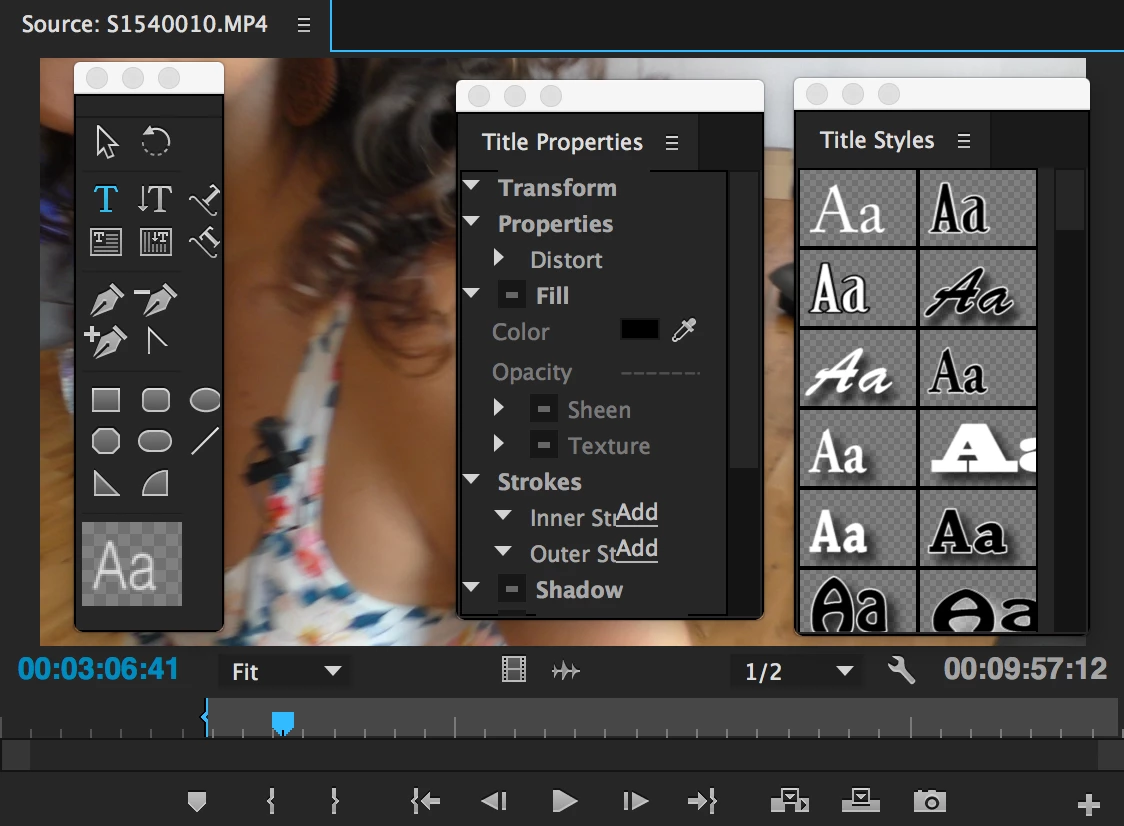
Help! I need to do some rough cuts today (losing valuable limited working time while little one having his nap now...!).

How do I get the title window back? And get the title menus back into orderly fashion? (Plus it seems other windows/tabs are missing too)

Help again!

Thanks

Chris

    This topic has been closed for replies.
    Correct answer Ann Bens

    Open the All Panels from the workspace.

    Select the panels you are missing

    Re-assemble Titler and save.

    Or Windows > Legacy Titler Designer.

    3 replies

    twinkle21
    twinkle21Author
    Participating Frequently
    July 16, 2018

    Ann Bens - thanks sooooooo much! I was able to resest the workspace that same day and get stuff sorted. Running like mad from one thing to the next so can't write now but wanted to send u a massive THANK YOU!

    JasonTCox - thanks for the tip. Will look into that "when I get time"

    jasontcox
    Inspiring
    July 15, 2018

    Side note: are you aware you are using the older titling tool in Premiere and not the current tool, the Essential Graphics panel? This is assuming youre running at least version 2017.1. Just thought I'd check! The Essential Graphics panel is better in most ways.

    Ann Bens
    Community Expert
    Community Expert
    July 15, 2018

    I still prefer the old titler.

    Can do far more stuff with it then the EG.

    Ann Bens
    Community Expert
    Ann BensCommunity ExpertCorrect answer
    Community Expert
    July 15, 2018

    Open the All Panels from the workspace.

    Select the panels you are missing

    Re-assemble Titler and save.

    Or Windows > Legacy Titler Designer.