
Participant
April 26, 2020
Question

Help, video does not fit to screen...

  • April 26, 2020
  • 2 replies
  • 3518 views

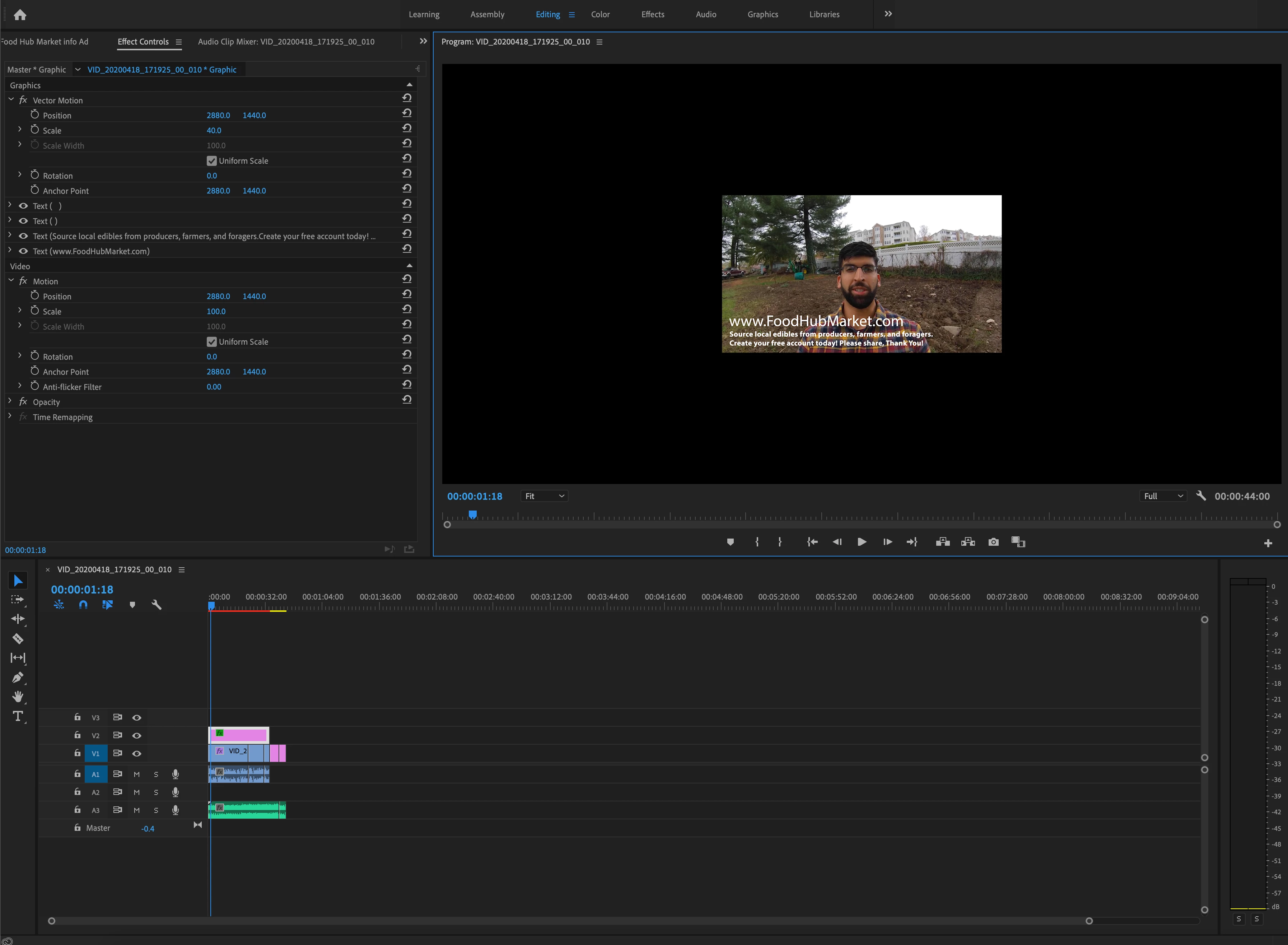
Hi, I tried to look around to see if I could figure out why my exported video project does not display at full screen, why is this? I tried to scale the video size up to full screen but that didnt work either.

Here is a screen shot for context. Thank you.


    This topic has been closed for replies.

    2 replies

    Ann Bens
    Community Expert
    Community Expert
    April 26, 2020

    Looks like your sequence settings are set incorrect.

    Probably started of with a still image with mega resolution.

    Go into Sequence settings and set them the same as your movie.

    ris255Author
    Participant
    April 26, 2020

    Hi Ann, Thanks for offering to help! 


    Well, I'm using the insta 360 camera, it records in 5.7k. I included a picture of the sequence settings.

    So I adjusted them to be 1080p and so far the size looks ok, let's see how it turned out.


    A few more questions:

    When I clicked export media I chose the file format H.264 and present High quality 1080p, how do I know which one to pick there are so many. After exporting the size fits the screen but it looks alittle grainy, is this b/c its not atleast in 4k? 

    Also before I export do I have to render and replace everything?


    Thank you soooo much, I know I must be like one of thoes new lost puppies but I'm new to this so thanks for helping! 

    Ann Bens
    Community Expert
    Community Expert
    April 27, 2020

    Your sequence settings are incorrect.

    Pick something like dslr 1080p30

    Just Shoot Me
    Legend
    April 26, 2020

    I take it you are using Premiere Pro so I am movinig this post.


    I moved your post over from the poorly named Community Help forum, which is for getting help using this forum system, to a better forum.