
charbsindxb
Participant
May 28, 2019
Answered

Help with vertical video in Premiere Pro

  • May 28, 2019
  • 1 reply
  • 336 views

Hi all,

Very new to video editing so please bare with me.

I did exactly what this video told me to do:

https://www.youtube.com/watch?v=wXXzYSAv9bQ

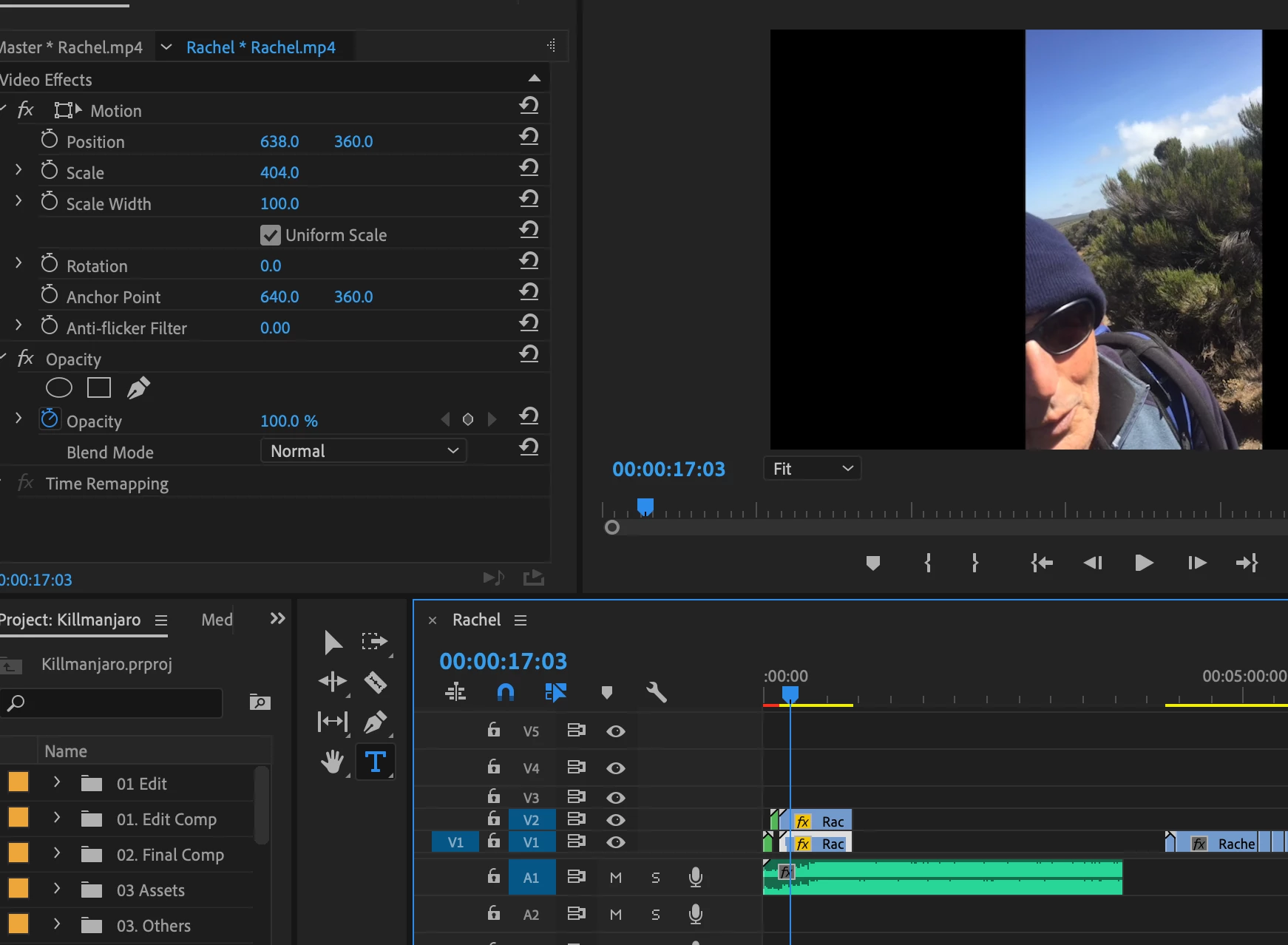
Unfortunately V1 doesn't show when played, only V2 is there. When I drag V2 further down the timeline, V1 is visible.

Attached a screenshot for reference as well.

Anyone able to help me with this? Much appreciated!
This topic has been closed for replies.
Correct answer Meg The Dog

Are you confident that the black bars present in the clip are not "baked in" to the clip? Is this clip straight from the camera?

To test, go to Effects > Video Effects > Transform > Crop and drag the Crop effect to the Clip on V2. Crop the clip in in the left and right sides - does doing so reveal the clip on V1?

MtD

1 reply

Meg The DogCorrect answer
Inspiring
May 28, 2019

Are you confident that the black bars present in the clip are not "baked in" to the clip? Is this clip straight from the camera?

To test, go to Effects > Video Effects > Transform > Crop and drag the Crop effect to the Clip on V2. Crop the clip in in the left and right sides - does doing so reveal the clip on V1?

MtD

charbsindxb
Participant
May 28, 2019

Yesssss!! Thank you so much!