
Participating Frequently
January 25, 2019
Question

HEVC Codec Not Installed - Gray Garbled Footage

  • January 25, 2019
  • 5 replies
  • 3930 views

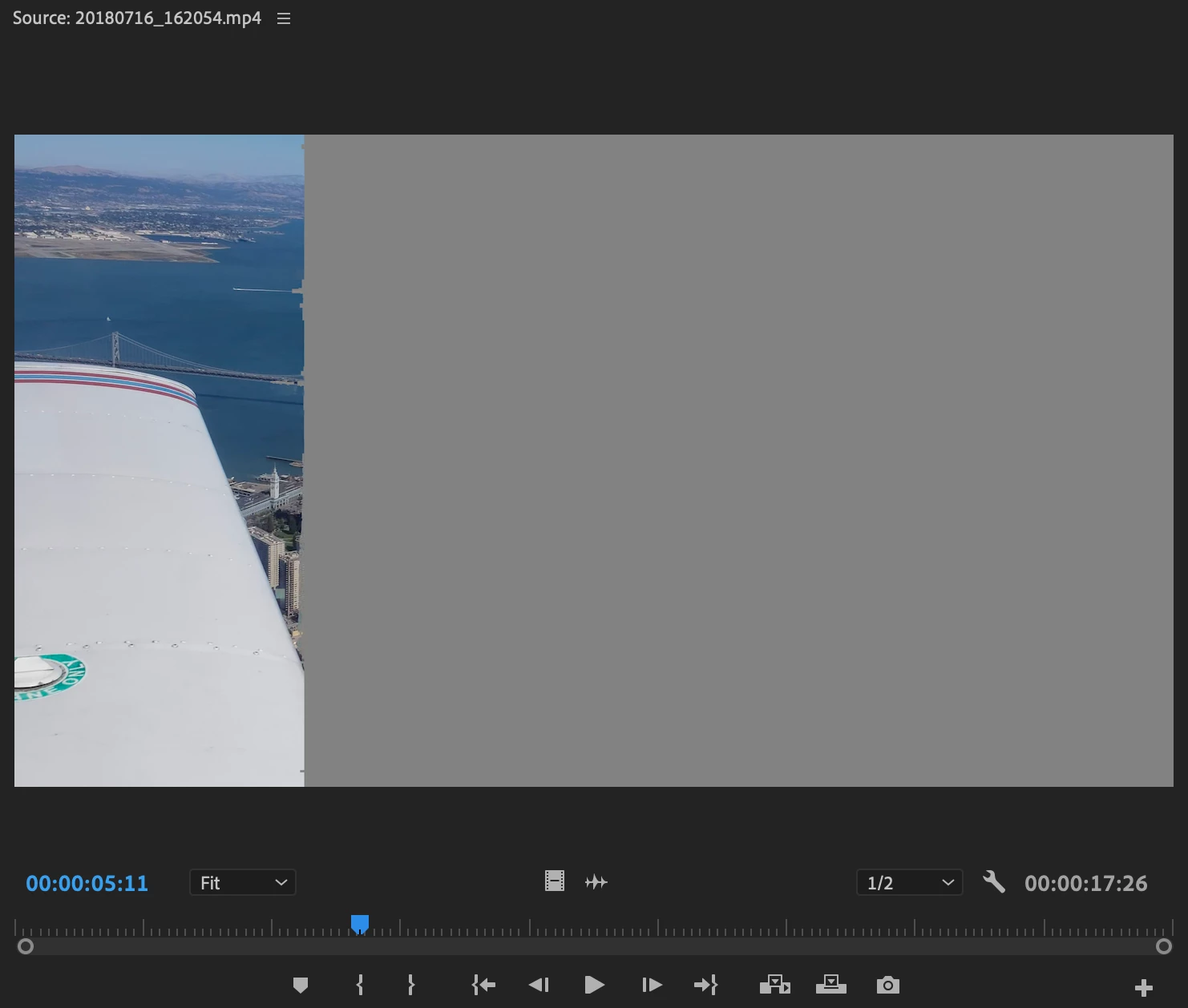
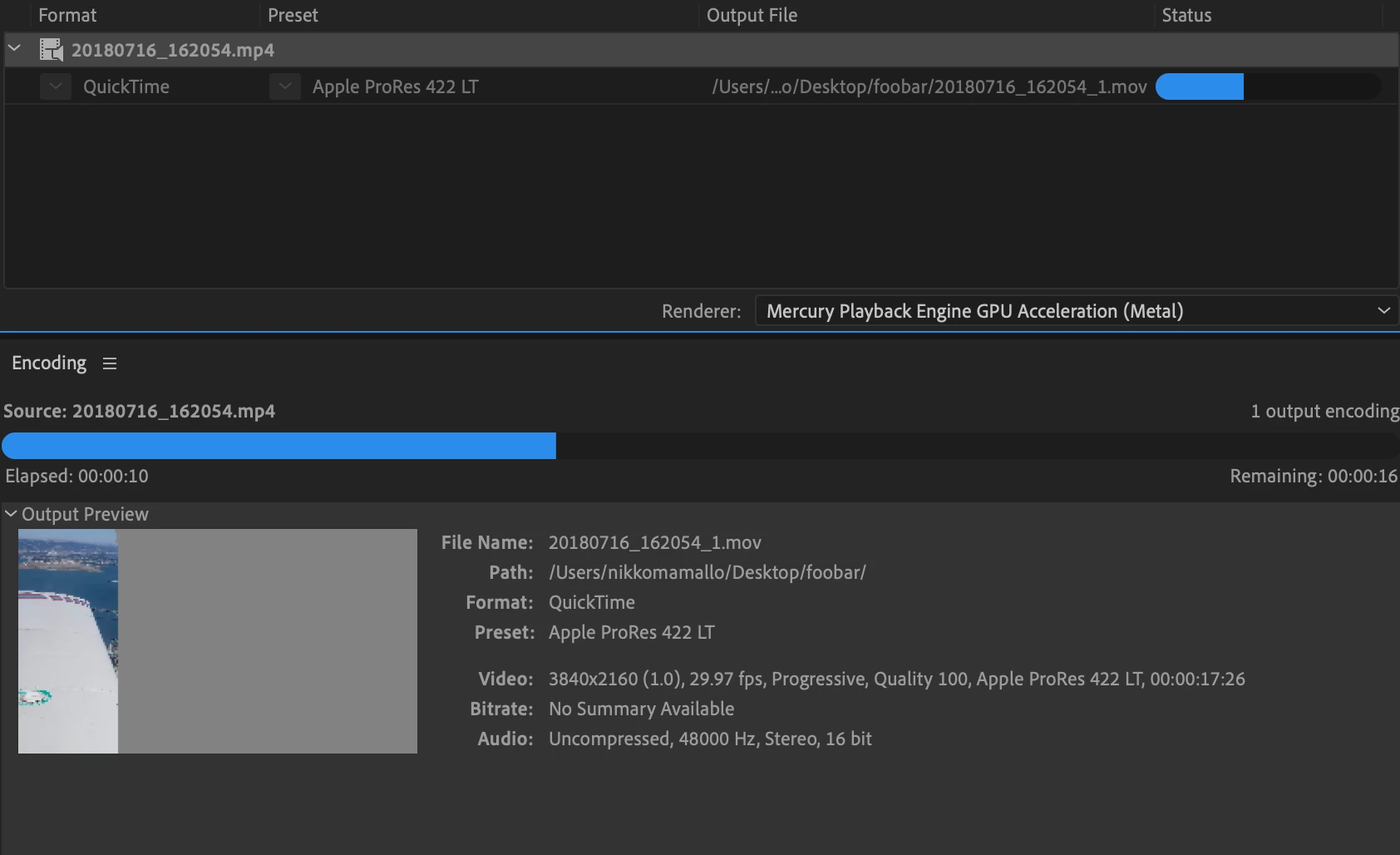
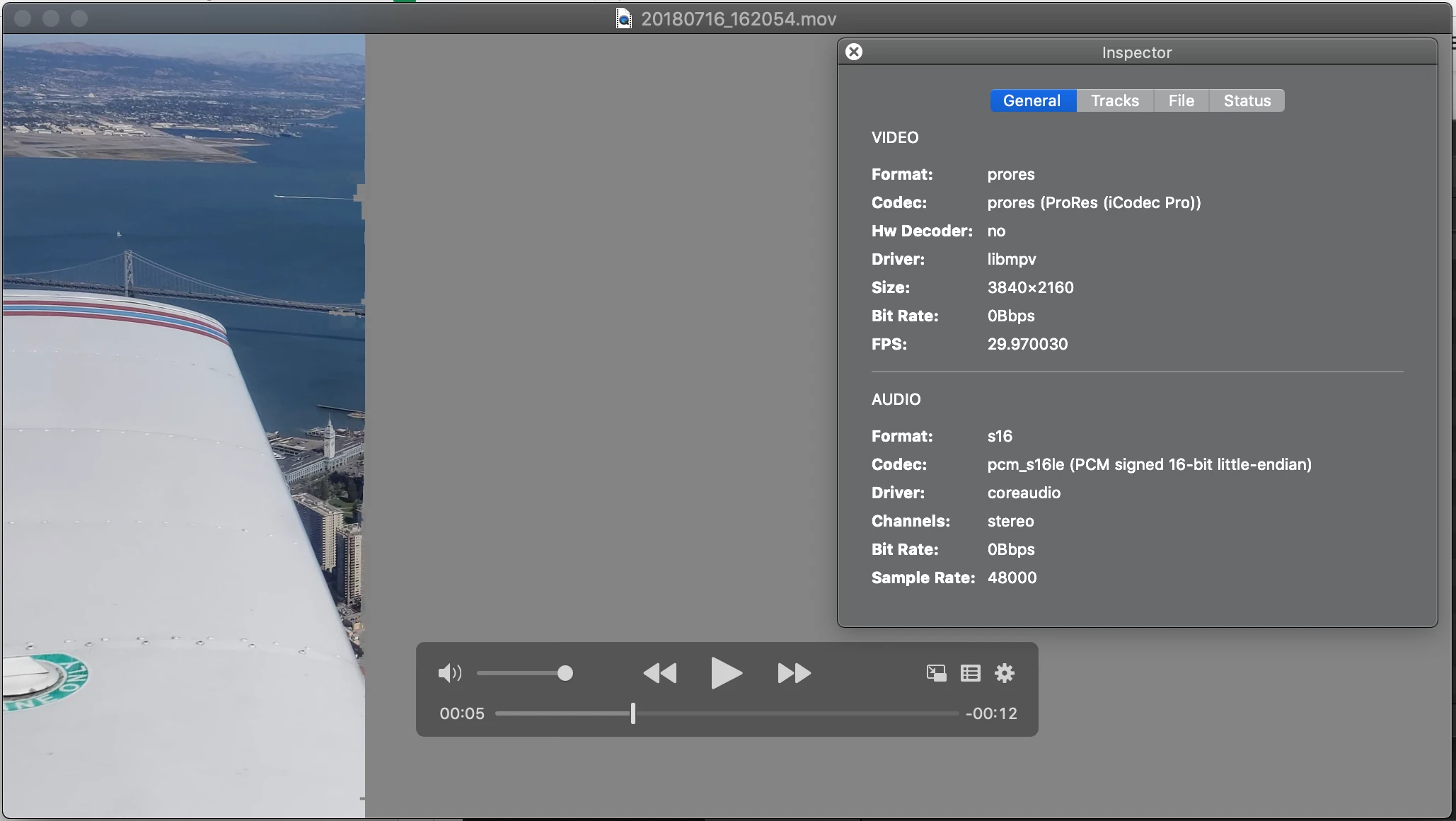
Hey there, I switched to a new computer months ago and have lost the ability to edit HEVC footage that I have edited in previous projects. This started immediately on my new machine (I have a Creative Cloud All Apps account) and from what I gather I should have received a prompt to download the missing codec, but I have never seen such a prompt come up. I would really like to be able to edit this footage again. Converting the footage via Media Encoder or creating proxies in Premiere results in the footage having the gray baked into the output file. Original Media does play on my machine using IINA.

Premiere Pro:
Media Encoder:
IINA (HEVC):

IINA (ProRes from Media Encoder):
My Machine:

MacBook Pro 15-inch 2017

10.14 (18A391)

2.9 GHz Intel Core i7

16GB RAM

Radeon Pro 560 4096MB

I've spent countless hours troubleshooting this, but most recently this is what I've done:

  • Uninstalled all Adobe CC apps
  • Uninstalled CC Desktop App
  • Ran the Creative Cloud Cleaner - Use the Creative Cloud Cleaner Tool to solve installation problems
  • Deleted all Adobe files/directories from my system that I could find:
    • "/Applications/Adobe *"
    • "/Applications/Utilities/Adobe *"
    • "/Library⁩/⁨Application Support⁩/Adobe/"
    • "/Library/⁨Application Support⁩/regid.1986-12.com.adobe/"
    • "/Library/Preferences/com.adobe.acc.AdobeDesktopService.plist"
    • "/Library/Preferences/com.adobe.headlights.apip.plist"
    • "~/.adobe/"
    • "~/Creative Cloud Files/"
    • "~/Documents/Adobe/"
    • "~/Library⁩/⁨Application Support⁩/Adobe/"
    • "~/Library⁩/Preferences/Adobe *"
    • "~/Library⁩/Preferences/com.adobe.*"
  • Restarted
  • Downloaded and Installed CC Desktop App 4.7.0.400
  • Installed Premiere 13.0.2 Build 38
  • Opened Premiere and created a New Project on the Desktop
  • Imported previously working HEVC footage (No Prompt for missing codec)
  • Help -> Sign Out, Restart, Change Password, Sign In
  • Opened Premiere and created a New Project on the Desktop
  • Imported previously working HEVC footage (No Prompt for missing codec)

Any thoughts?

Added OS Info

    This topic has been closed for replies.

    5 replies

    Participant
    December 8, 2021

    I got it to work by myself after a lenghty (and quite useless) interaction with Costumer Support... 

     My guess is the problem has something to do with nvidia (not sure though). My desktop runs an Nvidia graphics card and it wouldn't install the codecs no matter what. So I installed premiere on my AMD laptop, needless to say it installed the codecs no problem. I just put them in a usb and transfered them to my desktop.


    It's kinda maddening at the beginning of the two hour interaction with costumer support I asked if there was any way to manually install the codecs and the agent just ignored the question altogether. All these hours wasted on troubleshooting hoops and the fix is just allowing users to manually install the codecs... 


    Adobe needs a system to evaluate their costumer support agents. These folks are as useful as a toddler.  

    Participating Frequently
    April 22, 2019

    I am having a similar issue in that I bought a new computer yesterday (windows 10) and installed creative cloud and then premiere, and went to open one of my existing projects and it will not locate the h.265 files, saying they are a different type (audio only vs audio+video), and if I create a new project and try to drop my h.265 file on the timeline or in the project, it imports as audio only. In previous versions of premiere CC (2018 I guess), dropping the h.265 file on the timeline would prompt to install the HEVC codec, which the program would do automatically. Not happening anymore!

    Adobe Employee
    February 18, 2019

    i have PM you upload details.

    mamalloAuthor
    Participating Frequently
    February 18, 2019

    As per your PM, I sent you an email with a link to download the video file.

    Also, my machine configuration has not changed since my original post, but here are screen shots of my about this mac as well as my premiere version as requested.

    caroline_edits
    Community Manager
    Community Manager
    February 15, 2019

    I know this isn't a fix of the source issue, but just to get you working again, what if you transcoded your footage using a third-party transcoder like Handbrake?

    https://handbrake.fr/

    I'm gonna have some colleagues look at this as well! Thanks so much for your patience, my friend.

    Caroline

    mamalloAuthor
    Participating Frequently
    February 15, 2019

    Just confirmed Handbrake will convert the media. I have 350+ source files in the HEVC format and a bunch of them were already edited (in Premiere CC) back in August. Taking the time to convert that many files and get them re imported so they can be re edited (or forced offline and reconnected with the new media) seems a bit silly when the files were working in Premiere in the past. Is there a reason the prompt to download the missing codec isn't showing up?

    Adobe Employee
    February 18, 2019

    Hi

    Please try following:

    under Premiere Preferences > media Uncheck the option "Enable hardware accelerated decoding (requires restart)"

    clean Media cache

    create a new Project and try to import same HEVC file again

    then try to open your projects.

    Also share information of source of these HEVC file or share a sample file.

    Abhishek

    mamalloAuthor
    Participating Frequently
    February 10, 2019

    *bump* Anyone have any ideas?