
Highlight/Shadow Glow Without Duplicating Clips
Hello - I am trying to figure out a way within Premiere Pro to blur the shadows without having to duplicate the clip, something akin to the color grading done in Inside Llewyn Davis:
Etalotruc - Inside Llewyn Davis LOOK [with english subtitles]- Davinci Resolve - YouTube
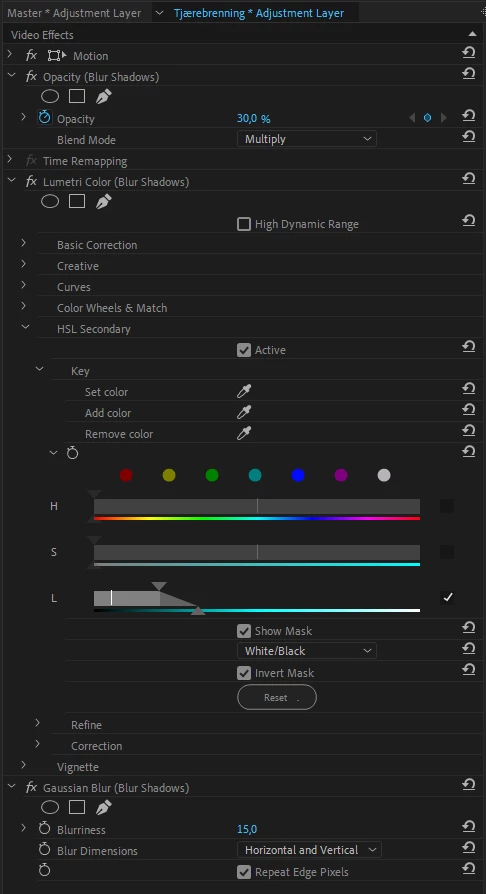
I watched a video of someone creating two duplicate clips and then fiddle with those to get a highlight glow (Highlight Glow / Halation Tutorial in Premiere Pro - YouTube ) but I have a ton of clips that are on top of clips that are on top of clips, etc., so I'm trying to figure out how to either do it all within the effects of the one clip or using an adjustment layer. The key is that only the shadows are blurred, not the whole image. If I can't do this within Premiere Pro as it stands, I was wondering if something like the Trapcode Starglow plugin might help or if there's another plugin I would need in order to do this within Premiere.
Can you help me? Thanks!
 AdChoices