
Question
How can I change the order of sequences in this window?
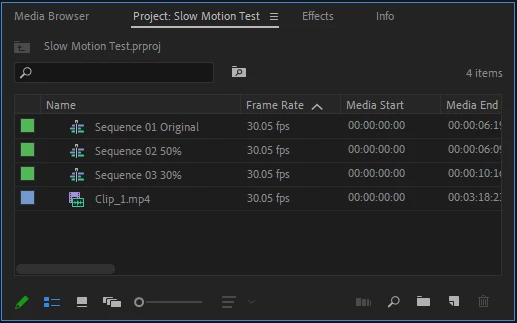
How can I manually change the order of sequences in the window you see below. I sometimes need to keep certain sequences next to each other, but Premier Pro will put them at the bottom or at the top. When I restart Premier Pro, all my sequences are re-arranged alphabetically. How can I keep sequences in the order I need them? I cannot drag and drop to rearrange them.
Thanks,
 AdChoices