Inspiring
November 14, 2023
Answered

How can I programmatically get offset timecode in Adobe Premiere using Premiere.jsx

  • November 14, 2023
  • 1 reply
  • 616 views

Hello,

I have created a subclip in Adobe Premiere where both the start and end of the clip have been trimmed.

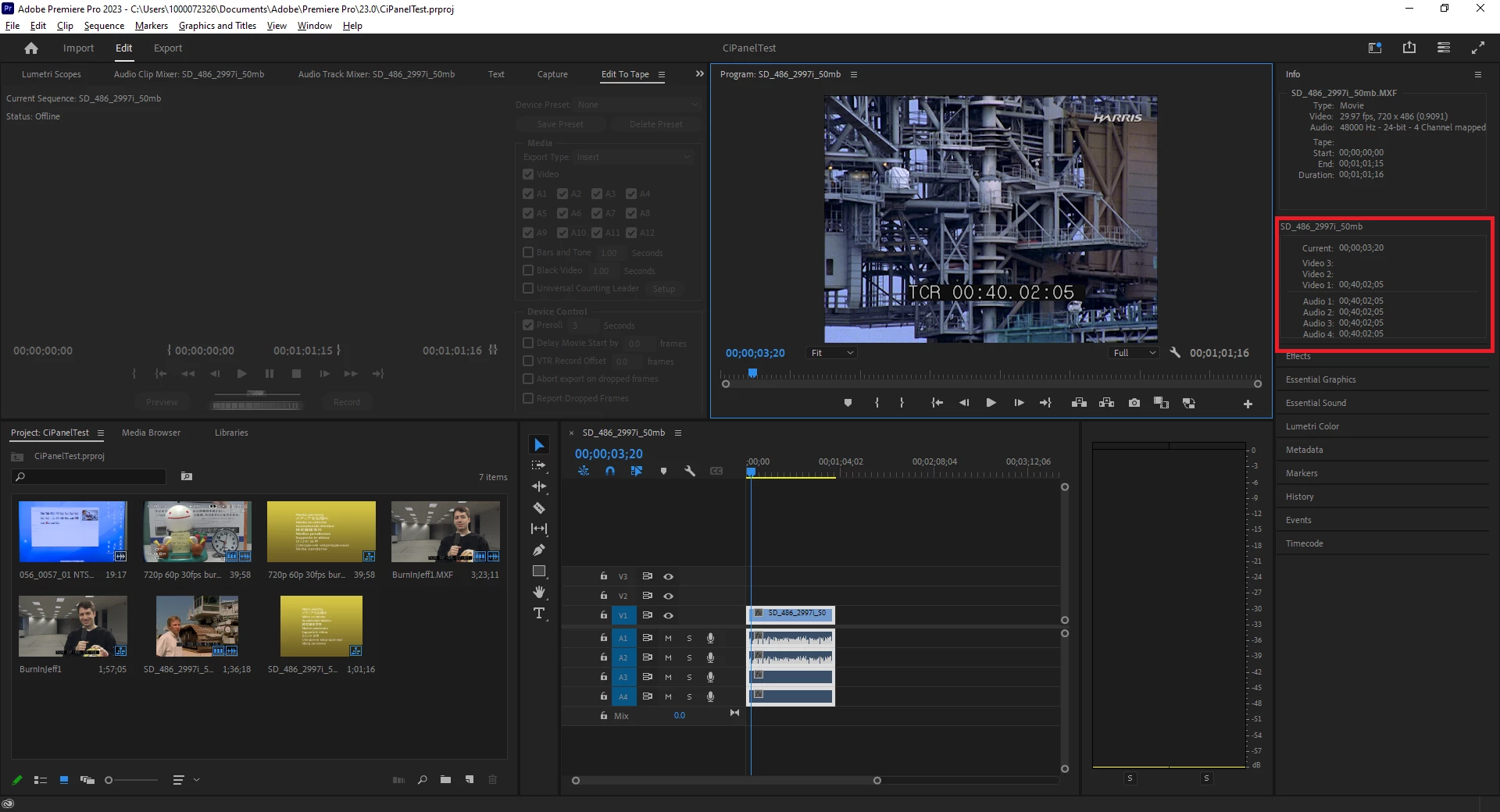
I can see in the "Info" section of Premiere that Start is 00;00;00;00, the End is 00;01;01;15, and the duration is 00;01;01;16.

Also in the Info section I can see the timecode values for Video 1:  00;40;02;05 as well as Audio 1, Audio2, Audio 3, and Audio 4.  (please see attached screengrab)

How can I get the timecode values Video 1 and the Audio tracks using Premiere.jsx?
 

This topic has been closed for replies.
Correct answer Fred29717504vb07

Hi Bruce,

Thanks for the sample.

That's essentially the exact implementation I am doing.  It will return the zero based timecode for the track, not the timecode for Video 1.

I will reply in a subseqeunt text showing you my debug console results in Visual Studio Code.


Hello @Bruce Bullis 

I got it working! 

I was looking for the actual value that was being displayed in Video 1 of the Adobe Premiere Info panel (which in this case was 00;39;58;25).

The code sample you gave me was returning a clip inPoint of 00;00;14;26 which didn't make sense.  I was expecting 00;39;58;25 which the UI was showing.

However, when I took that 00;00;14;26 returned from the inpoint and added to my source clip start of 00;39;43;19 I got exactly 00;39;58;25!  Which is perfect!


Thank you for your help.  This saved me tons of time.

When I added the clip

1 reply

Bruce Bullis
Legend
November 14, 2023

You say 'subclip', but that just looks like a track item...?

trackItem.start and .end will give the track item's position, in sequence time; trackItem.inPoint and .outPoint will give the in/out points of the trackItem, as found within the source projectItem.

Inspiring
November 14, 2023

Hi Bruce,

I am able to get the video track, but the values I'm getting are from the zero based time code.  Not the Video 1 or Audio tracks timecode.

How do I get that 'trackItem 'object you mentioned?  I looked at the sample jsx code and I don't see that object exposed anywhere.


Bruce Bullis
Legend
November 14, 2023