Participant
March 5, 2024
Answered

How do change the program sequence display size?
  • March 5, 2024
  • 6 replies
  • 675 views

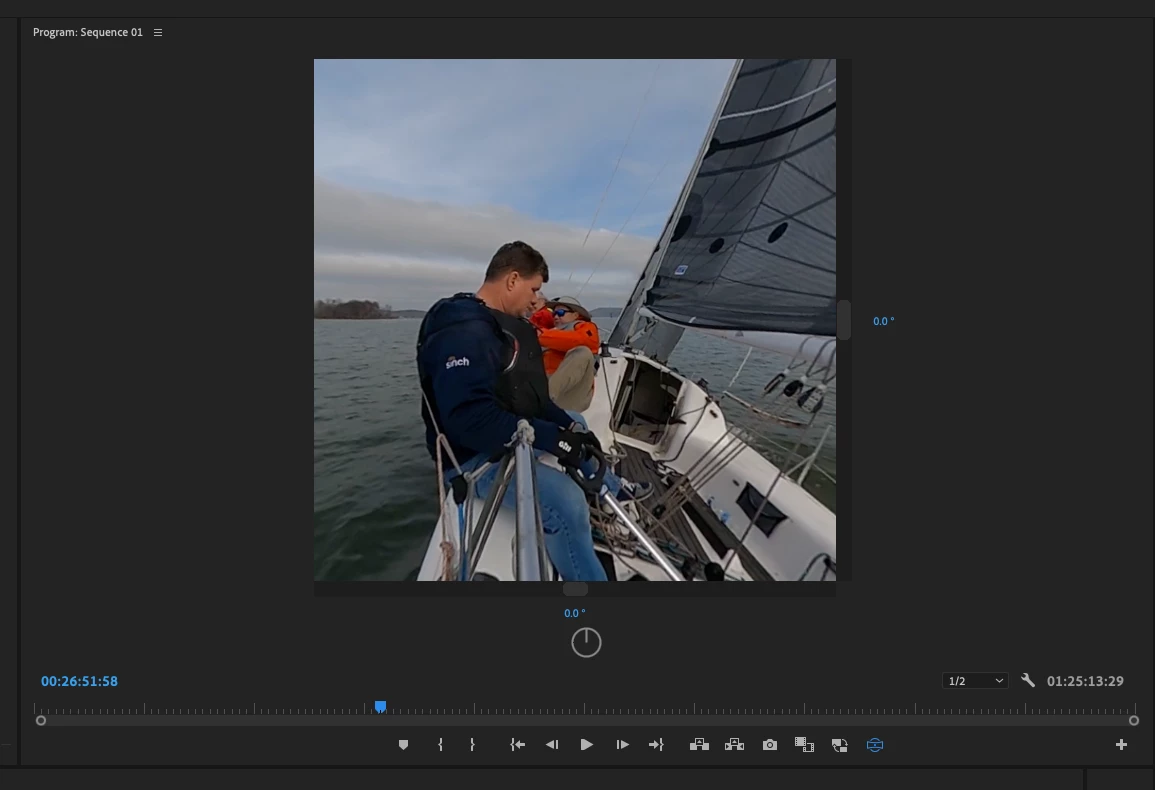
I feel like an idiot, I forgot how to change the program sequence display size shown here.  Any help is appreciated.

This topic has been closed for replies.
Correct answer chrise74473769

I figured in out.  I had it in VR view.  Sorry and thanks foreveryones help.

6 replies

chrise74473769AuthorCorrect answer
Participant
March 5, 2024

I figured in out.  I had it in VR view.  Sorry and thanks foreveryones help.

MyerPj
Community Expert
Community Expert
March 5, 2024

And click-OFF of that GoPro effect, just set it on Motion or such.

MyerPj
Community Expert
Community Expert
March 5, 2024

The Arrow is pointing to a plank of wood! 🙂

Click in the timeline and then in Sequence menu on top, use the Sequence Settings. Same thing I said in the my first message.

MyerPj
Community Expert
Community Expert
March 5, 2024

A typical sequence setting would be 1920x1080. That's full HD.

Peru Bob
Community Expert
Community Expert
March 5, 2024

Watch this video starting at 2:51:

https://www.youtube.com/watch?v=O1ZxkORLA0g


Is that what you want to do?

MyerPj
Community Expert
Community Expert
March 5, 2024

It would be helpful to see more of the UI, like maybe the Effects Control Panel, etc...

Did you try + and - to change size?

Participant
March 5, 2024

Change the screen size where the arrow is pointing.  Thanks!

MyerPj
Community Expert
Community Expert
March 5, 2024

Are you talking about the Sequence settings? 

Participant
March 5, 2024

Maybe,  I want to change the view screen where the arrow is point to 16:9.  Thanks!