
Participant
January 1, 2022
Answered

How do I close the gap between 2 clips? How do I close the gap between multiple clips?

  • January 1, 2022
  • 2 replies
  • 11978 views

Is there a keyboard shortcut for snapping selected clips to the clip(s) to its immediate left? (close the gap)


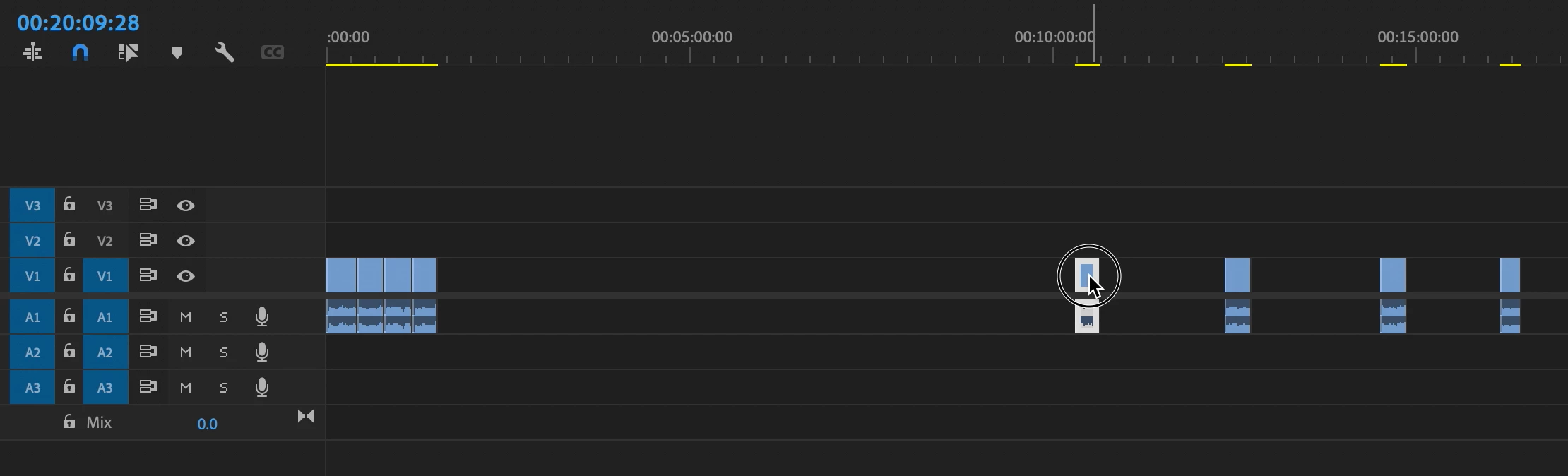
E.g., in my screenshot below, I ultimately want to consolidate & append the separated clips on the right to the clips at the start of the sequence on the left. Is there a faster way to do this besides dragging & dropping?
Correct answer Ann Bens

Right click on empty space: ripple delete.

Select clips > Sequence/Close Gap.

2 replies

Kevin-Monahan
Community Manager
Community Manager
January 11, 2022

Hi Michael,

To avoid such gaps, look into the term: "three-point editing." You would be wanting to use the Insert and Overwrite commands to edit without gaps. You can do so with keyboard shortcuts, which is faster than dragging and dropping clips to the timeline.


Thanks,
Kevin

Kevin Monahan - Sr. Community and Engagement Strategist – Adobe Pro Video and Audio
Ann Bens
Community Expert
Ann BensCommunity ExpertCorrect answer
Community Expert
January 1, 2022

Right click on empty space: ripple delete.

Select clips > Sequence/Close Gap.