Participant
October 31, 2024
Question

How do I correctly Crop my Video

  • October 31, 2024
  • 2 replies
  • 1011 views

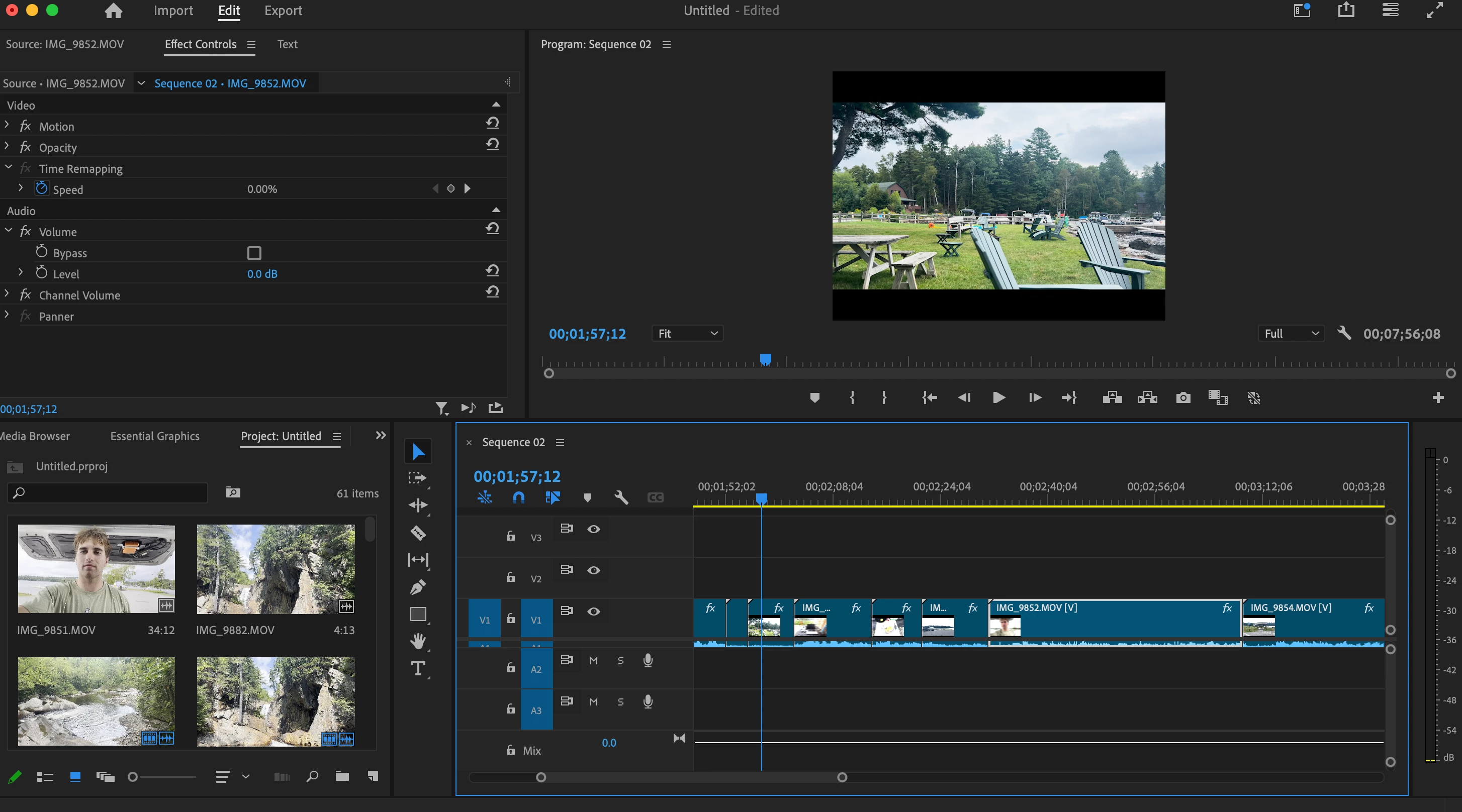
Sorry I know this is probably super beginner but I'm looking to crop this. For some reason I can't find the option to crop it in the effects tab.



This topic has been closed for replies.

2 replies

Ann Bens
Community Expert
Community Expert
October 31, 2024

I am guessing you do not want to crop your video (which means cutting off the edges of your video, The black bars are not part of your video but rather empty space within the frame) but rather your video fits the frame without the black bars?

If so:

You need to set up a sequence that matches your footage.

Most simple way is to right click on a clip in the Project Window and hit New Sequence from clip.

If its correct you can go and edit this sequence and delete the old one (sequence 02)

Participating Frequently
October 31, 2024

Twirl down Motion and you will see Crop options at the bottom of Motion (if you have latest version of Premiere Pro). If you have older versions, then there is the Crop effect.