Answered
How do I disable GPU acceleration here? Premiere won't let me switch to "software only".
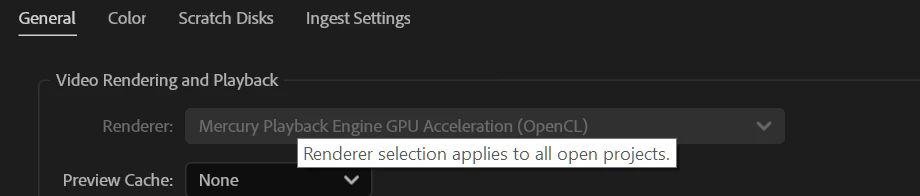
How do I disable GPU acceleration here? Premiere won't let me switch to "software only".

How do I disable GPU acceleration here? Premiere won't let me switch to "software only".
It's not set to Software only. It's set to 'Mercure Playback Engine GPU Acceleration (Metal) - Recommended' and I can't change it.
Are you running an Apple Silicon Mac (as opposed to an Intel Mac)? If so, then you're permanently locked to the Metal GPU acceleration mode. Apple Silicon-native versions of Premiere Pro never offered software-only rendering at all no matter what.
Already have an account? Login
Enter your E-mail address. We'll send you an e-mail with instructions to reset your password.
 AdChoices