
Participant
September 9, 2021
Answered

How do I exclude captions on import - Premiere Pro 15.4

  • September 9, 2021
  • 1 reply
  • 802 views

Hi all -


I am importing mxf media from a client with captions embedded and importing them is taking years off of my life. I have deselected "Include captions on import" in my settings but it still brings them in. When I reopen the project, it then scans the source files again and takes just as long to relink the media as it did to import. What am I missing? How do I ignore/strip the captions on import?
This topic has been closed for replies.
Correct answer Jeff Bugbee

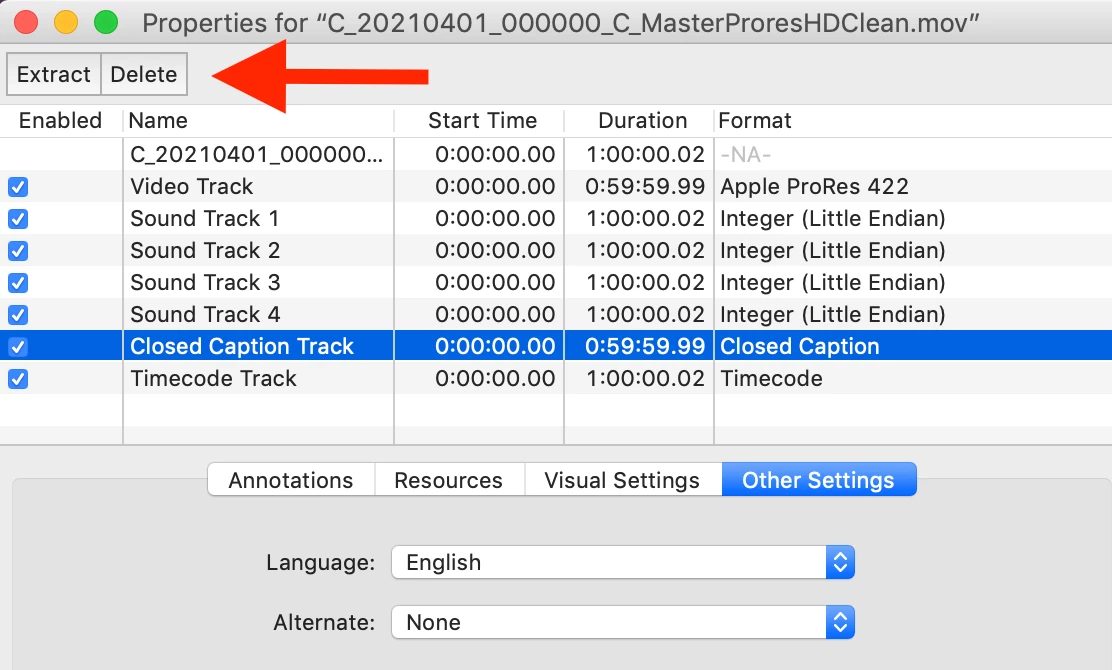
If you still have access to Quicktime 7 Pro, you can delete caption tracks from here:


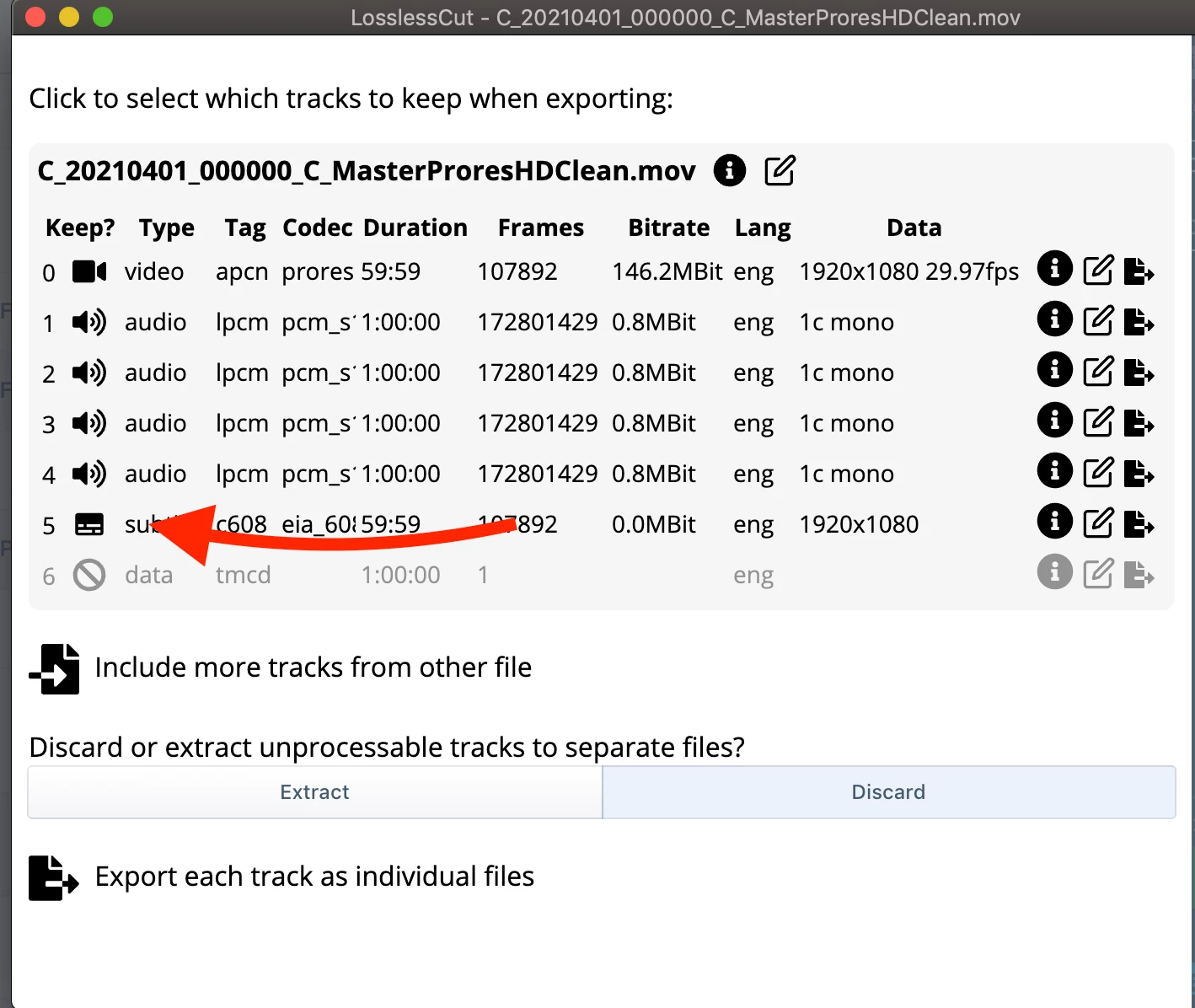
If not, you can use the free LossLessCut (https://github.com/mifi/lossless-cut) to trim out and resave files without the captions.

1 reply

Stan Jones
Community Expert
Community Expert
September 9, 2021

I don't know that I ever tested that before. I just did, and, even with the preference to import turned off, it imports the embedded captions in 2020.9 and in 2021.4.1. 


And even if it did, it would not remove the embedded captons from the file.


In 15.4.1, you can delete the caption track. In 14.9, you can unlink the tracks, and then delete the captions. But they're still in the file, and might pose an issue when processing.


Stan


Ami PAuthor
Participant
September 9, 2021

@Stan Jones Thanks for the response - I am confused. Are you saying unchecking the preference doesn't work or is it intended to do something other than ignore the captions on import? 


I could live with the laboriuous import if I could delete the caption track but I can only "see" it if I put it in a sequence and then delete from the sequence but it still lives in the original source file. Is there a way in 15.4.1 to delete the caption track from the source? Perhaps I am missing something. 


Thanks! 


Stan Jones
Community Expert
Community Expert
September 9, 2021

lol. I think it is working just as you said. Which a) makes no sense and b) I can't see how it would help if it "ignored" it. You can delete the caption track in the timeline, but not from the source.


Stan