
David-Griffin
Participant
February 20, 2019
Answered

How do I get my audio tracks back?

  • February 20, 2019
  • 2 replies
  • 361 views

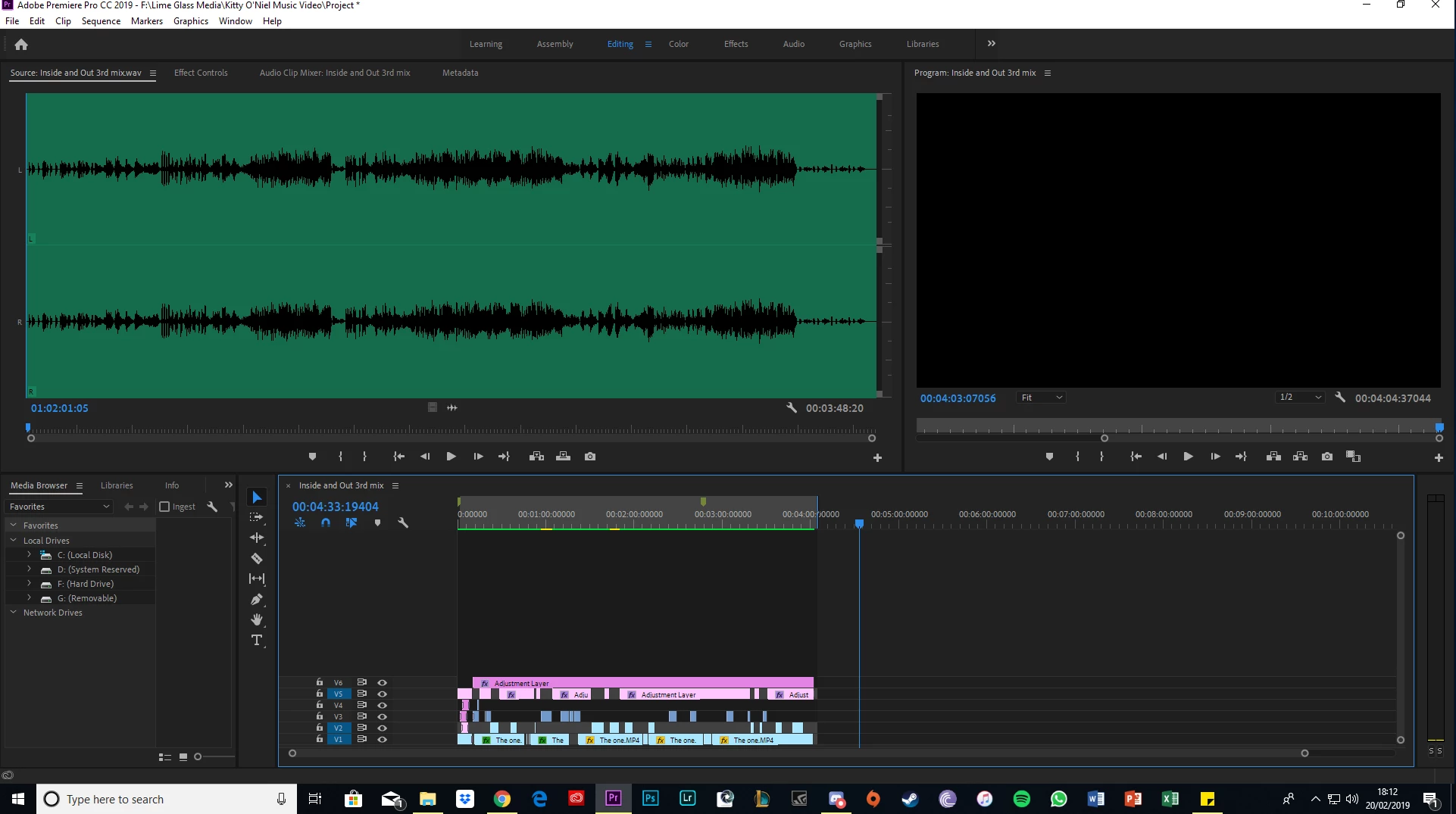
Hi, struggling to find the correct answer anywhere, As you can see in the image, I have all my video tracks but my audio ones have gone, I can still hear my audio however, so I know it's there, I just cant see them anywhere or find the button to get them back, any help would be appreciated.
This topic has been closed for replies.
Correct answer Meg The Dog

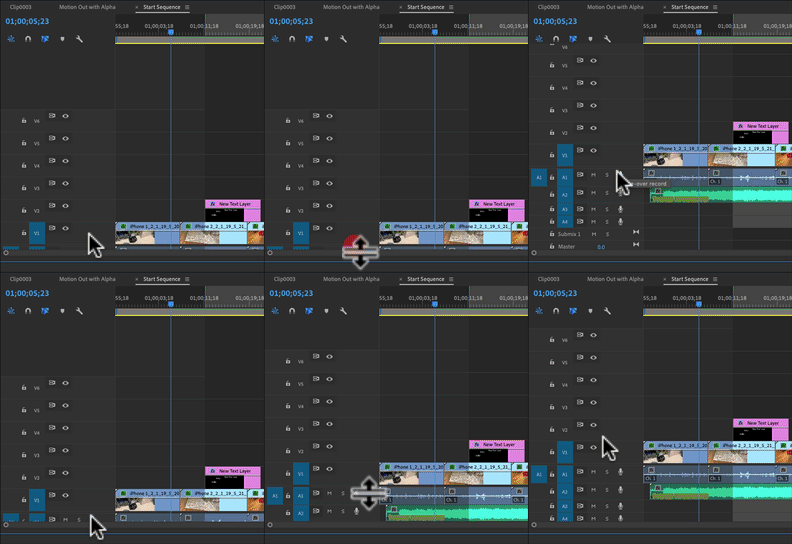
Move your mouse cursor to right under the V1 track header, it will change to an up/down arrow symbol. When it does, click down and drag upwards to reveal the audio tracks, then release:

MtD

2 replies

David-Griffin
Participant
February 20, 2019

Thank you very much! Was driving me crazy!

Meg The DogCorrect answer
Inspiring
February 20, 2019

Move your mouse cursor to right under the V1 track header, it will change to an up/down arrow symbol. When it does, click down and drag upwards to reveal the audio tracks, then release:

MtD