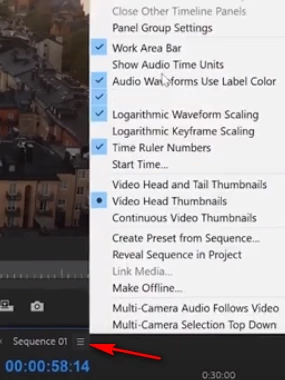
How do I remove this 'pseudo' in and out bar from the timeline. I accidentally activated it and I have no idea how to get rid of it. It overrides any attempt I make at using the normal in and out points for export. Any help is appreciated
Yeah I just wasn't sure what it was; I've been using Premiere for 6 years pretty much daily and have never seen it. And it was messing with my exports.


 AdChoices