
Inspiring
July 3, 2025
Answered

How do I select multiple objects in the program window?

  • July 3, 2025
  • 3 replies
  • 736 views

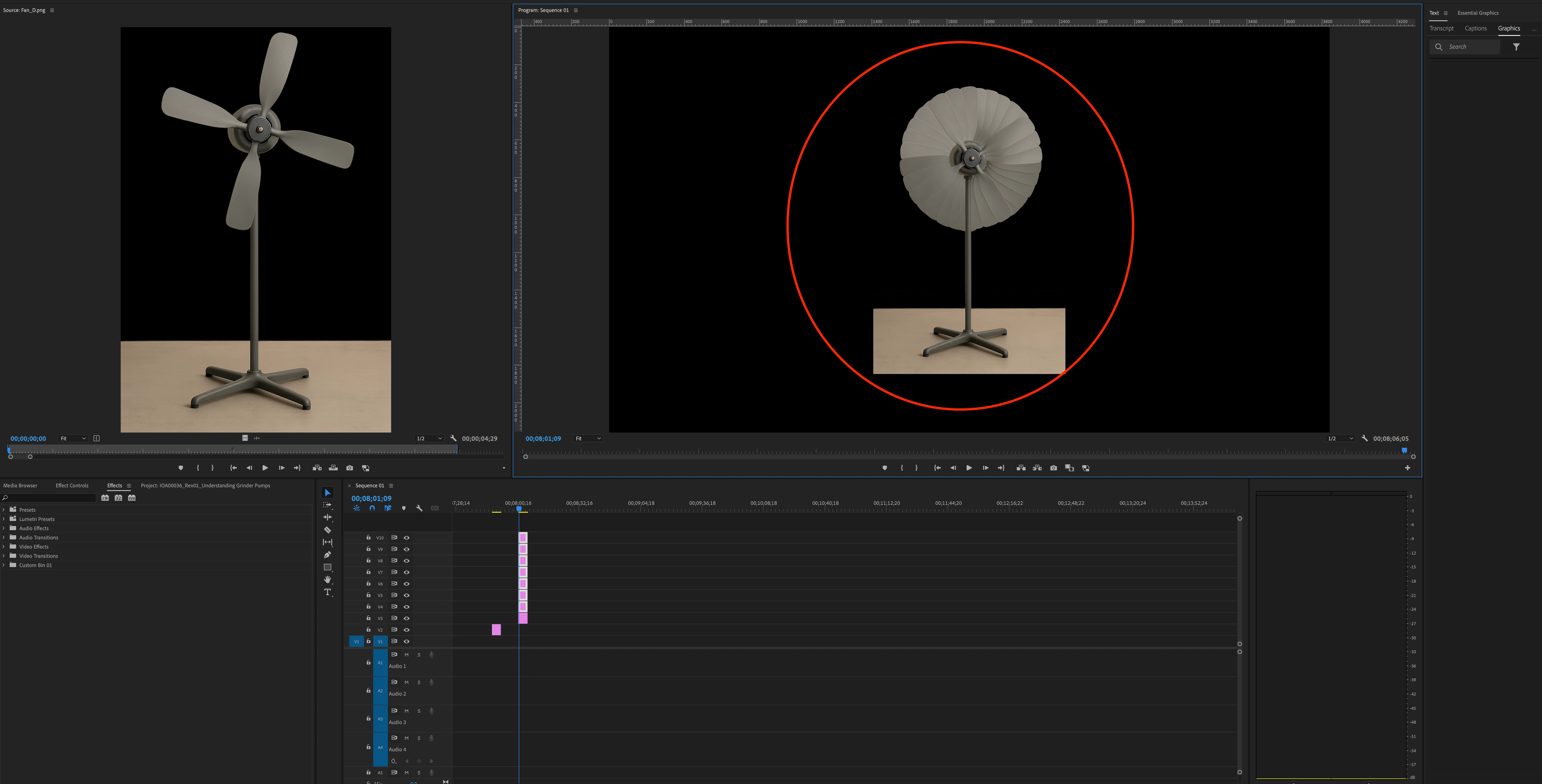
My question is simple as I am a beginner with this. I am trying to select all of the objects in my program window. I can double click to select one, but can't shift-click or click and drag a box like Illustrator. In the screenshot below, how can I select all the fans at once to scale them and reposition them all together?
 

Correct answer Michael30621428f7dz

Finally found the answer. Basically you can't select all of them. BUT, you can make the adjustments to one (scale and position) in the Effect Controls panel, right-click Motion Fx and select "Copy", then select all the rest in the timeline and "Paste".


Video: https://youtu.be/OkorXYWomdI?feature=shared

3 replies

Stan Jones
Community Expert
Community Expert
July 7, 2025

@Michael30621428f7dz,


Just clarify one bit: you are in a version of PR before 25. That is why you are seeing the Essential Graphics panel and not a Properties Panel.


Stan


Michael30621428f7dzAuthorCorrect answer
Inspiring
July 7, 2025

Finally found the answer. Basically you can't select all of them. BUT, you can make the adjustments to one (scale and position) in the Effect Controls panel, right-click Motion Fx and select "Copy", then select all the rest in the timeline and "Paste".


Video: https://youtu.be/OkorXYWomdI?feature=shared

Community Expert
July 4, 2025

You can select multiple clips in the Timeline by clicking and dragging a selection box around them. Once selected, open the Properties panel via Window > Properties to adjust their position settings as a group.


Tip: For a workflow more like Illustrator, consider combining the clips into a single graphic. Go to Graphics and Titles > New Layer > From File to add the first graphic. Then, drag additional assets from the Project panel directly into the Properties panel. This enables tools like Align and Distribute—ideal for precise layout control and minimizing clutter in your Timeline.

Inspiring
July 7, 2025

I cannot find the Properties panel under the Windows menu