

peterkellner1
Inspiring
May 9, 2017
Answered

How to add a highlight box like I've done in the past with Title

  • May 9, 2017
  • 3 replies
  • 7005 views

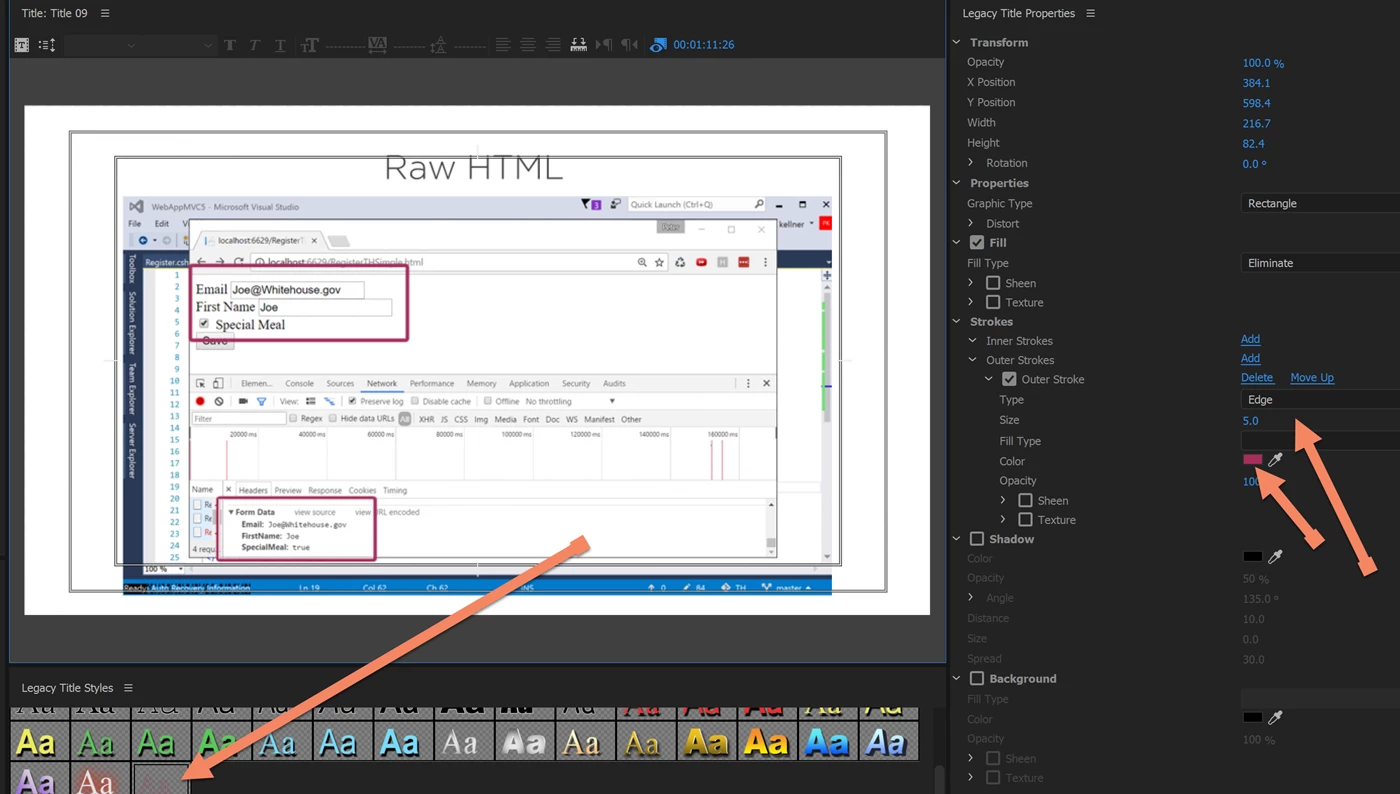
Up until the latest version of PR (cc2017) with title appearing to be on the way out, I use to create a title, then on the title drop a rectangle on what I wanted a box around, then apply a style that made it just the box outline in my choice color.

Without titles, how can I easily do the same thing?
    This topic has been closed for replies.
    Correct answer Roei Tzoref

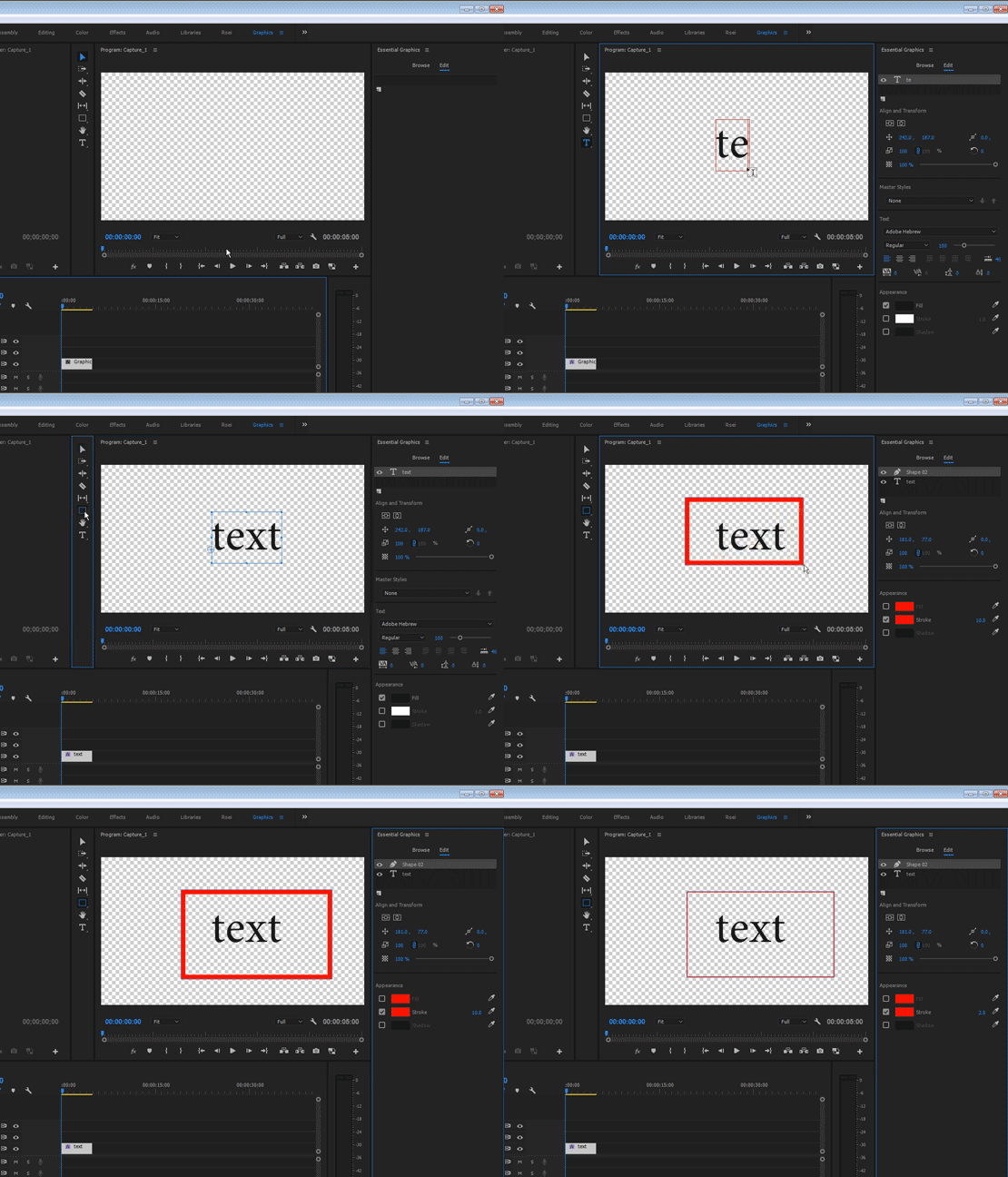
    you mean something like this?

    3 replies

    kulpreet singh
    Inspiring
    May 9, 2017

    Hi Peterkellner1,

    Without titles, how can I easily do the same thing?
    If you are familiar with this workflow, you can still create them under the Titles (now: Legacy Title in PPro CC2017.1 ).

    Check this: FAQ: Where is the Legacy Titler in Premiere Pro CC 2017 (11.1) located?

    Thanks,

    Kulpreet Singh

    Roei Tzoref
    Roei TzorefCorrect answer
    Legend
    May 9, 2017

    you mean something like this?

    peterkellner1
    Inspiring
    May 9, 2017

    Yes Kulpreet, that is what I want.

    Two follow-up questions.

    1.  How do I get the rectangle to appear on my bar like you have? (I added a shortcut for it but can't find where the bar options are set).

    2.  Once I get it, how do I set the default properties of the rectangle?

    Thanks

    Roei Tzoref
    Legend
    May 10, 2017

    From where is your country mister?

    On Wed, May 10, 2017 at 1:19 PM, anwar munasir [personal info deleted by mod, forum policy]


    From where is your country mister?

    Israel, and you?

    shooternz
    Legend
    May 9, 2017

    I would use the Legacy Title Option