

How to avoid a black screen on insta story uploads?
Hi! I am a content creator and often make insta stories for clients (both photos and video). I use the same Premiere Pro export settings for all my instagram story exports, but somehow one of my clients experiences a glitch every single time he uploads one of my videos to his story where the full screen will go black for a second at the start.
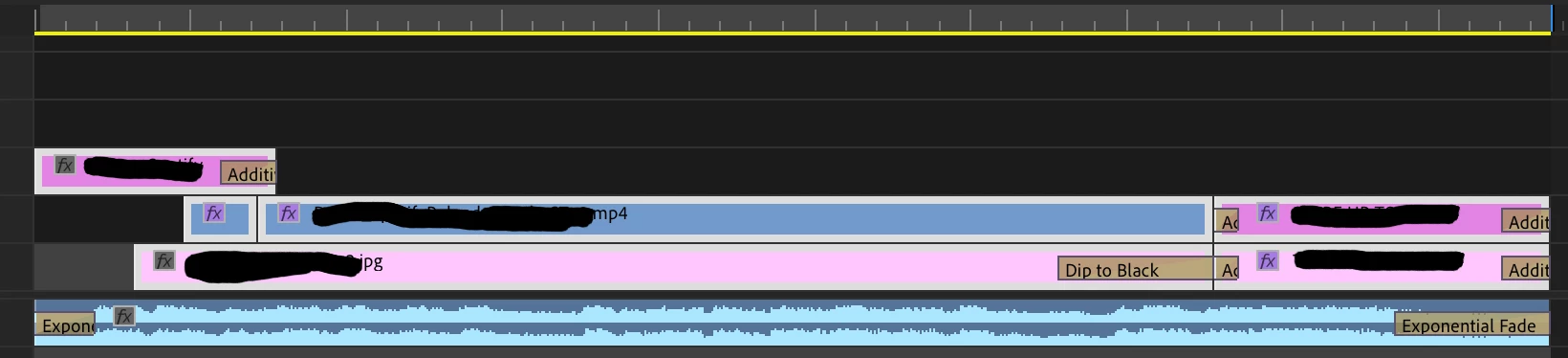
I never add black fade-ins at the start of my story exports (see screenshot below for my timeline), the video looks fine when I watch the export on my phone or laptop, and when I upload the exact same story to my own account I don't get the black screen at the start. Does anyone know what this could be? I'm really not sure whether it's something I can change in my export settings since it only happens when that particular client uploads. I've recorded an example of this and attached it below (only showing a portion of the screen for privacy reasons but you can see the whole screen goes black at the start of the next story)
My export settings are:
1080x1920 (1.0), 25 fps, progressive, VBR, 1 pass, target 10.00 mbps, AAC, 320 kbps, 48 khz, stereo.
I'm a first time poster so sorry if I left out crucial info or something but would appreciate any and all help! It's driving me crazy that I can't figure out what's going wrong!
timeline:
 AdChoices