
Inspiring
March 18, 2024
解決済み

How to blur the sides of a portrait oriented photo as a single clip

  • March 18, 2024
  • 返信数 1.
  • 8224 ビュー

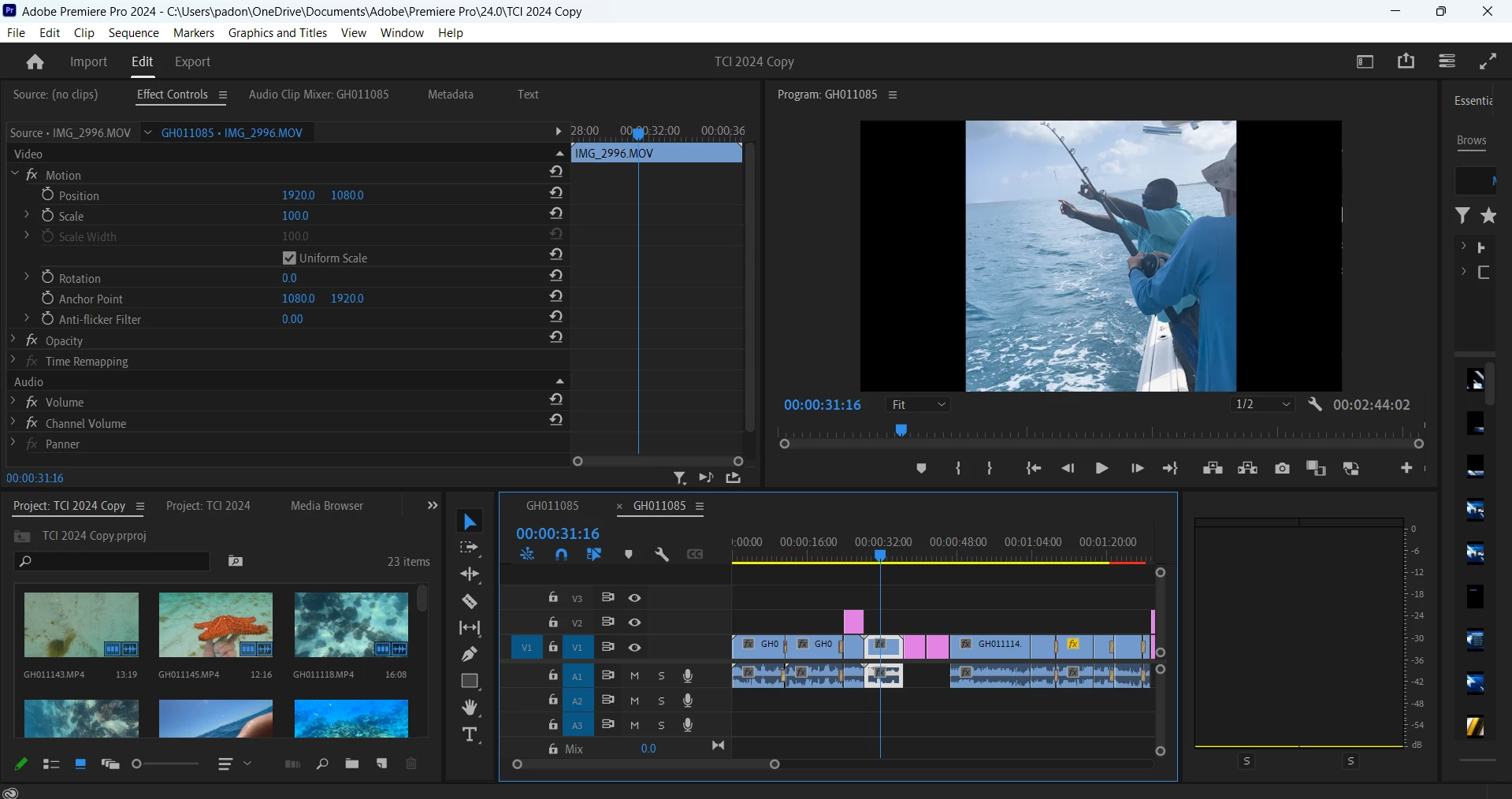
I am trying to blur the sides of a portrait oriented video clip. I followed the instructions in this video: https://www.youtube.com/watch?v=c-8219F5lHs

However, I found that this adjusts the sequence settings for the entire timeline, not just the clip selected. This is a problem because the majority of my clips in the project are landscape oriented. How can I just blur the sides of my portrait oriented videos?
このトピックへの返信は締め切られました。
解決に役立った回答 Kevin-Monahan

Hey, @Luke24620918afu6,

Thanks for the question. Try this:

  1. Duplicate the photo to V2.
  2. Select the photo on V1.
  3. Choose the Effect Controls panel for Window > Effect Controls.
  4. Scale the footage until it fills the frame.
  5. In the Effects tab. Window > Effects, search for the Gaussian Blur effect. Apply it by dragging it onto the V1 photo.
  6. Back in the Effect Controls panel, raise the Blurriness to taste.

Let the community know if you have more questions. I hope the advice works for you.


Thanks,

Kevin

返信数 1

Kevin-Monahan
Community Manager
Kevin-MonahanCommunity Manager解決!
Community Manager
March 19, 2024

Hey, @Luke24620918afu6,

Thanks for the question. Try this:

  1. Duplicate the photo to V2.
  2. Select the photo on V1.
  3. Choose the Effect Controls panel for Window > Effect Controls.
  4. Scale the footage until it fills the frame.
  5. In the Effects tab. Window > Effects, search for the Gaussian Blur effect. Apply it by dragging it onto the V1 photo.
  6. Back in the Effect Controls panel, raise the Blurriness to taste.

Let the community know if you have more questions. I hope the advice works for you.


Thanks,

Kevin

Kevin Monahan - Sr. Community & Engagement Strategist – Pro Video and Audio
Inspiring
March 19, 2024

@Kevin-Monahan Thank you! Your instructions were very helpful and it did exactly what I was looking for.

However, I found I still had a question about doing this process more effeciently in bulk. I tried to duplicate all the clips that needed the same blur process and moved them to V3. I then applied the Guassian blur to all of these duplicated clips in V3. Is there a difference between applying Guassian blur to V3 vs V1? I noticed the effect window does not allow multiple clips to be edited at once. Is there a way to get around this or do I need to adjust one by one? The reason I did not duplicate to V2 is because I have title layers in V2. 

Kevin-Monahan
Community Manager
Community Manager
March 19, 2024

Hello @Luke24620918afu6,

The blurry pictures should always be on a lower track. You can control batch processing with the Copy > Paste Attributes function. You can copy and paste one clip's effects into a group of clips. If you need more explanation, let the group know.


Thanks,
Kevin

Kevin Monahan - Sr. Community & Engagement Strategist – Pro Video and Audio