
Exit
  • Global community
    • Language:
      • Deutsch
      • English
      • Español
      • Français
      • Português
  • 日本語コミュニティ
  • 한국 커뮤니티
0

How to disable auto install adobe product?

Enthusiast ,
Oct 24, 2022 Oct 24, 2022

Dear all, my Adobe Creative Cloud automatically install Adobe 2023.

I have uninstall these some days ago, then yesterday installed again, i uninstall it, and today these apps installed again.

I have auto update disable in my preferences. But it still install uneeded app.
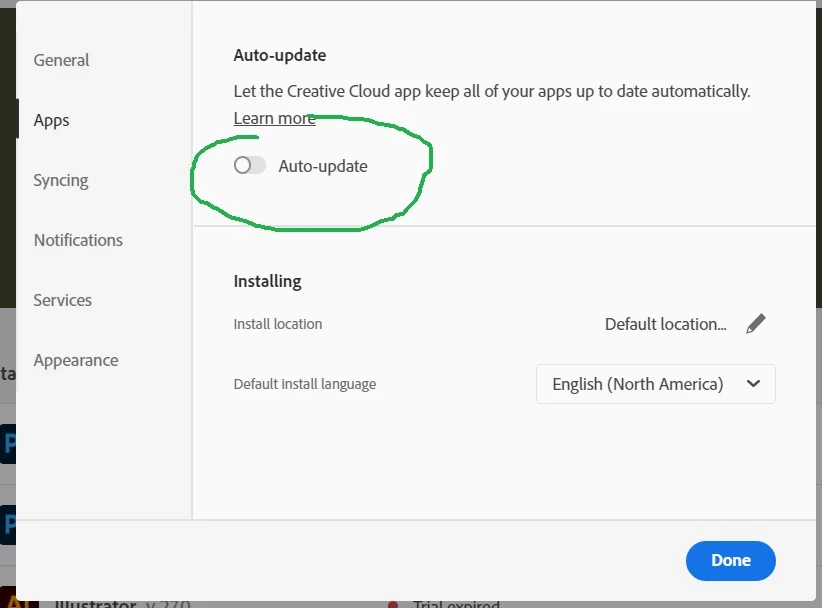
Auto Update Disabled.jpg

And no notify to me ..

How to disable it?

Thanks.

######
Raizen 7, 40Gb Ram, RTX 3060, Win 11 -- All of Software in the world are just tools. Buy it if it works for you 🙂
TOPICS
Error or problem
672
Translate
Report
Community guidelines
Be kind and respectful, give credit to the original source of content, and search for duplicates before posting. Learn more
community guidelines
Community Expert ,
Oct 25, 2022 Oct 25, 2022

Could it be caused by this preference?

keep cc up to date.png


Translate
Report
Community guidelines
Be kind and respectful, give credit to the original source of content, and search for duplicates before posting. Learn more
community guidelines
Enthusiast ,
Oct 25, 2022 Oct 25, 2022
LATEST

Thanks @Richard M Knight , i'll try it.

######
Raizen 7, 40Gb Ram, RTX 3060, Win 11 -- All of Software in the world are just tools. Buy it if it works for you 🙂
Translate
Report
Community guidelines
Be kind and respectful, give credit to the original source of content, and search for duplicates before posting. Learn more
community guidelines
Community Expert ,
Oct 25, 2022 Oct 25, 2022

try to refresh your Creative Cloud or sign out and back in or update Creative Cloud

then make sure Auto-Updates is sill off.

Translate
Report
Community guidelines
Be kind and respectful, give credit to the original source of content, and search for duplicates before posting. Learn more
community guidelines