


Exit
  • Global community
    • Language:
      • Deutsch
      • English
      • Español
      • Français
      • Português
  • 日本語コミュニティ
  • 한국 커뮤니티
0

How to dock/lock panels on second monitor
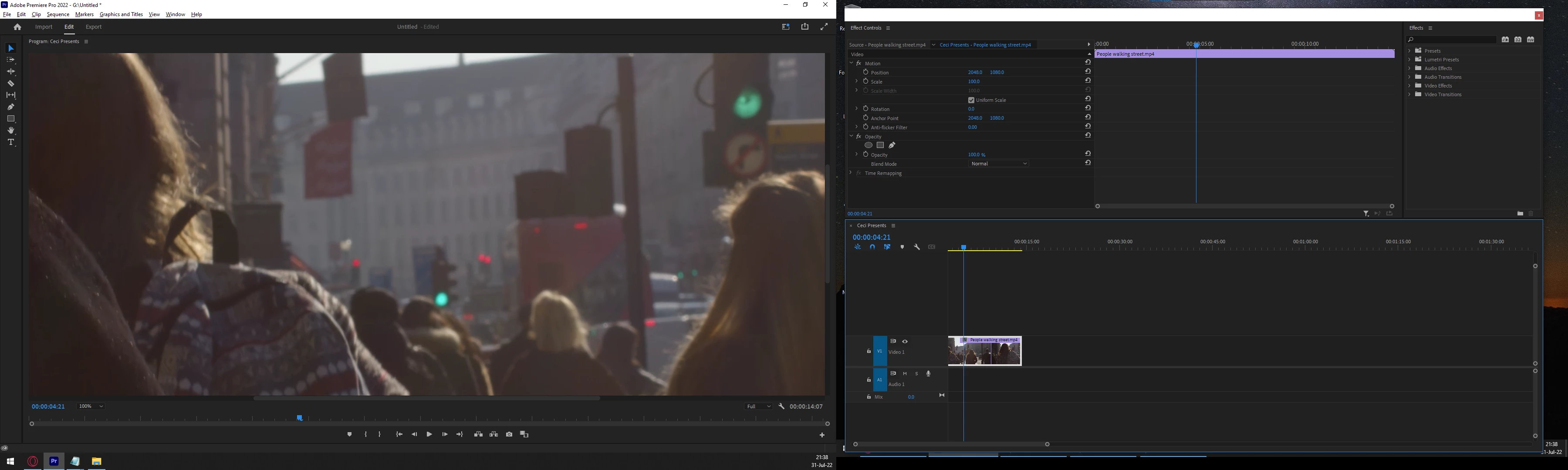
Explorer ,
Jul 31, 2022 Jul 31, 2022

all of it.png

The above is the screen shot of my two monitors. As you can see, the one on the right is floating around. I can't find a way to dock it, lock it, maximize it or whatever you want to call it.
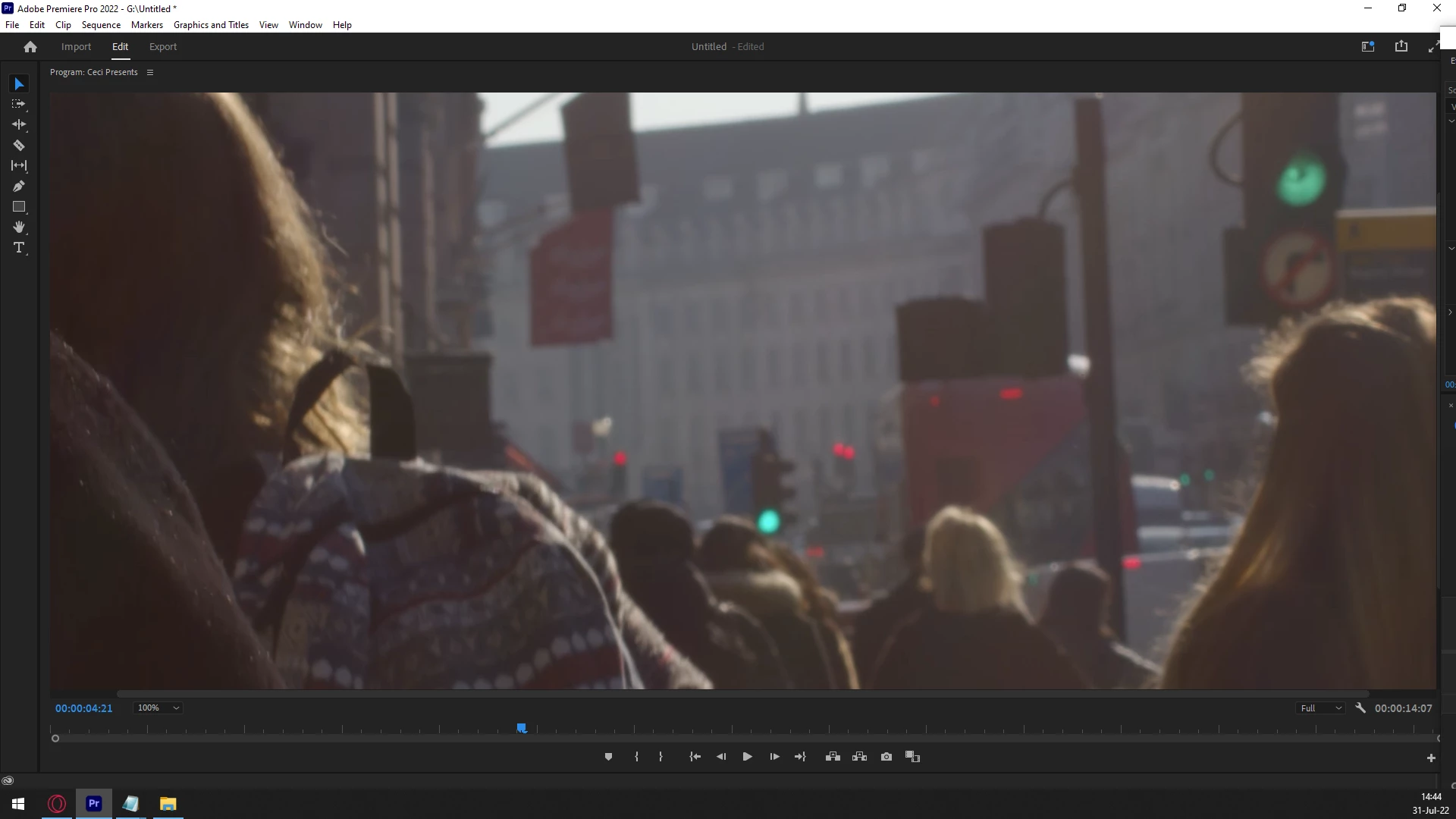


Screen docked.png

This is the panel on monitor 1. As you can see, it is nice and docked/locked.
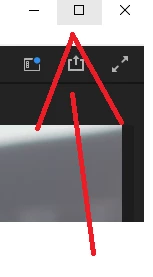


maximize.png

The panel on monitor 1 has a maximize button. That is a good thing.
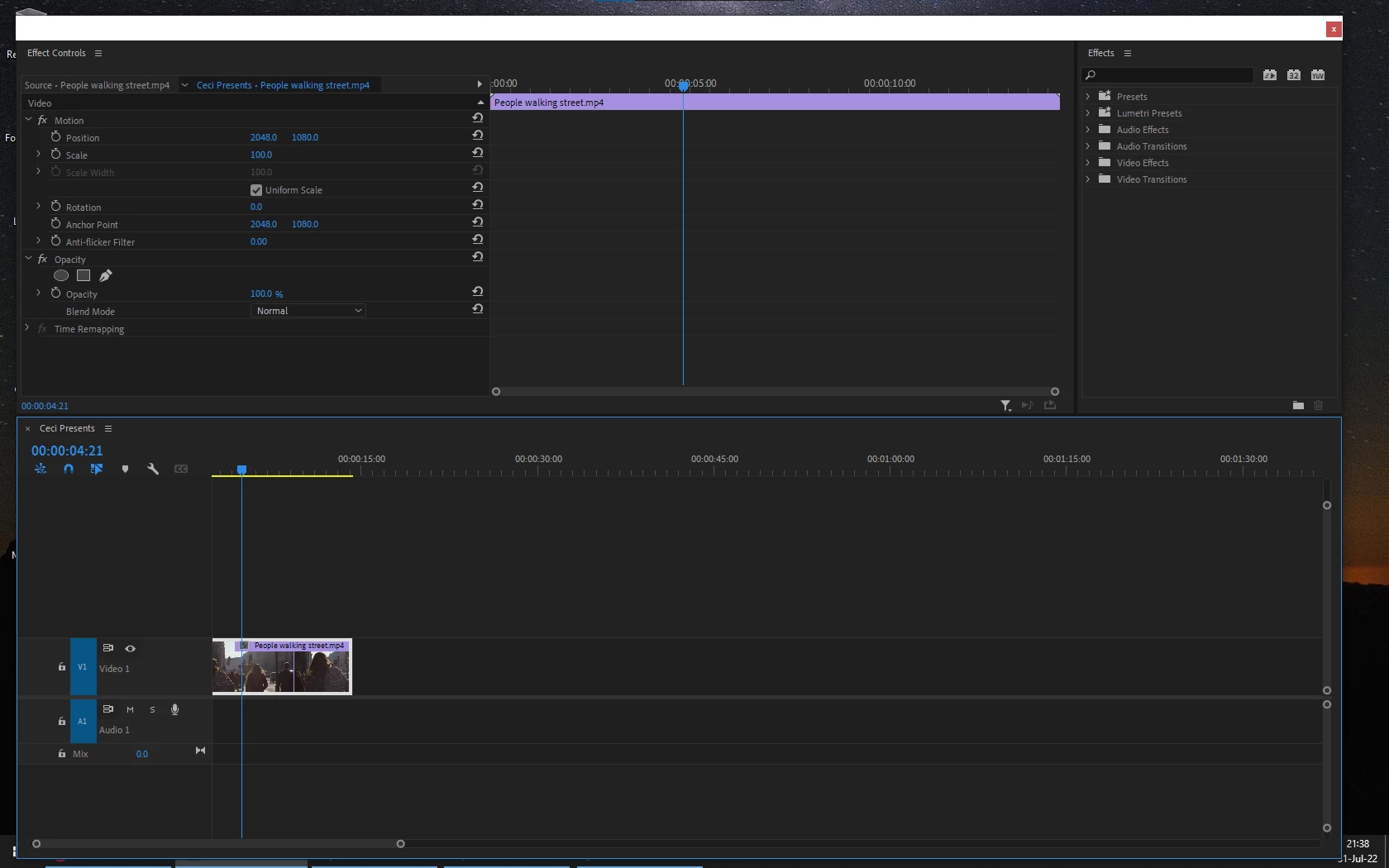


floats.png

The above is the panel on monitor 2. Monitor 2 floats around whimsically. It is very good friends with Mr. Miss-Click. Also when I restart Premiere, it will be in a different position... everytime.
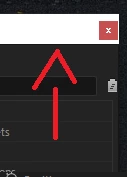


floats around.png

Panel on monitor 2 does not have a maximize button. This is a problem for me.


Please. How do I maximize and dock/lock panels on monitor 2?


TOPICS
User interface or workspaces
1.5K
Translate
Report
Community guidelines
Be kind and respectful, give credit to the original source of content, and search for duplicates before posting. Learn more
community guidelines

correct answers 1 Correct answer

LEGEND , Aug 01, 2022 Aug 01, 2022

Go to their Premiere Pro UserVoice system, and search for this sort of thing, there's a number of posts there about it. Then vote on any you find. If you want, add a new one.


You can even post a link back here, and I and others can go upvote also.


That system is the input portal for both the developers and the all-important M&E people well up above the devs who make many of the actual decisions based on their metrics.


And this is the one way we users can directly affect those metrics.


Ne

...
Translate
Community Expert ,
Aug 01, 2022 Aug 01, 2022

reset the preferences or check here:

https://helpx.adobe.com/premiere-pro/using/workspaces.html

Translate
Report
Community guidelines
Be kind and respectful, give credit to the original source of content, and search for duplicates before posting. Learn more
community guidelines
Explorer ,
Aug 01, 2022 Aug 01, 2022

You didn't read my post.

Translate
Report
Community guidelines
Be kind and respectful, give credit to the original source of content, and search for duplicates before posting. Learn more
community guidelines
Community Expert ,
Aug 02, 2022 Aug 02, 2022
LATEST

and you didn't read my answer as well, or the link I shared.

we are user to user here trying to help, I'm not your employee

Translate
Report
Community guidelines
Be kind and respectful, give credit to the original source of content, and search for duplicates before posting. Learn more
community guidelines
LEGEND ,
Aug 01, 2022 Aug 01, 2022

Premiere sadly does NOT treat anything other than the primary screen as seen by the OS as a separate monitor. Except for the Transmit Out function, that is.


So all multi-screen work has workspaces setup by the 90's style mathematical calculation ... the upper left pixel of Screen 2 is (by the OS shown location as to how your screen are arranged) say "0 pixels horizontal and -1080 pixels vertical from the 0/0 pixel of the upper left corner of Screen 1".


They don't allow us to 'dock to a monitor ... you just place another panel on a screen, set the size & location manually by dragging the corners of the panel to nearly fill the screen. But do NOT ever let it actually go 1 pixel onto another screen! And then save as a new workspace. Which mostly works. Except for when it doesn't.


Yea, post and vote as many UserVoice things about this as you can. It's crazy.


I've got four monitors, three for 'working' and one as a reference for transmit out. I would really, really like to just have them set to X monitor.


Neil

Translate
Report
Community guidelines
Be kind and respectful, give credit to the original source of content, and search for duplicates before posting. Learn more
community guidelines
Explorer ,
Aug 01, 2022 Aug 01, 2022

So what is you're saying is that what I'm looking for does not exist in Premiere.

I mean, I just expanded the screen as much as possible and I guess this is not a major issue.

It would be nice to dock it, though. 

For how are we asking for this feature?

Translate
Report
Community guidelines
Be kind and respectful, give credit to the original source of content, and search for duplicates before posting. Learn more
community guidelines
LEGEND ,
Aug 01, 2022 Aug 01, 2022

Go to their Premiere Pro UserVoice system, and search for this sort of thing, there's a number of posts there about it. Then vote on any you find. If you want, add a new one.


You can even post a link back here, and I and others can go upvote also.


That system is the input portal for both the developers and the all-important M&E people well up above the devs who make many of the actual decisions based on their metrics.


And this is the one way we users can directly affect those metrics.


Neil 

Translate
Report
Community guidelines
Be kind and respectful, give credit to the original source of content, and search for duplicates before posting. Learn more
community guidelines
Explorer ,
Aug 01, 2022 Aug 01, 2022

Sounds like a fair system

Translate
Report
Community guidelines
Be kind and respectful, give credit to the original source of content, and search for duplicates before posting. Learn more
community guidelines