
Inspiring
February 6, 2022
Answered

How to easily make a progressive audio reverb

  • February 6, 2022
  • 2 replies
  • 728 views

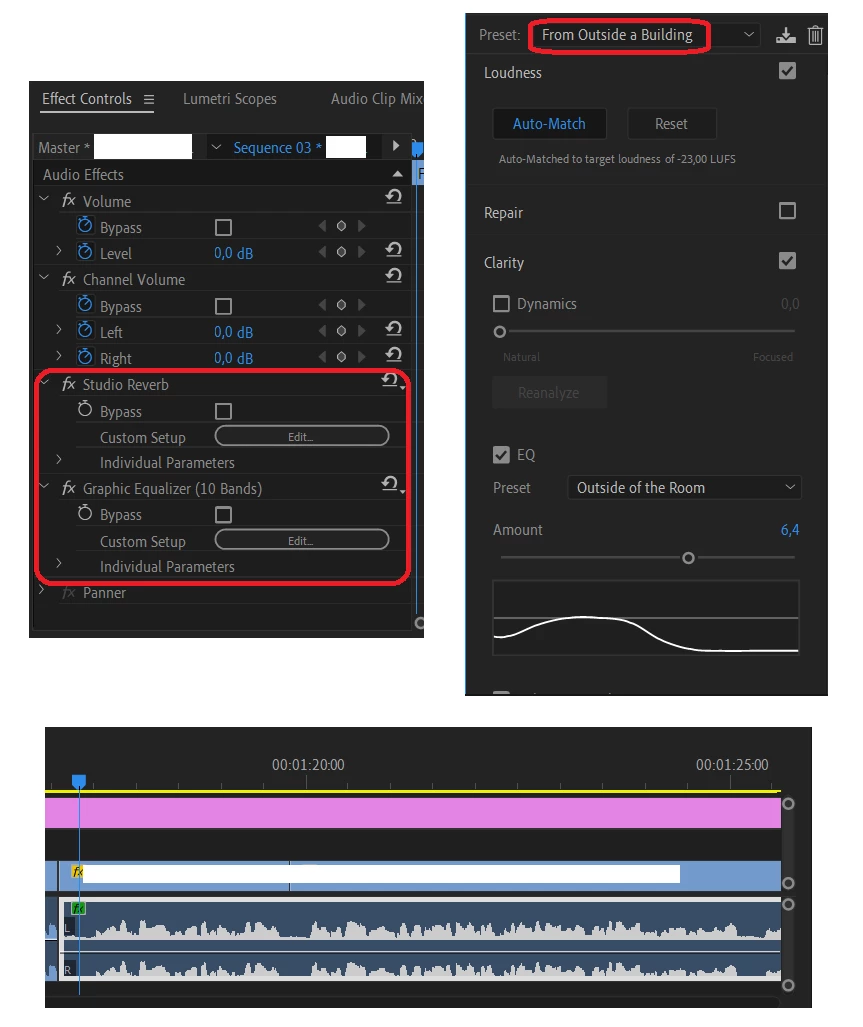
I added a preset to my audio channel ("From Outside a Building"). But I want it to be progressive in the time, and there is no key for doing that in the selected effects. What is the best way to do this ?


This topic has been closed for replies.
Correct answer Michael Grenadier

why not duplicate your audio track with the effect applied to one and then you can simply keyframe the audio level of each track or cut them together and do a dissolve?  worth a shot...

2 replies

Michael GrenadierCorrect answer
Legend
February 8, 2022

why not duplicate your audio track with the effect applied to one and then you can simply keyframe the audio level of each track or cut them together and do a dissolve?  worth a shot...

GlutamateAuthor
Inspiring
February 8, 2022

Thank you, that actually works.

neil wilkes
Legend
February 8, 2022

Can you please elaborate on what you mean when you say 'progressive in time'?

What - exactly - is the effect you are attempting to achieve please?

(I ask as in all my years I have never once heard that phrase with regard to a reverb effect and honestly do not understand what you mean)


Tip:

Turn OFF the current mode you have got your audio set to (rectified waveforms) and you will have a far better visual representation of the waveform (see attached screen edit)

GlutamateAuthor
Inspiring
February 8, 2022
quote

(I ask as in all my years I have never once heard that phrase with regard to a reverb effect and honestly do not understand what you mean)

By @neil wilkes


Maybe because my english is bad 🙂 I wanted to increase the reverb gradually, by using keyframe. Is it clearer ?


Thank you for the tip !