
Question
How to export a video with the audio at 44.1 Khz/16 bits from Adobe Premier Pro without compression?
Hi,
I imported a wav file in Adobe Premiere Pro at 44.1 Khz and 16 bits. Also the session is at 44.1 Khz and 16 bits.
I have 2 problems:
1) I'm trying to export a video for Youtube, but if I select H264 it will compress the audio and lower it from 1411 Kbps to 320Kbps. How can avoid it and keep a format compatible with Youtube?
I tried with Quicktime but I'm not sure If everyone will be able to watch it on Youtube then.
2) Where it says "Origen" (Source) it says 48000 Hz and I don't understand why. Because everything is set at 44100 Hz (from the audio that I imported to the session settings).
Can someone help me with these problems?
Thank you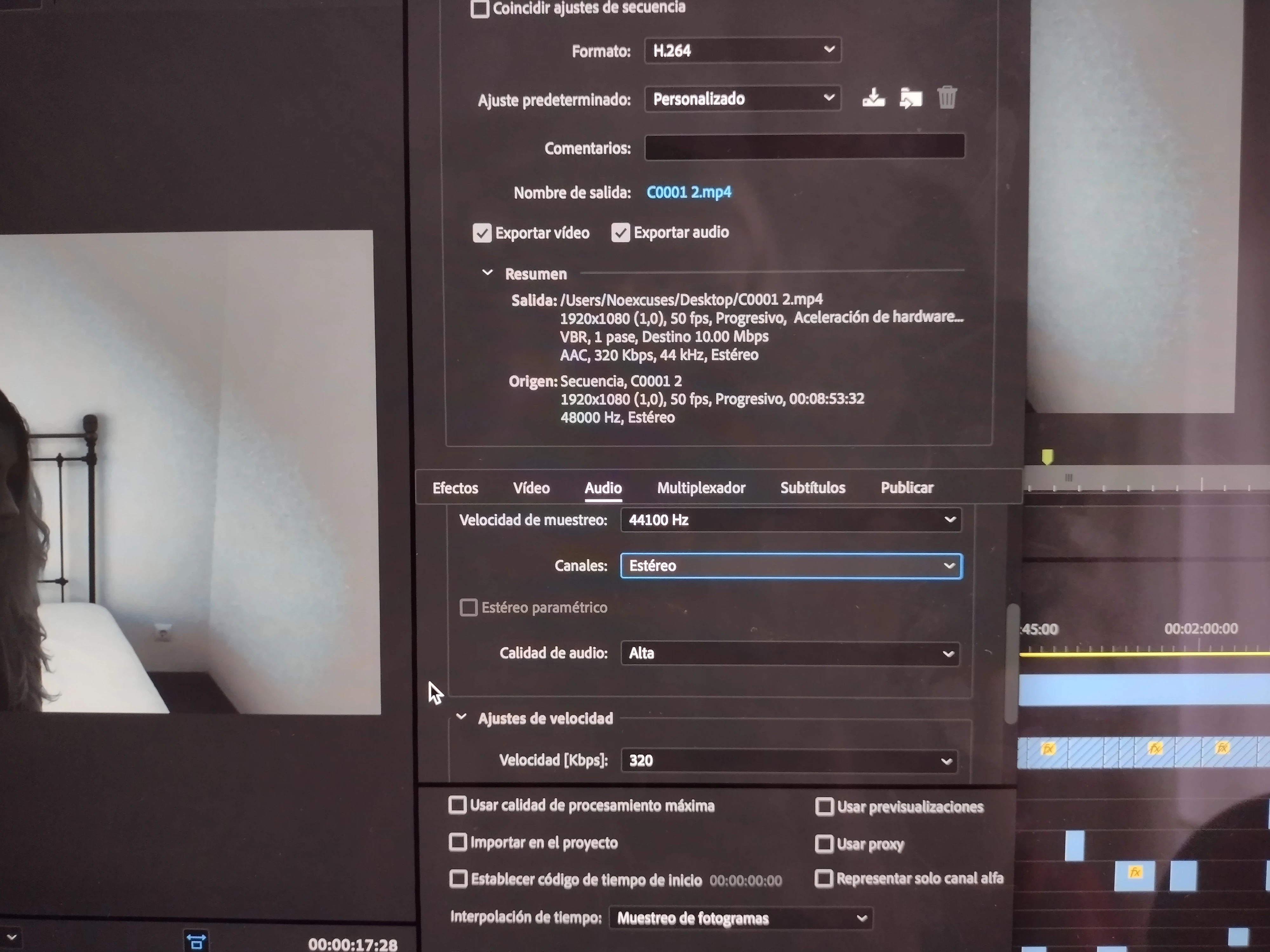
 AdChoices