Participant
July 13, 2020
Question

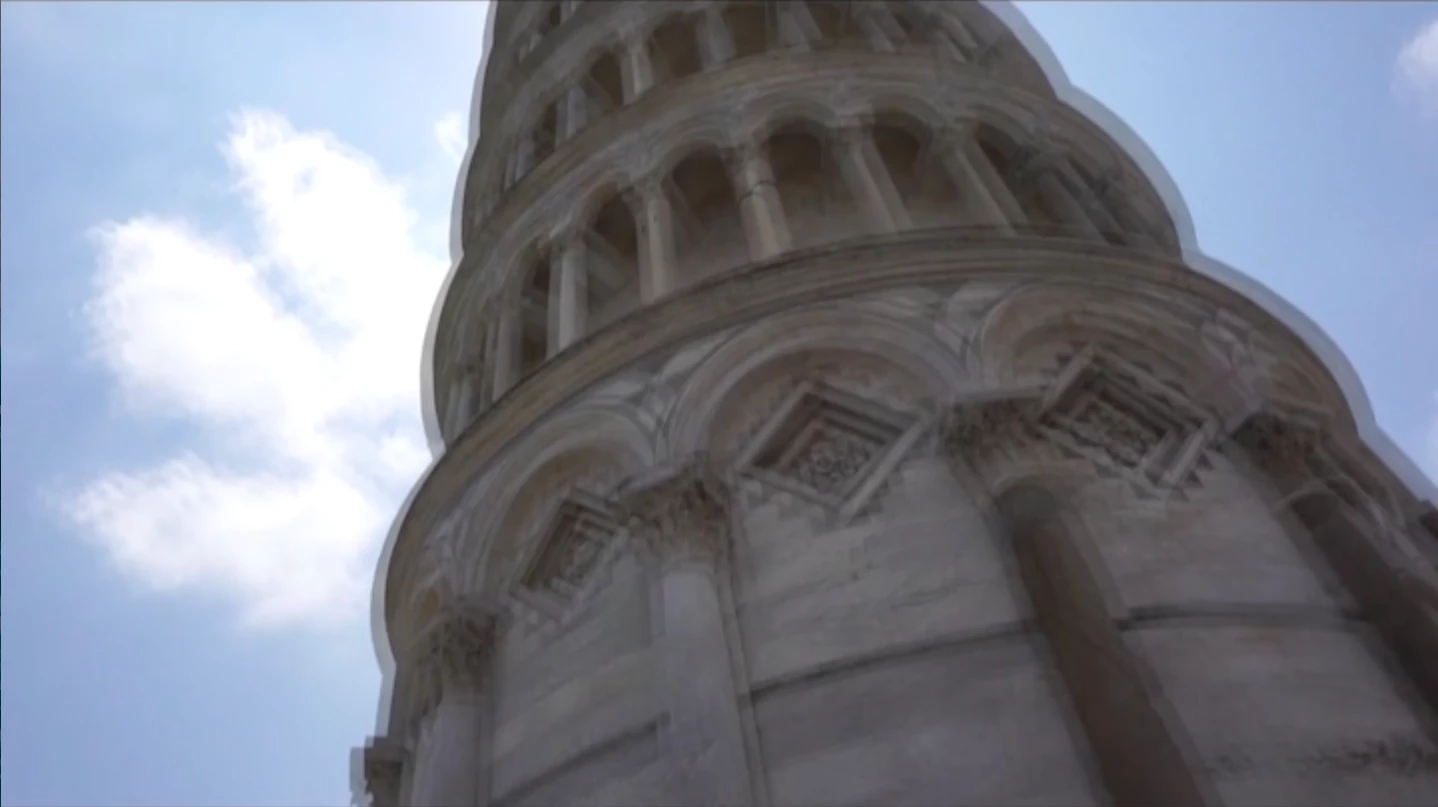
How to fix double outline lag in video footage?

  • July 13, 2020
  • 2 replies
  • 484 views


Help! This is from an old video footage from 2016. I thought there was nothing to do with the lagging back then, but I remember I fixed something similar not that long ago. I just can't remember what I did or what this problem is called. Every time there is a motion, an outline apears around objects ect. It kind of look a bit delayed and everything looks there is twice as much of everything. The video was filmed with a Sony a6400 camera. 
This topic has been closed for replies.

2 replies

Inspiring
July 14, 2020

Quick look online about the a6400 and it appears it can record 'interlaced'. Which as mgrenadier suggests may be the cause of your issue. So you'll need to deinterlace the footage or work in an interlaced sequence. I believe the a6400 can record at 4K though ... so if this is the case at least you are starting with a high quality image before deinterlacing and throwing away half your resolution 😞 

Legend
July 14, 2020

can 4k be interlaced?  I have no idea, just curious....

Ann Bens
Community Expert
Community Expert
July 14, 2020

Does not look like interlaced to me. (too) Fast panning?

Legend
July 13, 2020

please tell us the properties of your media files.  Wondering if by any chance your footage is interlaced.  If so, you'll need to deinterlace which is difficult to do without losing quality.   But...  if this is just the way it's looking within Premiere, it may not be an enormous issue depending on your delivery format...