
Participant
July 11, 2020
Question

How to get rid of a gray scrolly thing???

  • July 11, 2020
  • 2 replies
  • 357 views

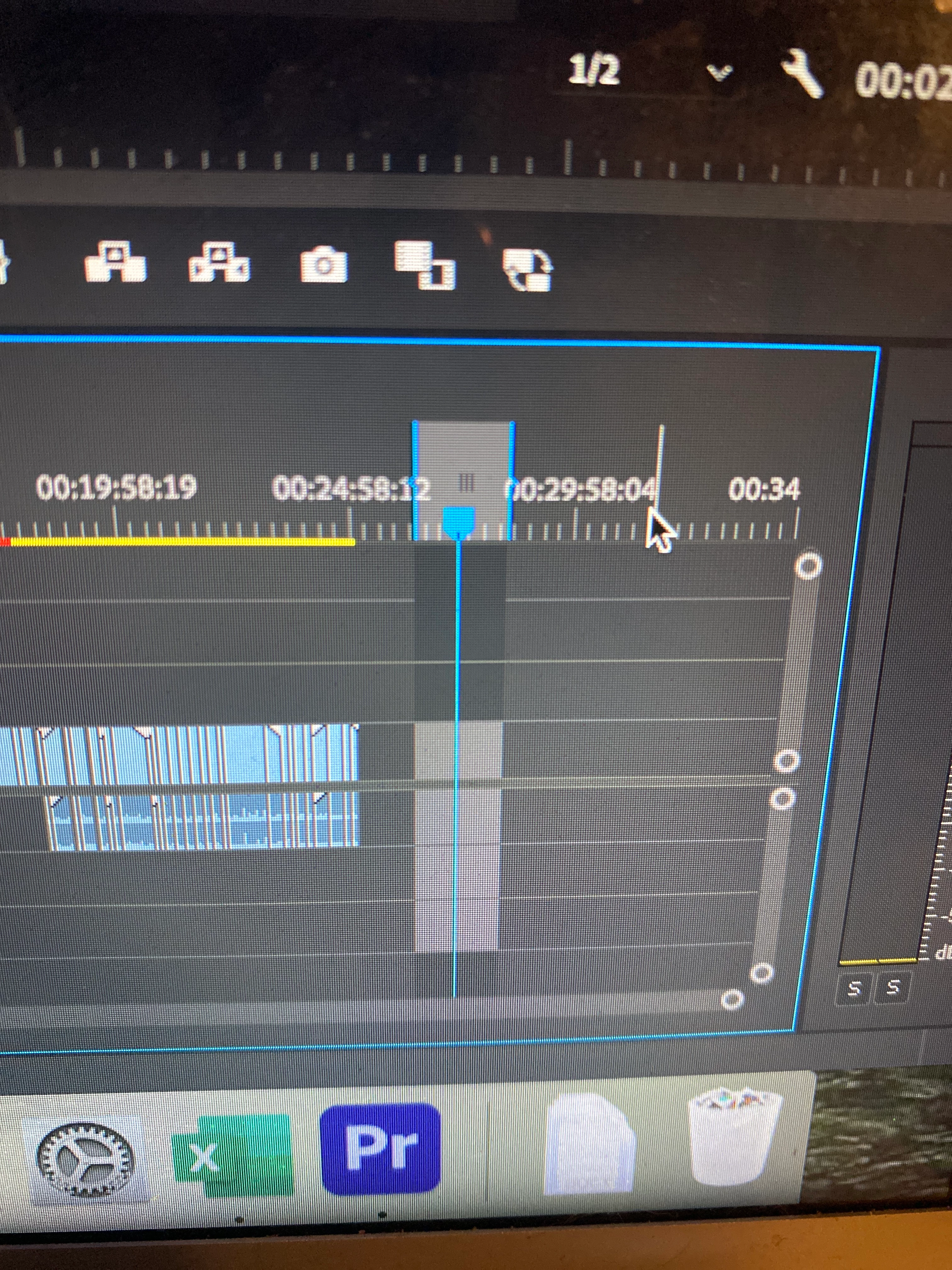
Hello! I'm very new to Premier Pro. I was listening to some of the stock audio and this gray highlighted scrolling box showed up in my timeline when the audio was playing. When I finished listening to the audio, though, it didn't go away. I have no idea what it's called, so any attempts at looking up how to get rid of it did nothing. Help please! And thank you 🙂
This topic has been closed for replies.

2 replies

July 11, 2020

Meg_The_Dog, thanks, it helped!

Ann Bens
Community Expert
Community Expert
July 11, 2020

Ctrl+Shift+X on windows.

Inspiring
July 11, 2020

You have an In Mark and an Out Mark set you your timeline.

If you want to remove them, use the keyboard shortcut Option (Alt) + X which is Clear In and Out.

MtD

aum545Author
Participant
July 11, 2020

Thank you so much!