
Participating Frequently
April 24, 2025
Answered

How to get Rid of Black Horizontal lines
  • April 24, 2025
  • 1 reply
  • 1270 views

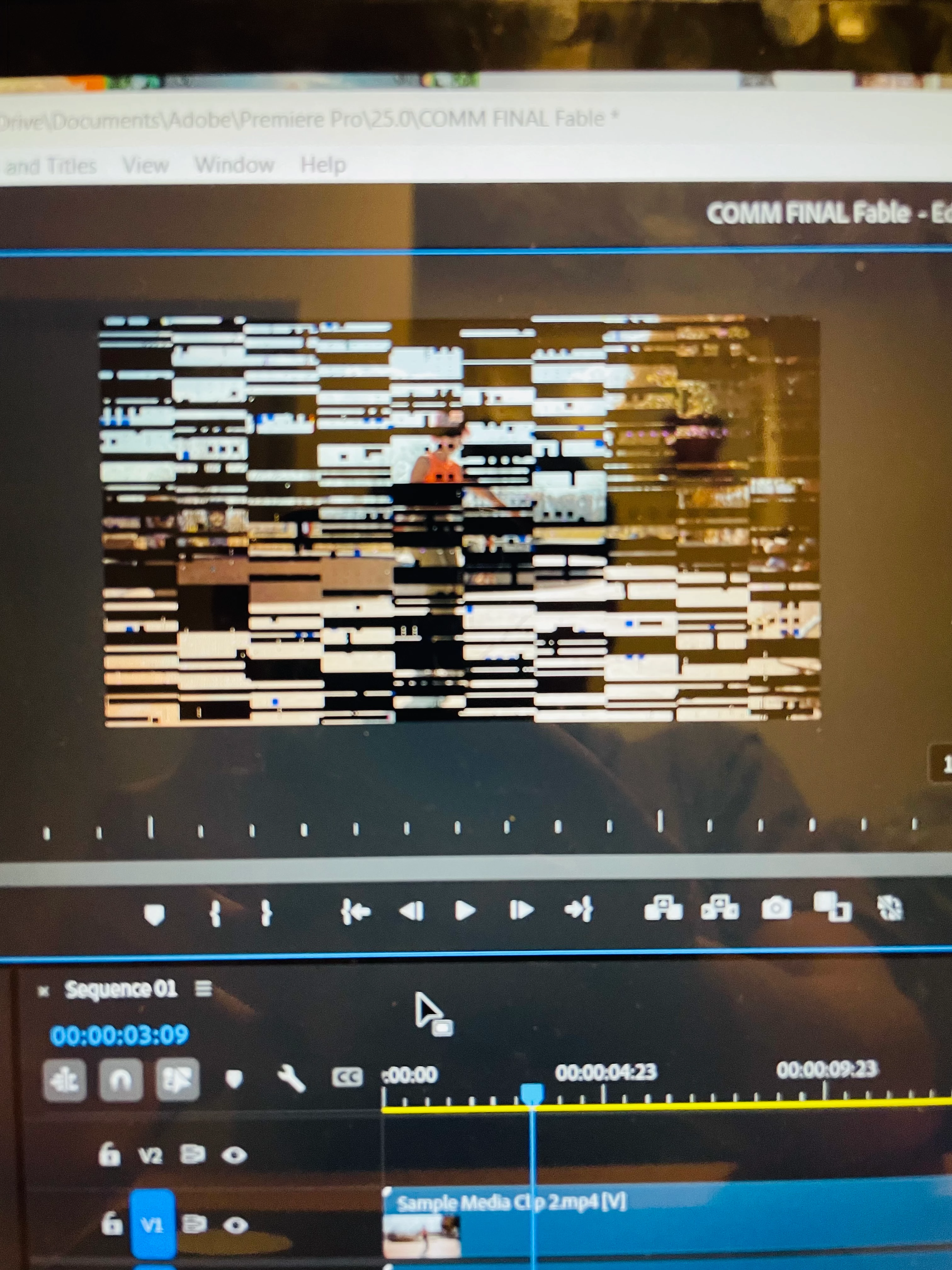
the photo above describes my issue. Every video including the sample given by adobe have these black horizontal lines when paused. Once I start to play the video it goes away. I am so confused what is happening. How do I get rid of it? I am on a HP ENVY 3n1 Laptop with 8gbs of ram

Correct answer Peru Bob

Thank you for the link. My GPU is AMD Radeon (TM). I have not installed or tweaked anything in Adobe Premiere. I have imported an edited video from another software, but I believe that is not the issue, as I still see black horizontal lines through Adobe's sample videos.  My issue began the moment I installed it. I opened Adobe Premiere on a school's PC and it works fine. It has to be something with my laptop, but not sure what it is. 


You probably don't have enough dedicated VRAM.

1 reply

Community Manager
April 24, 2025

Hi there,


We're sorry to hear about this. Could you please confirm the version of Premiere Pro that you are using & the CPU & GPU on your system? Also, have you tried updating the GPU drivers to see if it's fixing the preview?


Thanks,

Sumeet

Participating Frequently
April 24, 2025

I am using 2025 premier pro. My CPU is AMD Ryzen 5 7530U with Ryzen 5 graphics. My GPU is AMD Radeon TM graphics. My GPU drivers are up to date as well 

Participating Frequently
April 25, 2025

You probably don't have enough dedicated VRAM.


that's probably it, not going to lie.